— The Forums are now read-only —
— All new activity now takes place here: —

I have created a GI that gives the Fill Rate % by Item, But it runs very slow when I try to change the Date parameters.
Also It gives a Divide by zero error when I try to export the GI
Even when I try to filter the Backorders column it gives the divide by zero error

I think the issue as to do with the value of your calculation's denominator . If it is 0 or Null, you are dividing by zero and therefore produce an error. You need to ensure the value is neither 0 nor null first. I modified you formula to put your calculation into an IIF statement and added an IsNull verification as well. If the ShippedQty is null, the IsNull function will convert it to a 0. If it is not null, it will return the value in the field. Then we check the adjusted value to see if it equals 0. If so, we skip the calculation and just return a 0. If not, we perform your calculation.
=IF(isnull([SOLine.ShippedQty],0)=0,0,(((sum([SOLine.ShippedQty])) - sum([SOLine.OpenQty]))/ (sum([SOLine.ShippedQty]))) *100)
Please let me know if this works.
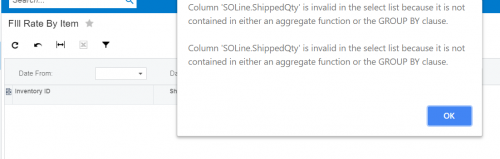
I tried this but getting the following error
https://timrodman.s3.us-east-2.amazonaws.com/forums/255-ItemQtySOQty.xml
Column 'SOLine.ShippedQty' is invalid in the select list because it is not contained in either an aggregate function or the GROUP BY clause
Looking at your GI, you are using sum functions within your calculation of the fill rate. Acumatica doesn't like aggregate functions within an aggregated result.
The line calculation should look like this.
=iif( [SOLine.ShippedQty]=0,0,(([SOLine.ShippedQty] - [SOLine.OpenQty])/ [SOLine.ShippedQty] *100))
I took the IsNull function out as the default value for the field is 0 and therefore you should always have a non-null value.
The IIF returns a 0 for the fill rate if the quantity shipped is 0. Otherwise, it calculates the line fill rate.
Since the entire GI is within a Group By clause, we aggregate each column returned (is visible) that is not in the grouping clause. For the quantities, use Sum. For the Order ID, use Count. For the fill rate, use Average.
Hope this helps.

@Shawn
Wow, I impressed by your knowledge! Thanks for contributing, you examples and explanations really helps in understand the system and inquiries

Awesome @shawn-slavin. Love it!
By using this website, you agree to our Terms of Use (click here)
