By using this website, you agree to our Terms of Use (click here)

Hello,
Is there a way to make the Sales Order Number field compulsory? (Without code would be great 😁).
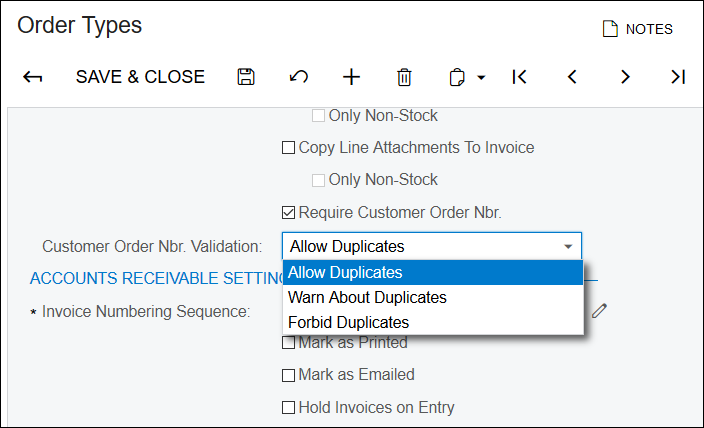

Make it compulsory where? More details needed.
To make it compulsory for the customer order number field (Data Class SOOrder, Data Field CustomerOrderNbr) before a Sales Order can be unheld and saved. It would also be great if this only occurred when the Order Type is SO.
Is there a button in the backend where this can be done?
Sounds like you haven't implemented the system properly. It should default to <NEW> and when it gets saved, a new number is automatically allocated from the number sequence. Are you doing manual SO numbering ?

If you create a new customisation project, navigate to the field, see below
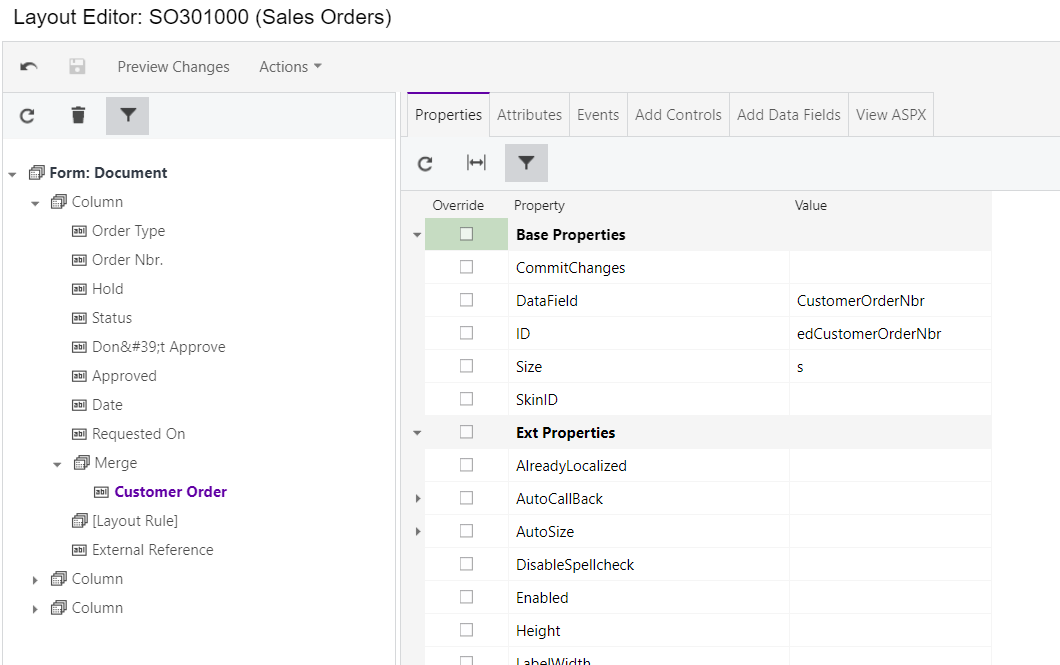
And then go to Attributes and add [PXDefault] as shown below
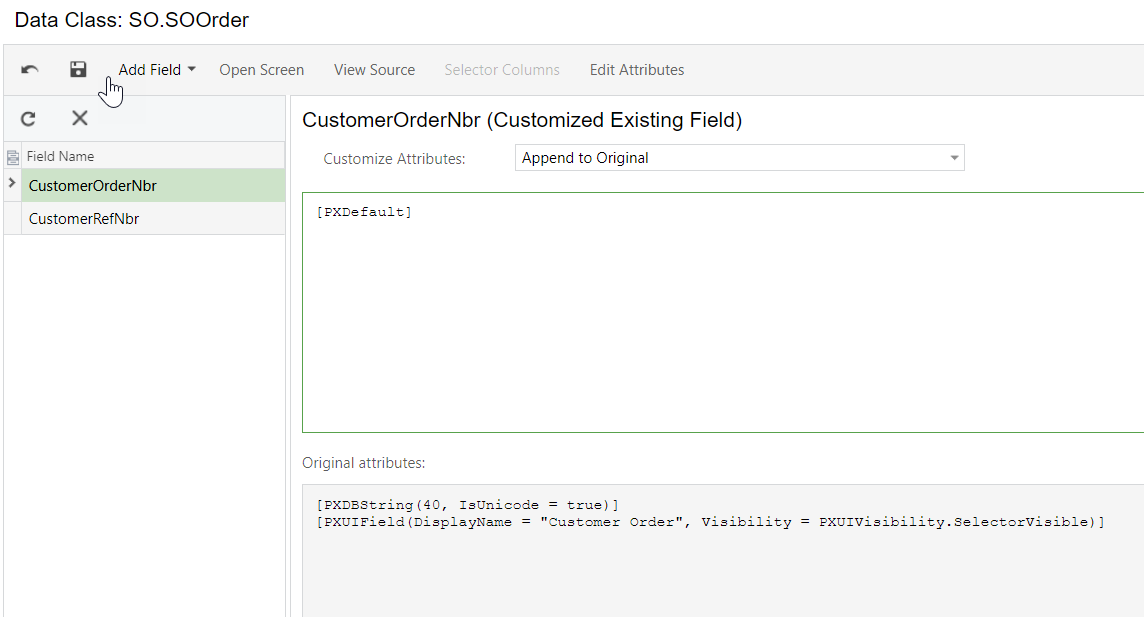
Publish and the field is now mandatory.
Thanks a lot for this Carl, it has worked.
I do keep getting a random popup on sales orders, and dashboards grabbing info from sales orders, since implementing this change. The message is:
[A]PX.Objects.SO.SO_SOOrder_ExistingColumn cannot be cast to [B]PX.Objects.SO.SO_SOOrder_ExistingColumn. Type A originates from 'App_Code.ho_9myru, Version=0.0.0.0, Culture=neutral, PublicKeyToken=null' in the context 'Default' at location 'D:\8bc05a18f9be40f0b1ebb13a2567a021\tempdirectory\root\12c687a2\c062361a\App_Code.ho_9myru.dll'. Type B originates from 'App_Code.oyg-m7i8, Version=0.0.0.0, Culture=neutral, PublicKeyToken=null' in the context 'Default' at location 'D:\8bc05a18f9be40f0b1ebb13a2567a021\tempdirectory\root\12c687a2\c062361a\App_Code.oyg-m7i8.dll'.
Whats this message about? Often by refreshing the page it goes away, but it does keep popping up. Also hopefully I'm not causing a security risk by posting this message, please let me know if it is.

That's a crazy error message. Maybe it's caused by another Customization Project?

Has anyone had any luck figuring out how to make this required without getting an error on transfer orders?
I have updated to make this field required and it works fine for most orders, but orders with the TR type do not have a CustomerOrderNbr field but still give an error saying you cannot save until it is updated. I have been unable to figure out how to either add the CustomerOrderNbr to make it visible even for TR order types or to make the required error exclude the TR order type.

@daniel-o
Those messages pop up after publishing a customization sometimes. You can clear them by restarting your instance (System Management -> Apply Updates screen -> Restart Application). It gets the application back in sync.
In Acumatica 2019 R1 you can apply conditions to your screen customizations like this:
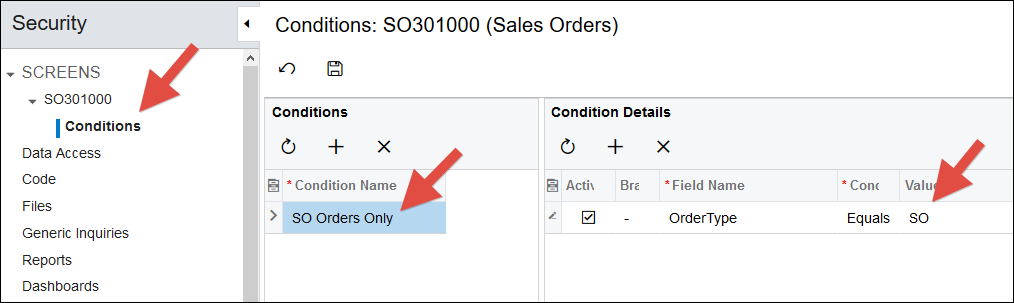
I wonder if that would resolve the errors you get when using the TR Order Type.
Ya, my impression is that those Conditions apply to header fields, not line fields.
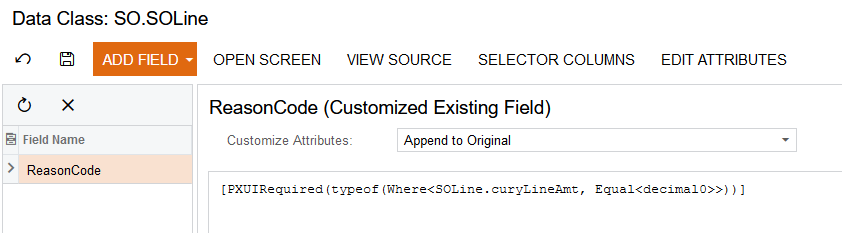
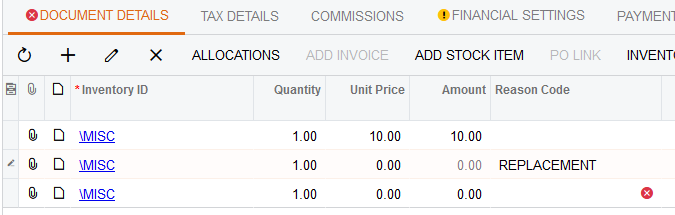
If you add this attribute to your SOLine.ReasonCode, you should get your desired effect:
[PXUIRequired(typeof(Where<SOLine.curyLineAmt, Equal>))]