AugForums.com

An Acumatica User Group

  • Free
    • Start Here
    • In-Person Gatherings
    • Power BI Workshop
    • Podcast
    • Rolodex
    • Blog
    • Forums
  • Paid
    • AugSQL
    • GI Course
    • GI Library
    • Consulting
  • Register
Acumatica Forums

By using this website, you agree to our Terms of Use (click here)

Forums
AUG Forums
Everything Else
Apply a cash receip...
 
Notifications
Clear all

Questions Apply a cash receipt from one customer to multiple cusetomers

 
Everything Else
Last Post by Kyle Wright 5 years ago
9 Posts
5 Users
2 Reactions
3,853 Views
RSS
Alfred Menendez
Posts: 28
 Alfred Menendez
Topic starter
August 7, 2019 12:10 pm
(@alfred-menendez)
Trusted Member
Joined: 6 years ago

We have a customer that uses a Factoring company.  They receive a payment from this Factor for many invoices of different customers.  The entry is made as a payment receipt for the Factor, which is a customer in Acumatica.   That customer now has an un-applied payment.

When it comes time to apply the payment to the customer invoices, we have to create a debit memo to the factor customer to wash out the payment.   Then create a Credit Memo in each customer for the amount of the corresponding invoices to pay. 

Is there a way in Acumatica to select the original payment to the Factor customer and apply to different customer invoices?


8 Replies
Donna Boes
Posts: 27
 Donna Boes
August 7, 2019 12:18 pm
(@bodonna)
Eminent Member
Joined: 8 years ago

You can if you set up parent child relationships


Reply
Alfred Menendez
 Alfred Menendez
(@alfred-menendez)
Joined: 6 years ago

Trusted Member
Posts: 28
August 7, 2019 12:25 pm
Reply toDonna BoesDonna Boes

@bodonna

Thank you will try that.


Reply
Alfred Menendez
 Alfred Menendez
(@alfred-menendez)
Joined: 6 years ago

Trusted Member
Posts: 28
August 7, 2019 4:30 pm
Reply toDonna BoesDonna Boes

@bodonna

Hello, tried that parent child relationship.  Setup a child.   When I bring up the Payment in the Payment and Applications for the parent, I can't access the invoices for the child.  I do not have the Consolidate Balance/Statement or credit policy checked.   Not sure if there is any other setting.


Reply
Donna Boes
Posts: 27
 Donna Boes
August 7, 2019 4:34 pm
(@bodonna)
Eminent Member
Joined: 8 years ago

You need to have the Consolidate Balance checked.


Reply
Alfred Menendez
 Alfred Menendez
(@alfred-menendez)
Joined: 6 years ago

Trusted Member
Posts: 28
August 7, 2019 4:37 pm
Reply toDonna BoesDonna Boes

@bodonna

thank you!! that worked.


Reply
Tim Rodman reacted
kruj
Posts: 1
 kruj
February 17, 2021 9:15 pm
(@kruj)
New Member
Joined: 5 years ago

Hello! I'm very new to Acumatica, but I found this thread because I have essentially the same problem - I have a parent customer who has subsidiary customers, and we received a lump-sum payment from the parent customer that I need to split across multiple subsidiary customers. In the Accounts Receivables Preferences I have the "Consolidate Statements for All Branches" checked, but when I go into the unapplied payment, it's not letting me pull up any invoices for the subsidiary customers. I checked the subsidiary customer accounts and they are linked to the parent customer, also all the customers are set to the same default branch. Any ideas?


Thanks in advance!


Reply
Tim Rodman
 Tim Rodman
Admin
(@timrodman)
Joined: 10 years ago

Famed Member
Posts: 3204
April 21, 2021 12:33 am
Reply tokrujkruj

@kruj I'm able to do this in the SalesDemo Tenant.

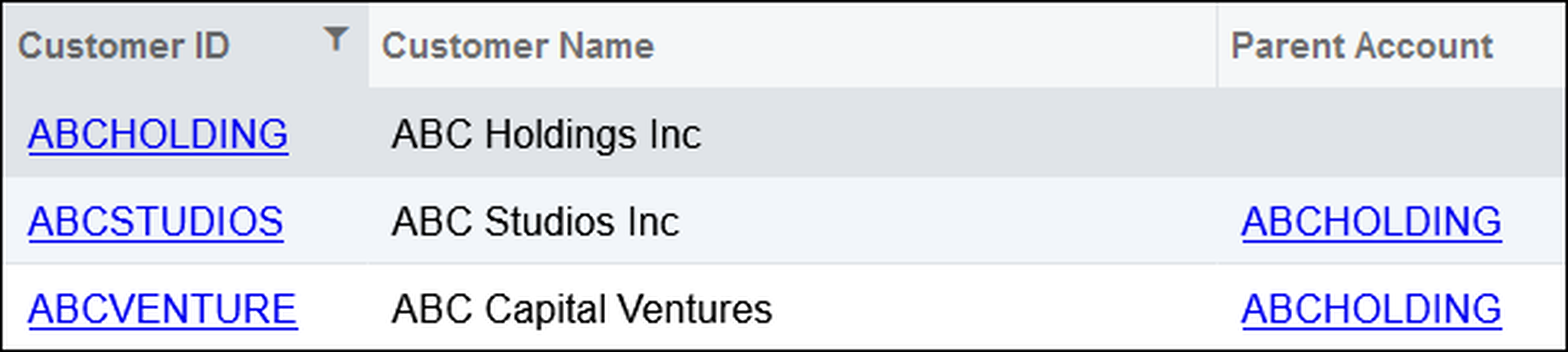
There are 2 Parent Accounts and 1 Child Account:

image


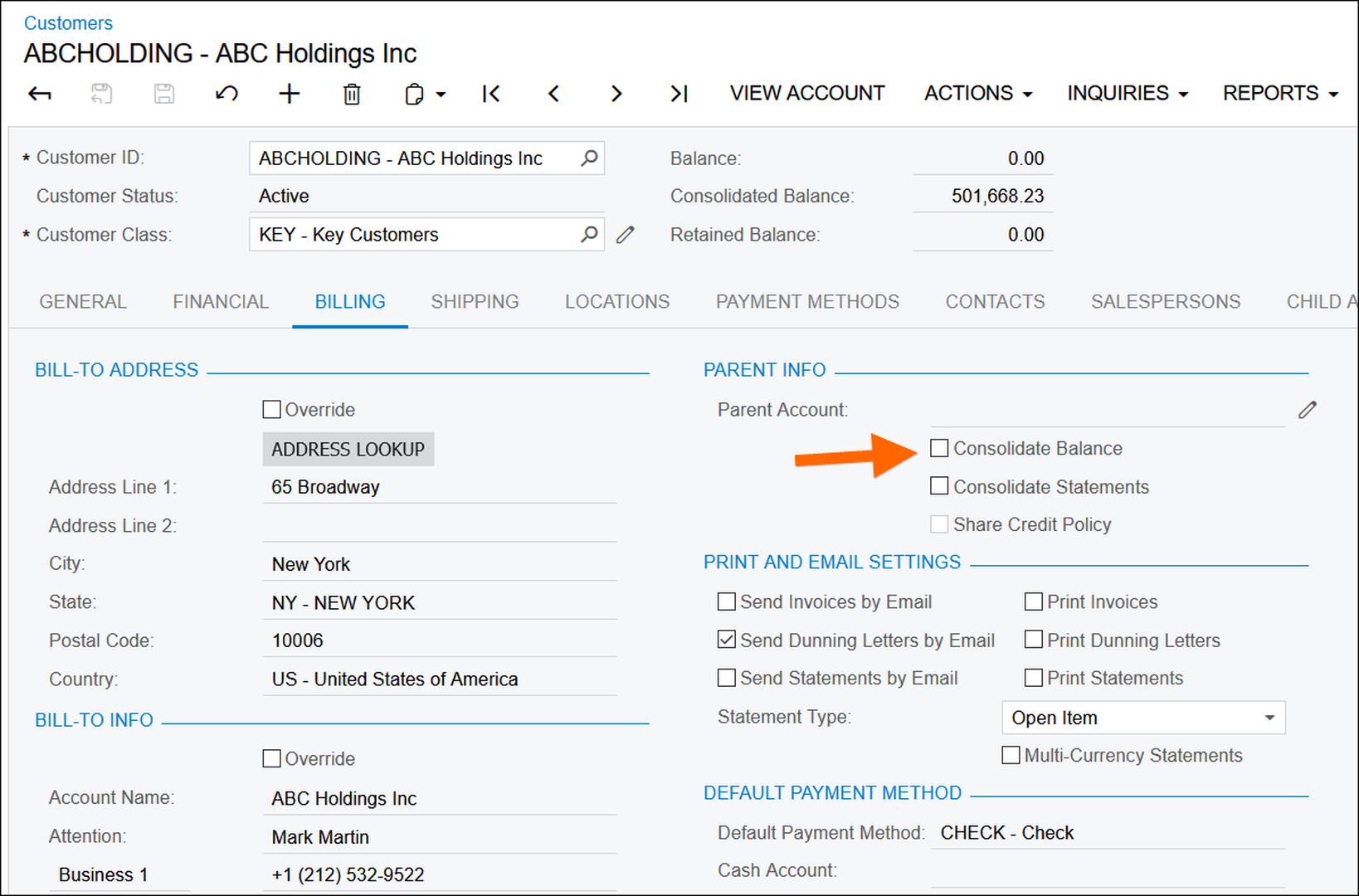
The Parent Account doesn't even have the Consolidate Balance box checked on the BILLING tab of the Customers (AR303000) screen:

image


But I'm able to take a payment from the Parent Account on the Payments and Applications (AR302000) screen and apply it to Invoices from multiple Child Accounts:

image


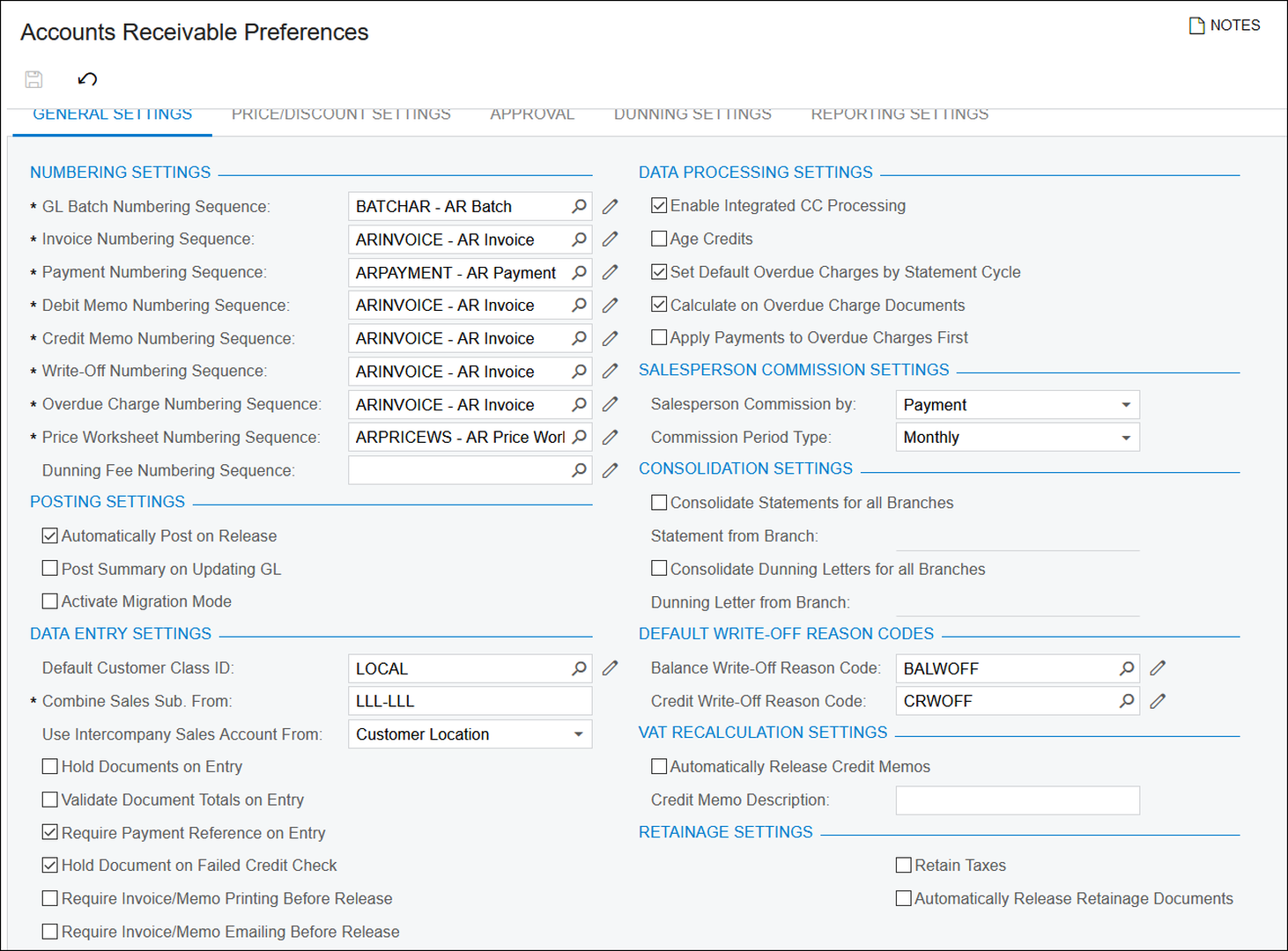
Here are my settings on the Accounts Receivable Preferences (AR101000) screen:

image

Reply
Kyle Wright
 Kyle Wright
(@kyle-wright)
Joined: 5 years ago

Active Member
Posts: 7
July 27, 2021 12:43 pm
Reply tokrujkruj

@kruj Hope you found a solution by now, but for others that find this thread:

There is another option that must be selected, in addition to having the Consolidate Balance/Statement or credit policy checked on the child customer record.

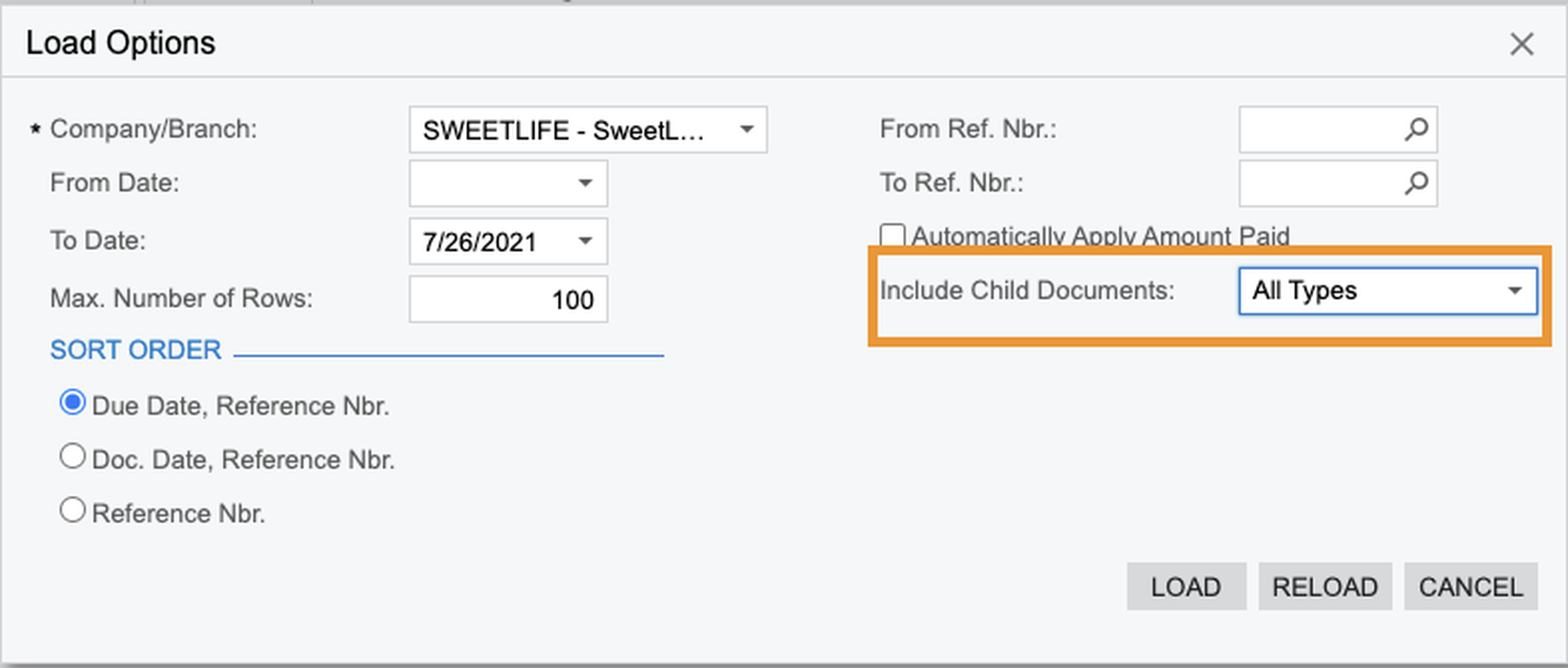
Right above the grid on AR302000 where you go to recieve a payment, select 'Load Documents' button.

In the load options, select 'All Types' under Include Child Documents.

image

Hope this helps.


Reply
Tim Rodman reacted
Forum Jump:
  Previous Topic
Next Topic  
Forum Information
Recent Posts
Unread Posts
Tags
  • 12 Forums
  • 2,530 Topics
  • 11 K Posts
  • 33 Online
  • 2,418 Members
Our newest member: Chad Treadwell
Latest Post: Negative/Credit Inventory Value?
Forum Icons: Forum contains no unread posts Forum contains unread posts
Topic Icons: Not Replied Replied Active Hot Sticky Unapproved Solved Private Closed

Online Members

  • Johnny Tang
Acumatica Forums

Terms of Use & Disclaimers :: Privacy Policy

Copyright © 2026 · AUG Forums, LLC. All rights reserved. This website is not owned, affiliated with, or endorsed by Acumatica, Inc.

‹›×

    ‹›×