By using this website, you agree to our Terms of Use (click here)

This post shows you how to create one of the examples from my presentation at Acumatica Summit 2019 in Houston, entitled C103: Getting Actionable Information with Self-Service Reports & Dashboards (click here for all of the examples).
In this Example #6, we are going to use a Business Event to go do something. In our case we will create a Task that someone needs to complete whenever a Sales Order goes on Credit Hold.
Generic Inquiries are not only the foundation for Pivot Tables and Dashboards. They are also the foundation for Business Events.
Business Events are very powerful because of the fact that they sit on top of Generic Inquiries which you can build to grab whatever data in Acumatica you want, including using a SQL View to get more advanced like we did in Example #5.
Business Events can be used to send email notifications when some data has changed in the Generic Inquiry. This is really cool and opens a lot of doors. Click here for an overview post on Business Events.
Business Events can also be used to fire an Import Scenario and feed data to that Import Scenario. This is even more cool and completely blows the doors off their hinges.
We'll use a combination of a Generic Inquiry, Business Event, and Import Scenario here in Example #6 to create a Task whenever a Sales Order goes on Credit Hold.
Note: I already basically documented this in another post (click here), but I'm re-documenting here in more detail and with the specific example that I presented at Acumatica Summit 2019.
1. For the Generic Inquiry, I'm just using a standard one that you'll find beginning in Acumatica 2017 R2. Here is a screenshot. It's the same one we used in Example #2 to add a Banded Values column.

2. Next we need to create the Business Event in the Business Events (SM302050) screen. You can use the screenshot below to populate the Header fields and the TRIGGER CONDITIONS tab. The Screen Name value is Hidden -> Primary Lists -> Sales Orders.

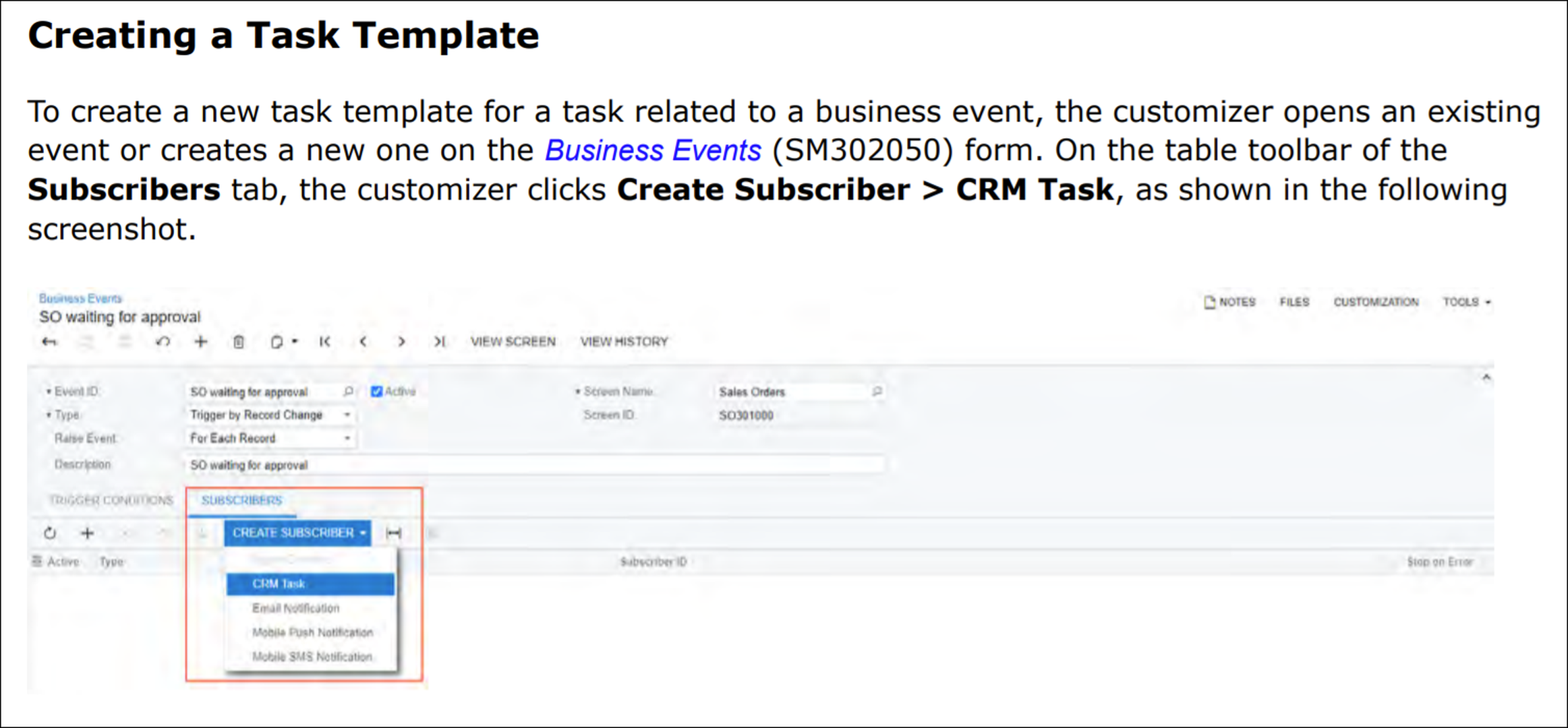
3. Next we need to connect this Business Event to an Import Scenario to go and do something when the Business Event fires. To do that, go to the SUBSCRIBERS tab and click CREATE SUBSCRIBER -> Import Scenario.

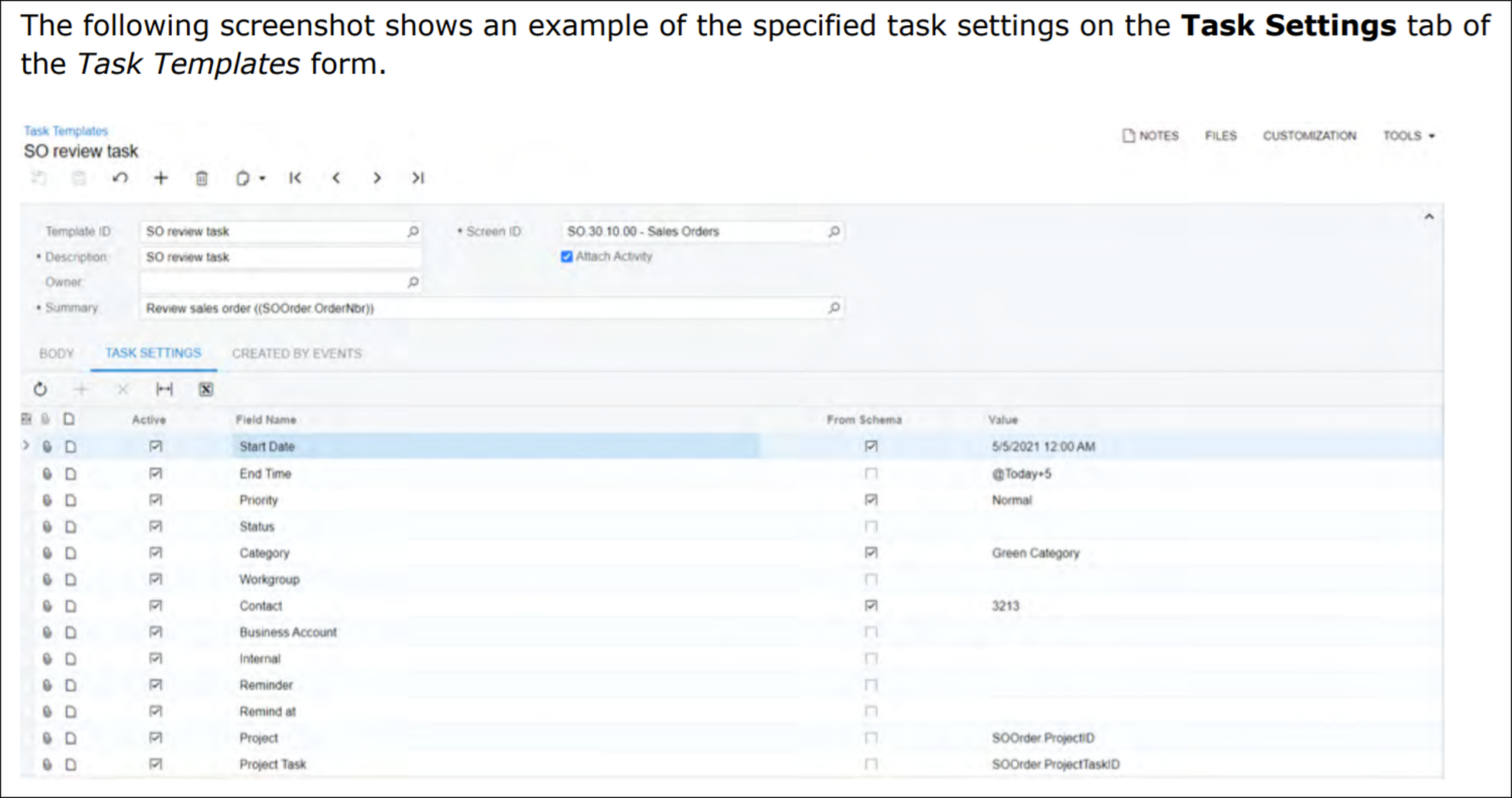
4. Make your screen look like the screenshot below. Pay special attention to the two lines where you need to uncheck the box in the Active column. Also, for the fields that are red, you can't choose them from the drop-down. You have to type the values into the fields. Kind of archaic, I know, but as far as I can tell this is specific to the Task screen and you shouldn't have this issue when creating things in other screens.

5. Next, we need to create a Sales Order that will go on Credit Hold. My ABCHOLDING customer is already over their credit limit, but I have to make sure that the Order will go on hold by checking the Hold Documents on Failed Credit Check checkbox on the Order Types (SO201000) screen:

6. Now we can create a new Order for this Customer, save it, and note that the Order goes on Credit Hold

7. Saving the Order automatically triggered the Business Event which automatically triggered the Import Scenario to create a Task for me to review which I can see in the Tasks (EP404000) screen:

8. Also note that the Mobile dashboard that we created in Example #4 automatically sees this new Task as well. We used to have 3 tasks due today. Now we have 4:

I could go on and on about this combination of Generic Inquiry, Business Events, and Import Scenarios. It really does blow the doors off their hinges. But hopefully this example gets you thinking of some creative ideas.
Note: In my example above, the Task is not getting assigned to the Sales Order's Related Entity field. That's because you have to do a formula in the Generic Inquiry. Search for "MyType" in this post on Automatic Task Creation with Business Event and Import Scenario (click here) to see how that's done.
Want to join the conversation? Feel free to add a Post below to this Topic to continue the conversation.

Thanks for this Tim,
Just a question on the import scenario, I believe I am using the same screen but I do not get the options you have on your import scenario, see below

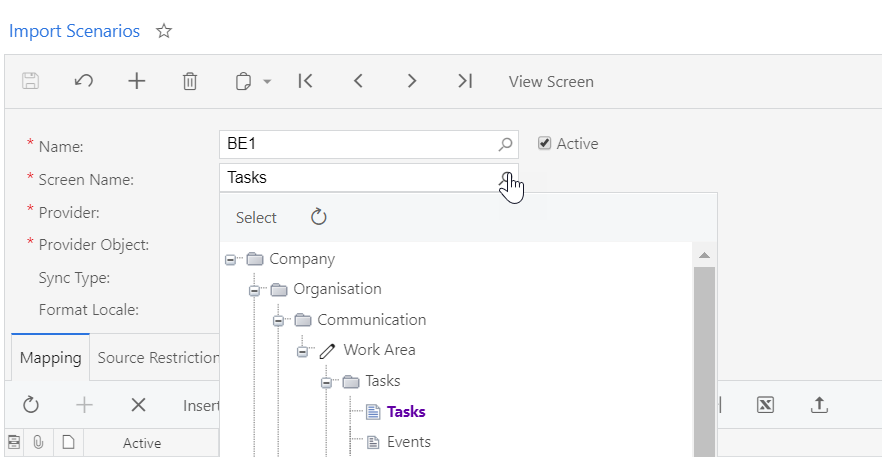
Are you using classic UI or Modern UI??
Thanks
They weren't in the drop-down. I had to type them in manually. Someone from Acumatica Support helped me with it.
It kind of felt like learning a cheat code in a video game 🙂

Does anyone know the "secret sauce" in relation to Email Activities?
I have tried Email$RefNoteView, EmailActivity$RefNoteView, CurrentMessage$RefNoteView and the corresponding changes to <...$Attach_RefNote> but without success.
It looks like Acumatica just made this A LOT easier in Acumatica 2021 R2. I'm looking forward to playing with this.