
By using this website, you agree to our Terms of Use (click here)

What is the best way to find the same data in a report designer printed report when building new Generic Inquiries? While we are at it, any recommendations of doing the same with SQL queries in the Database and translating into a Generic Inquiry.
An example:
In a report designer printed report I have the table.field: ItemHistCurr.FinYtdCost
I would like that same value in a GI. I have dug through a few tables including INItemCost, INItemCostHist, and INItemCostHistByPeriod. (And when applicable filtering down to the current FinPeriodID). These values still don't align between the two data sources though.

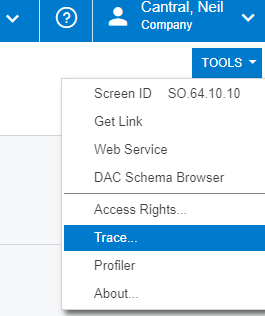
After you run a report or pull up a GI you can look at the trace to see the actual query used to pull the data (from the screen or request profiler). They certainly aren't the prettiest, especially when a DAC value like NetSales is a calculated on the fly.
There may be newer/better options out there, but I've been using the Apex SQL Refactor recommended in the Developers Blog to format queries for years.
SQL Formating Tools - Acumatica Developers Blog .........
Is that ItemHistCurr table from the report aliased? I'd also check to see if the aliased table has any specific conditions in the join to filter the results down.
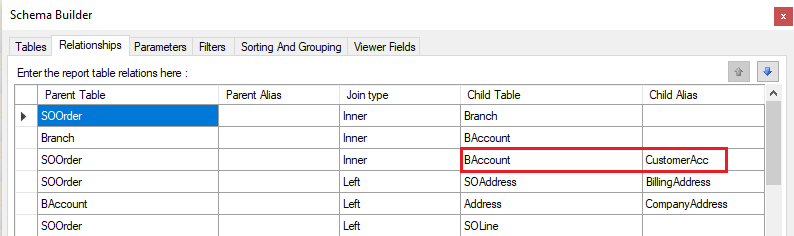
Good catch. I didn't realize tables could be renamed in a join within the report builder. Thanks!