— The Forums are now read-only —
— All new activity now takes place here: —

If you create a Generic Inquiry in Acumatica and group, you can get summarized values like totals. But what if you want to sort based on the aggregate values?
I had this scenario today where I wanted to look at all Invoice Lines for the last year, group by Item, view the total quantity sold, and have the rows sorted by the highest total quantity sold on the top.
In this case, the Generic Inquiry was smarter than I expected it to be.
I tried the following in Acumatica 2020 R1 (20.114.0020).
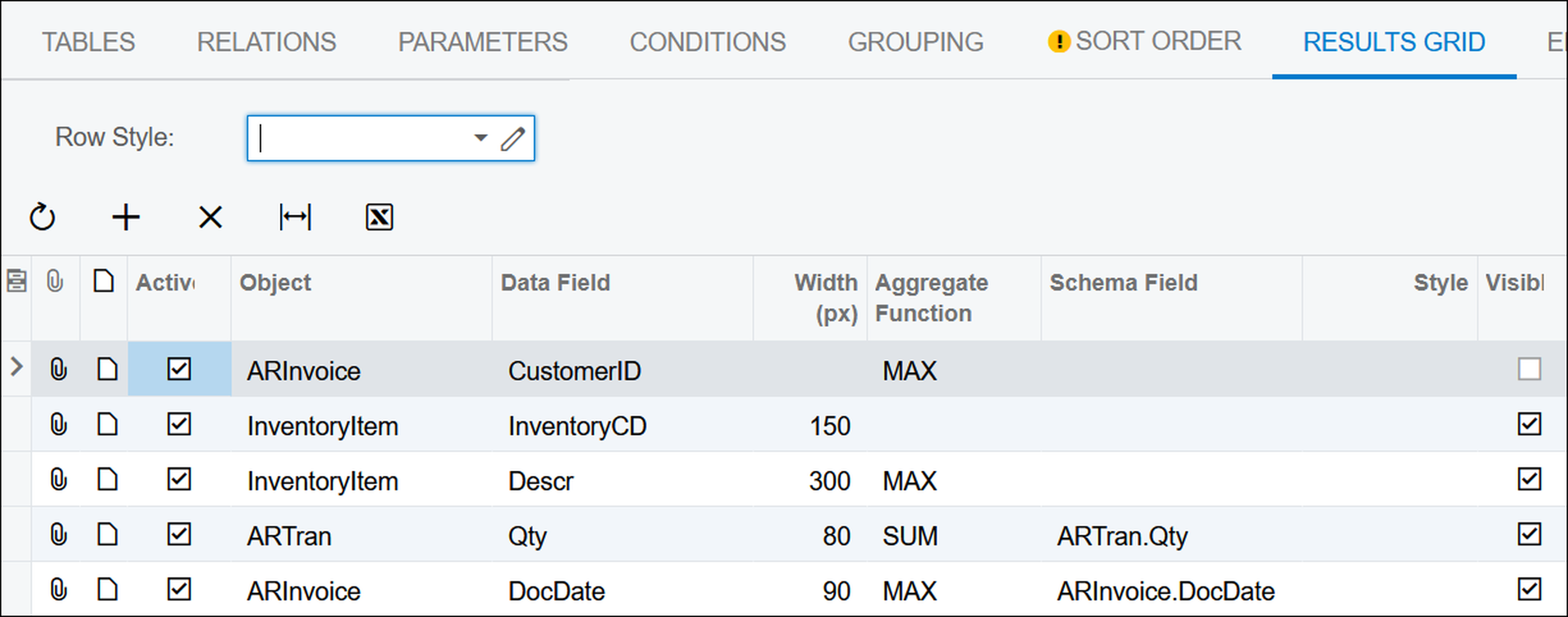
I had these columns on the RESULTS GRID tab of the Generic Inquiry (SM208000) screen:
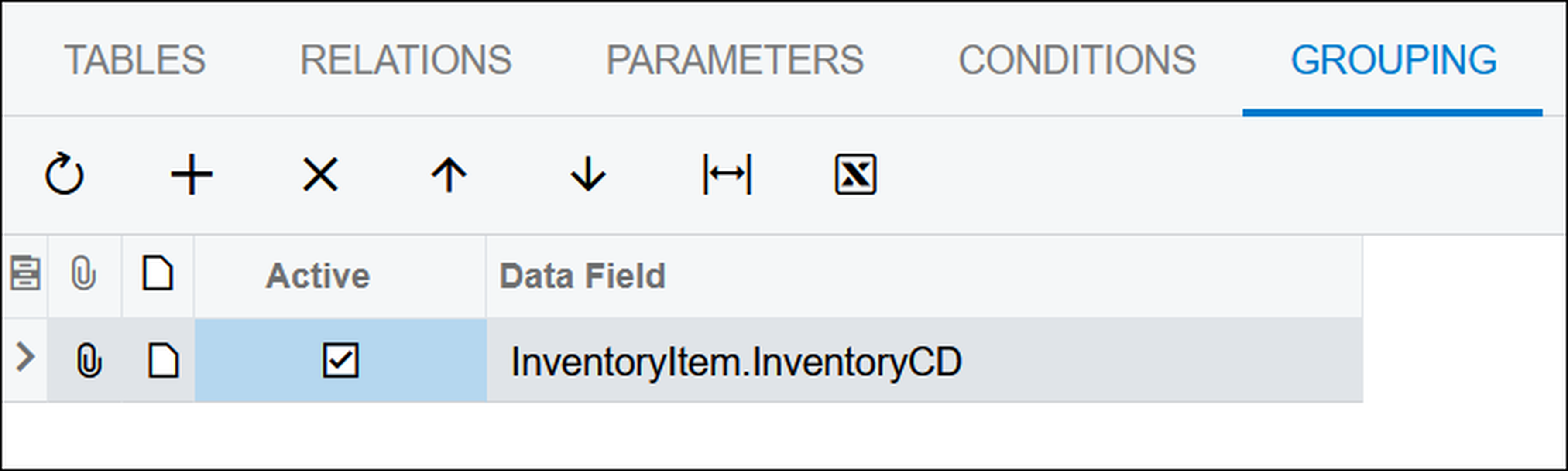
I was grouping by one field on the GROUPING tab of the Generic Inquiry (SM208000) screen:
The results looked like this:

As you can see in the previous screenshot, the data isn't sorted on the Qty Purch last 12 Months column. I could click on the Qty Purch Last 12 Months column and sort in Descending order to get what I wanted, but that would be an on-the-fly sort which is only for my user and which isn't remembered the next time I open the screen.
I wanted it to be sorted on the Qty Purch Last 12 Months column in Descending order by default for all users every time they open the screen.
On the SORT ORDER tab, I tried sorting by the =Sum([ARTran.Qty]) aggregate value which made sense to me:

But I got this error message when trying to run the Generic Inquiry:
Cannot perform an aggregate function on an expression containing an aggregate or a subquery.

Then I tried sorting on the field name only, not really expecting it to work:

But it worked!
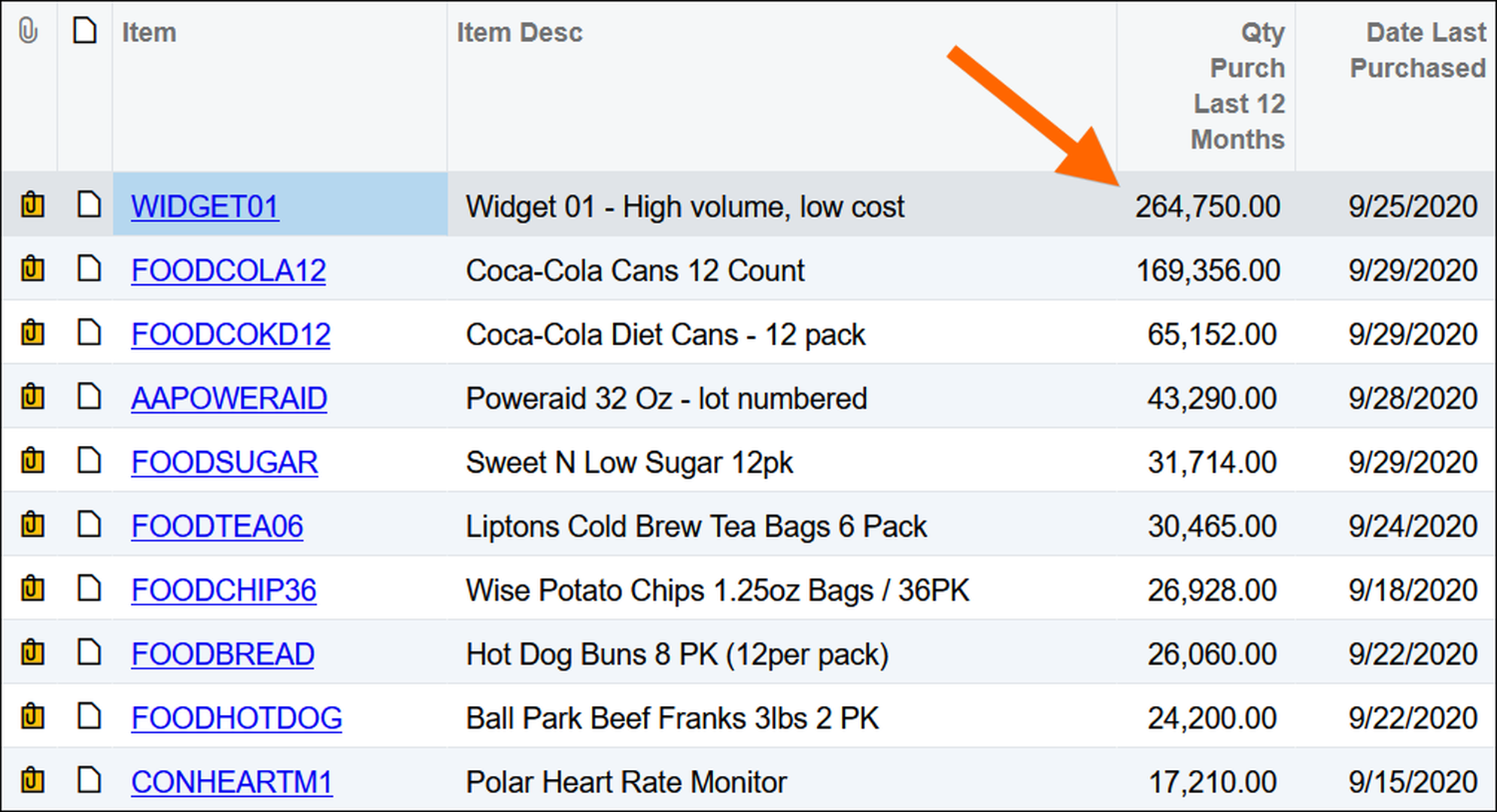
The Generic Inquiry was smarter than I expected it to be because it sorted on the aggregate values even though I didn't tell it to.
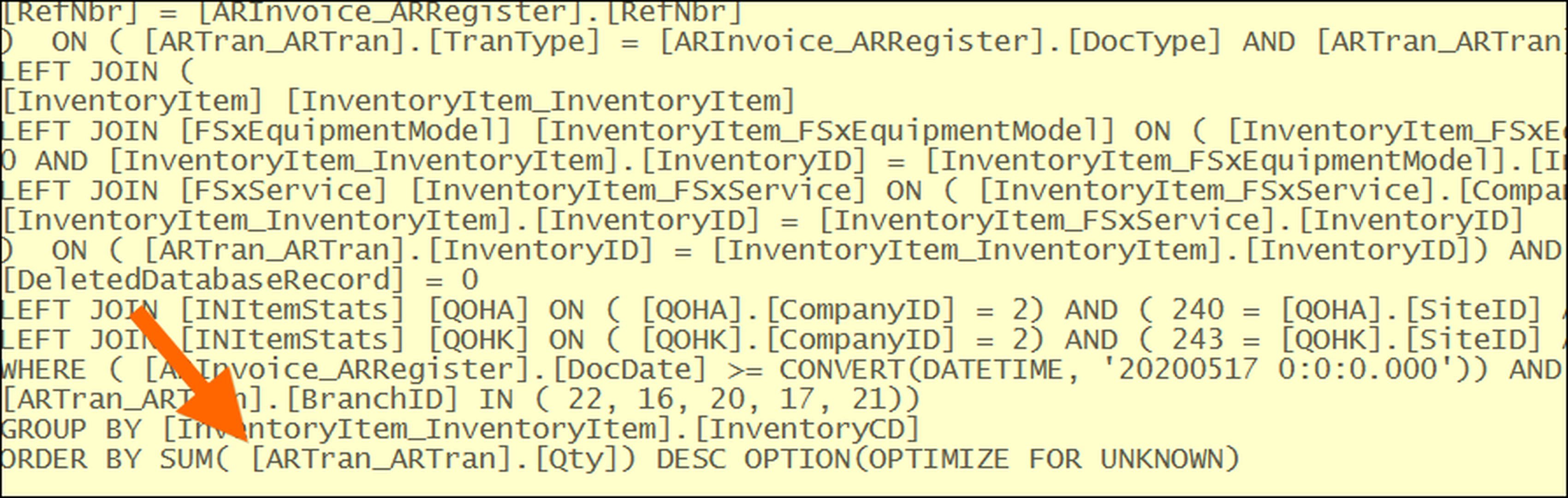
Checking the Trace on the Generic Inquiry and looking at the SQL code, you can see that Acumatica automatically wrapped the field in the SUM formula. Somehow it was smart enough to do that:
Good job Acumatica!

Thank you for posting, that is a nice feature

Good one Tim
By using this website, you agree to our Terms of Use (click here)
