— The Forums are now read-only —
— All new activity now takes place here: —

Are you not seeing the full schedule in the Acumatica Summit Attendee-Hub mobile app? If you're like me, then you accidentally signed in with the wrong email address.
I checked the schedule a while ago and figured they just hadn't added all of the sessions yet. But I checked it again this week and it still looked pretty sparse, especially with Summit less than a week away. Tuesday looked like this (the Keynote wasn't even listed):
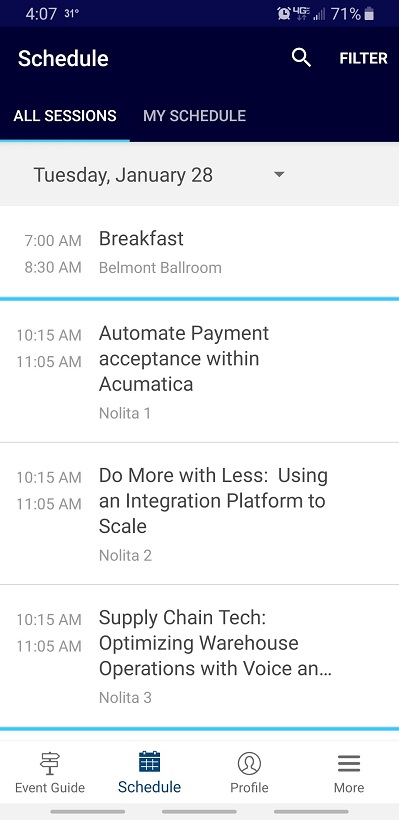
So I called the 866-318-4357 support number on this website (click here), pressed the option for CrowdCompass (I think it was #3), and talked to a helpful support person.
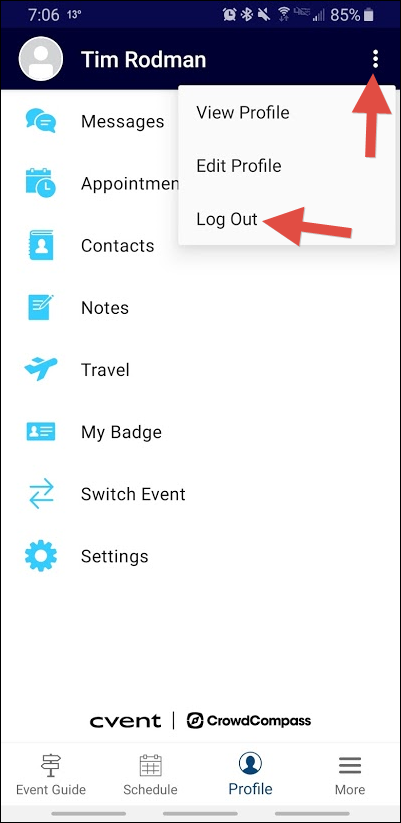
All I had to do was logout like this:
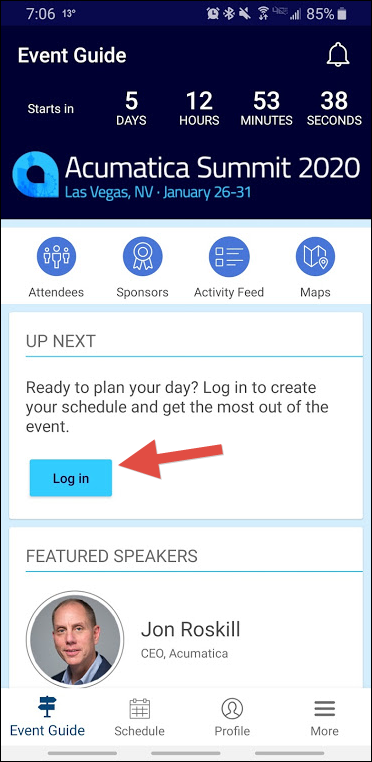
Then login again like this (this time using the email address that I registered for Summit with):
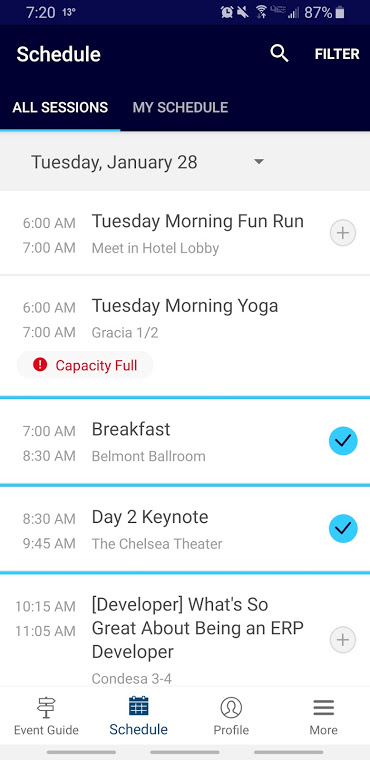
Ah, now the Tuesday schedule looks much better:

Thanks Tim, I ran into a similar but different problem with the mobile app. I never got rid of the attendee hub app after the 2019 Summit. When I went through the process get everything setup, I saw I was already scheduled and all the timing looked off. It was still loading the old Summit Information. There is probably a way to change your event through the app, but I ended up uninstalling and reinstalling it which allowed me to enter the correct event code and get rolling!
By using this website, you agree to our Terms of Use (click here)
