— The Forums are now read-only —
— All new activity now takes place here: —

HI Tim,
1) I have one query....In my salesorder got 1 product which is 5 QTY allocated with 5 serials(a1 to a5) numbers in sales order...and i created a shipment for this with 3 qty which is a1,a2,a3 and confirmed the shipment.
When i open back my sales order the allocated serial numbers are un-allocated (a4,a5) now....which is empty allocation now...so how to overcome this type of situation....user need to allocate again for remaining qty to do shipment...
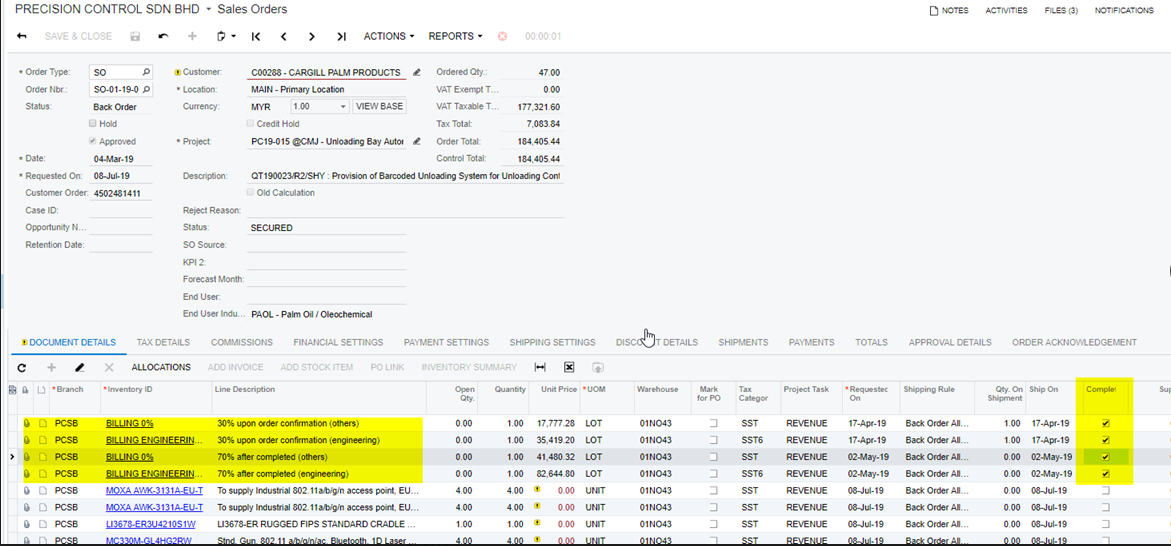
2) SO items completed automatically
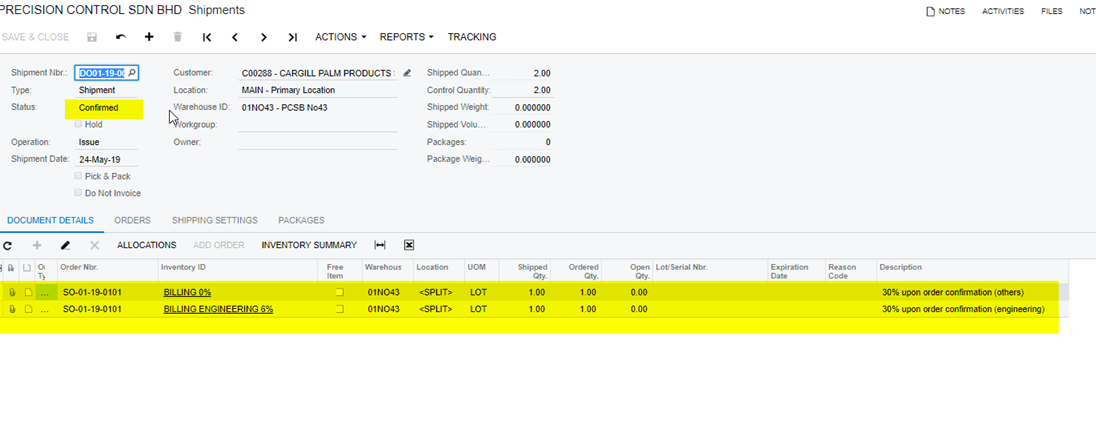
I require to prepare 2 shipments for below 4 items due to it is different invoice. Item 1&2 for 1 shipment (invoice no.1), Item 3&4 for another shipment (invoice no.2). When 1 prepare 1st shipment, in the shipment screen, it come out 4 items, hence I delete 2 items (item 3 & 4) and I complete the shipment (refer below screen shot no. 2). When I going to prepare second shipment, it come out the message I have no item to ship, and I found the item 3 & 4 already check completed, I think this is why I cannot prepare the second shipment. But the question is, why item 3 & 4 will become completed automatically. I have try this scenario again in test system, it is still the same. Please check and feedback. Thanks.

Hi Siva,
I just reproduced your issue in 19.101.0084.
If you create a Sales Order for a serialized item, quantity 5, and allocate 5 serial numbers to the line:

Then create a shipment for only 3 of the serial numbers, confirm the shipment:

When you go back to the Sales Order line, the allocation lines have been reduced to 2 which is correct, but the allocated serial numbers have been cleared out.

Sure seems like a bug to me. I recommend reaching out to Acumatica support.
By using this website, you agree to our Terms of Use (click here)
