
By using this website, you agree to our Terms of Use (click here)

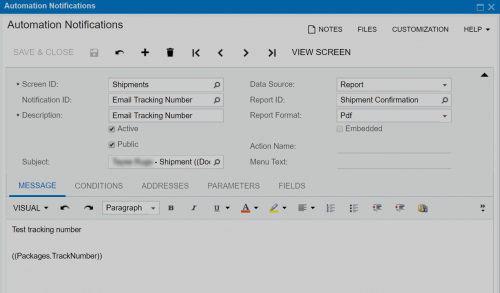
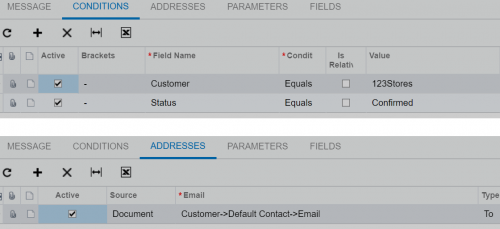
I have created a Notification on Shipments screen which is supposed to send an email with the Shipment Confirmation report attached to it.
It does create the emails (no attachment), but, the email status is always "Draft".
Any idea how to fix this?
Thank you.

Taylon,
I suspect you are see the emails with a status of 'Draft' from within 'All Emails' under Configuration/Email/Explore.
If you look for the same emails under System/Automation/Schedule/Send Notifications, you will find them with a status of pending. This is because they need to be processed under the Send Notification. This can be scheduled just like email transactions.
Shawn,
You are right :). They were stuck at Send notifications.
Thank you.
The email process in Acumatica could benefit from some consolidation. Emails, Exchange Integration, and Automation Notifications all involve emails and the are managed in three separate areas. While I understand the technical aspects that these are three different processes and three different sets of code, I also understand that from the perspective of an end user , they see this as a single email management issue.
I totally agree.
Shawn,
When I email a shipment report using the Actions > Email Shipment on Shipments screen, the name of the attached PDF file is correct as set in the report designer. However, it is different when send through notification. Do you know how to change that?
Thank you.

I totally agree as well. It would be great if these separate processes were consolidated together.
Taylan, can you share what the two different attachment names are? I'm not sure that it can be controlled in the second situation.
Online Members
