
By using this website, you agree to our Terms of Use (click here)

Hi Everyone,
I’m trying to figure out how to use an Import Scenario to modify the Sales Order Detail section. To be more specific, when we issue a warranty with a receipt line I would like to add a not to the issue lines saying, “Please include a return label”. Since this note will appear on the pick list our warehouse team will see it and can take action.
Another way I thought of and would would be happy to resolve this is to use the import scenario to add a ‘return label’ non-stock line item. We could set this to $0.00 and as long as it is an ‘issue’ it should appear on the pick list.
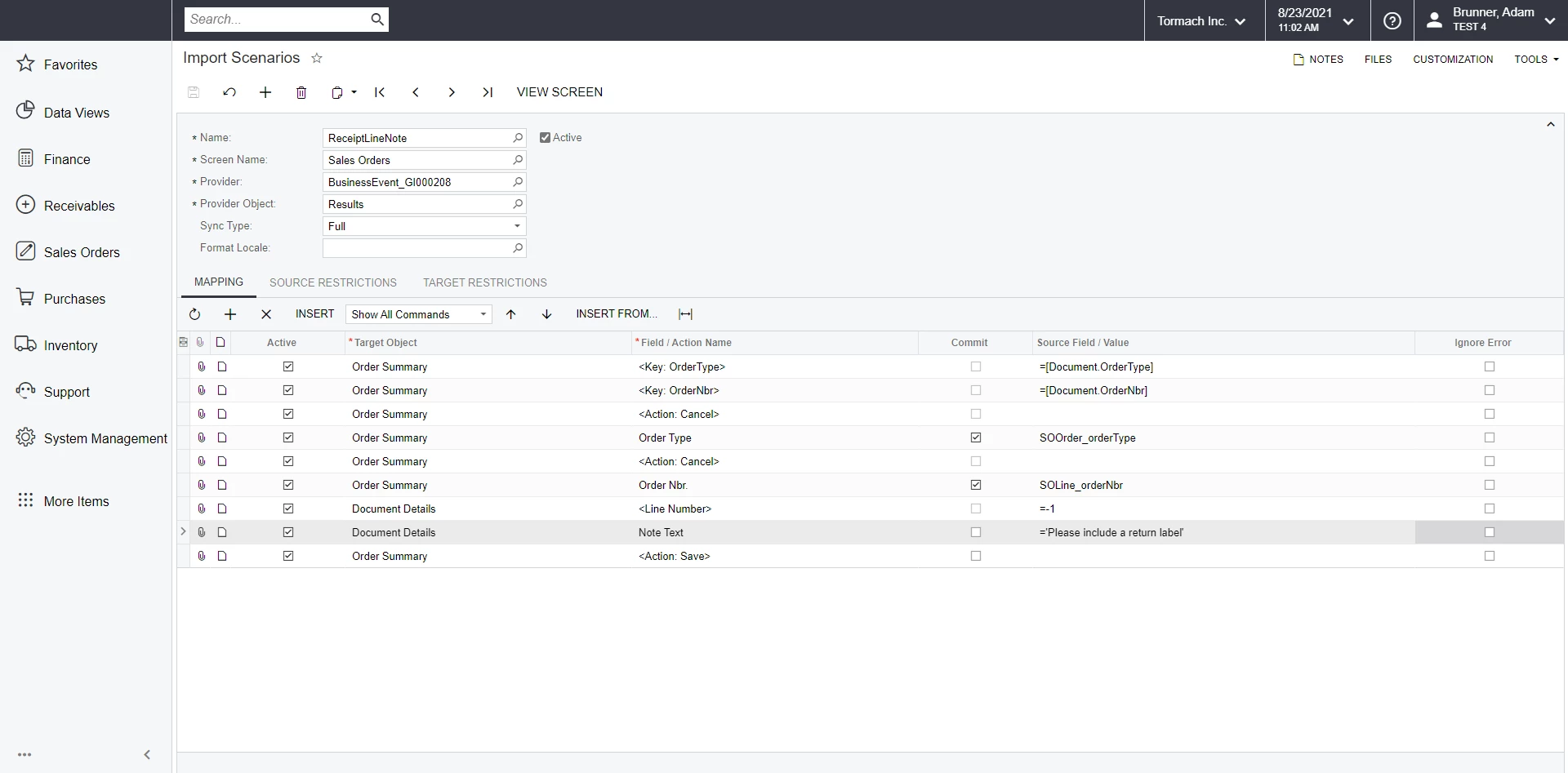
Below is what I have so far. The problem is I get this error when it tries to run, “The last error was IN Error: Unit conversion is missing.”
Looking forward to see what everyone has to say.
Since I was able to figure it out with some help over on the Acumatica Community Forums I wanted to pass my results.
Recap:
I'm using a Business Event linked to a GI to trigger an Import Scenario. The Import Scenario's job is to add a note, "Include Return Label", the the lines so our warehouse team sees it on their pick list.
Here is the Import Scenario:

I also have a source restriction so the note is only applied it the issue operation.
Key points:
When using a GI and Business Event you need to make sure all of the key fields are in the results screen. If the Business Event will error out.
Irena from Acumatica support documented this on “How to configure a business event to trigger for each line on the generic inquiry”
Suppose that you need to set up a business event that will trigger for each detail line of the sales order. The same approach can be used for any other document in the system.
Step 1: When setting up the generic inquiry intended to use for business events, it is important to make sure that all the key fields are added to the Results Grid tab.
For example, for the PX.Objects.SO.SOLine table, it is important to make sure that LineNbr is included, otherwise, it will only trigger once for the whole order unless the order is saved after each line is entered.
I hope this helps someone else down the road.

Very cool. Thanks for sharing! I just added this to #AcumaticaTnT (click here)
Online Members
