
By using this website, you agree to our Terms of Use (click here)

Importing into the RELATIONS tab on the Opportunities (CR304000) screen can be tricky.
Here's something to help get you started. I'm using Acumatica build 19.202.0034 in this example.
Note that the RELATIONS tab on Opportunity OP000368 is currently empty:

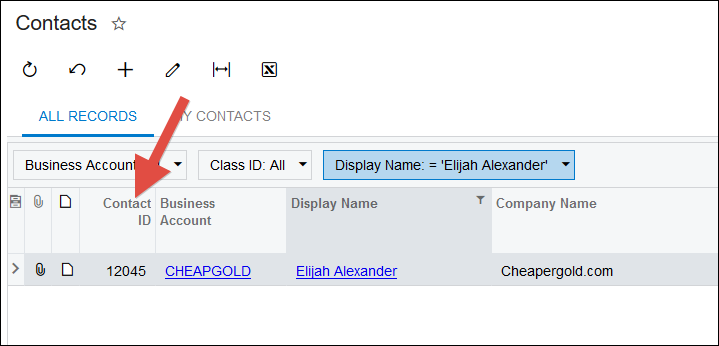
I added Contact ID to the Contacts (CR3020PL) Generic Inquiry so I can reference the specific Contact that I want to add:
Next we need to build our Excel Data Source. I'm only importing one Contact as an example so I built my Excel file manually, but in practice you'd probably export the Contacts (CR3020PL) Generic Inquiry to Excel and use that as your data source:

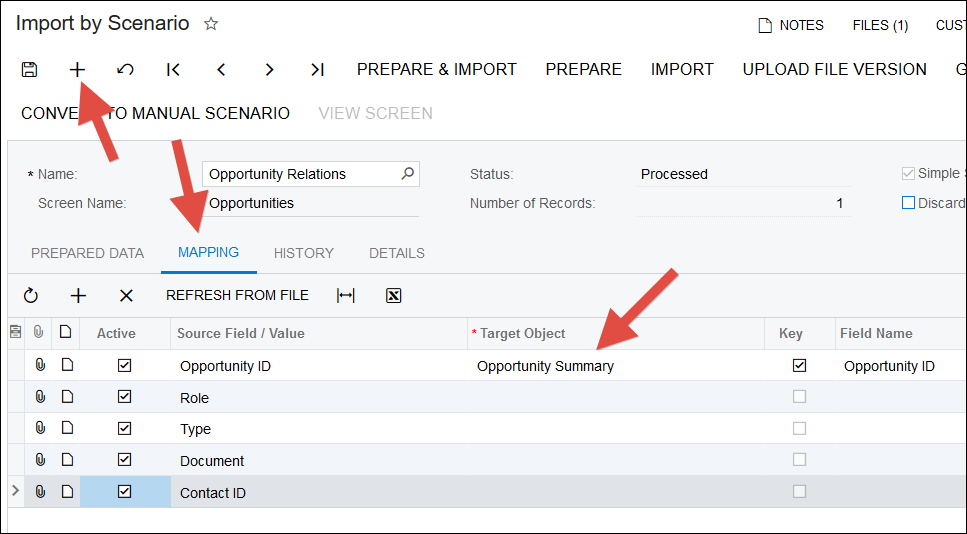
I like using the Import by Scenario (SM206036) screen to get started because then I don't have to create the Data Provider and Import Scenario manually. Just click the + button and use the MAPPING tab to map the fields. Sometimes though you can't access all of the fields on this tab. In this case, you can only access Opportunity ID. But that's ok, click save to get the Import Scenario created.
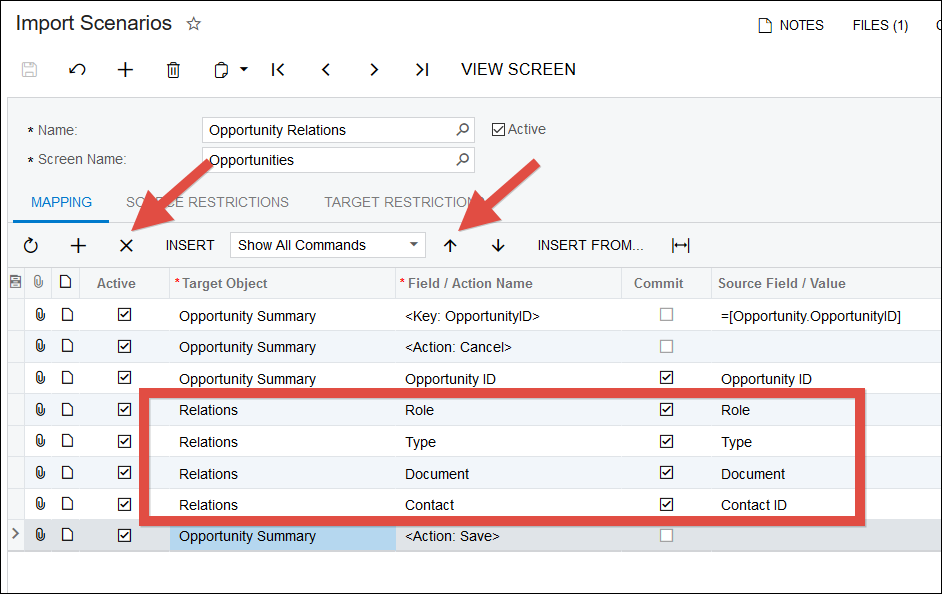
Then use the Import Scenarios (SM206025) screen to map the fields on the RELATIONS tab. Click the + button to add the rows to the grid. Then use the up arrow to move them above the Save action.
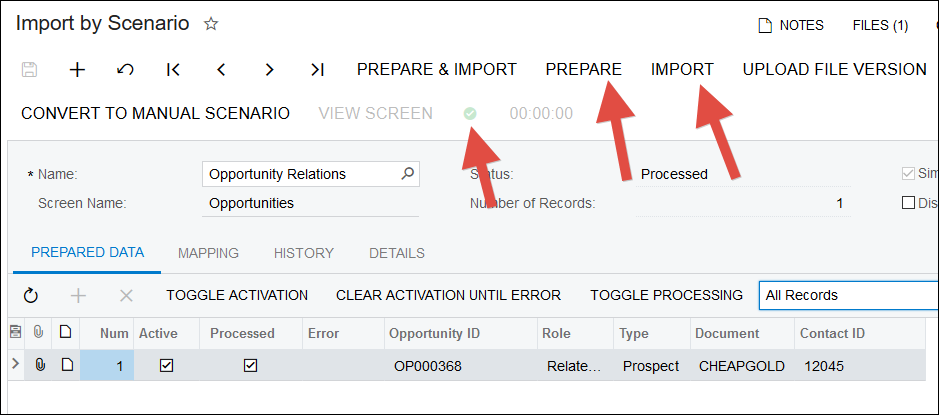
Then go back to the Import by Scenario (SM206036) screen, click the PREPARE button, then click the IMPORT button to import the data. Make sure you get a green check that indicates a successful import.
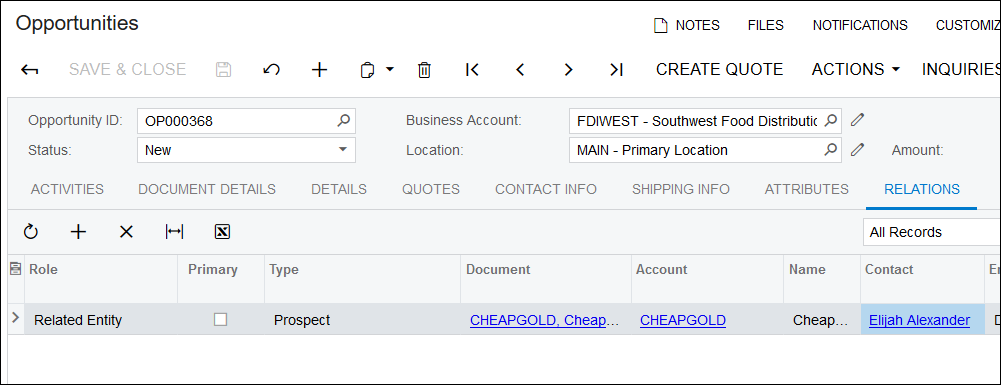
Go back to the RELATIONS tab on the Opportunities (CR304000) screen and note that the Contact has now been added:
One final note, here is a related feedback idea about importing contacts:
https://feedback.acumatica.com/ideas/ACU-I-437
I learned a cool trick from Olesia on the Acumatica support team today related to this. If you want to import a Role of Related Entity and a Type of Lead/Contact, then it's a little trickier.
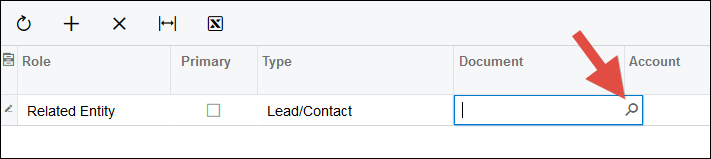
If you enter this information in the screen, then click the magnifying glass in the Document field, it gives you a list of contacts:
But importing into the Document field using an Import Scenario in this situation is tricky because the Contact.ContactID value doesn't work, it gives the following error:
Error: Inserting 'Relations' record raised at least one error. Please review the errors. 'Contact' cannot be empty.
The trick that Olesia showed me was to use the Contact.NoteID value instead. This can be imported into the Document field successfully without getting an error.
You can see the Contact.NoteID value by adding it to the existing Contacts (CR3020PL) generic inquiry:
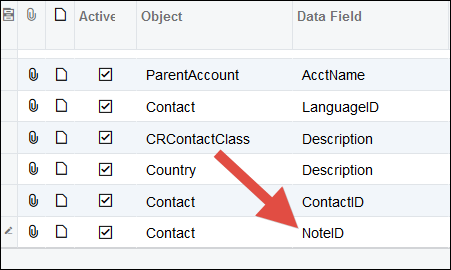

As you can see, Contact.NoteID is a really long and ugly GUID (Globally Unique Identifier) value. But, hey, at least it works.

Hi Tim,
The above steps helped. What if i want to import multiple related entities for an opportunity?
Wouldn't they just be multiple rows in your import file?