— The Forums are now read-only —
— All new activity now takes place here: —

Has anyone gotten the field level auditing filters to work? I feel like I have the fields configured so it should only catch changes made to the Opportunity Stage, but it records ANY change made to Opportunity. It was doing the same thing for Customers when I had Auditing setup like this for a single field on that screen, too.
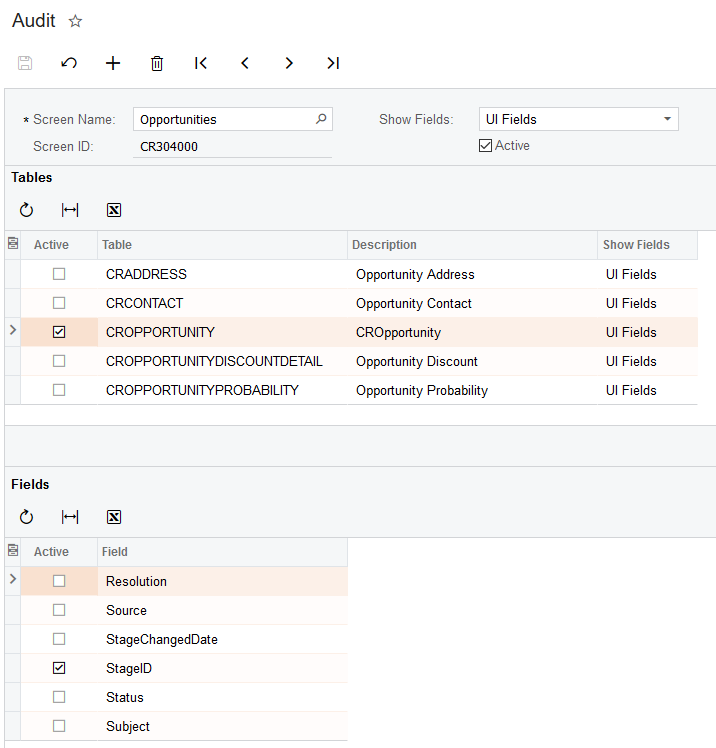

Did you filter on the Active column in the lower grid to make sure that's the only field marked as Active, that there aren't any others lurking on another page?
I wanted to check, that is the only field I have checked
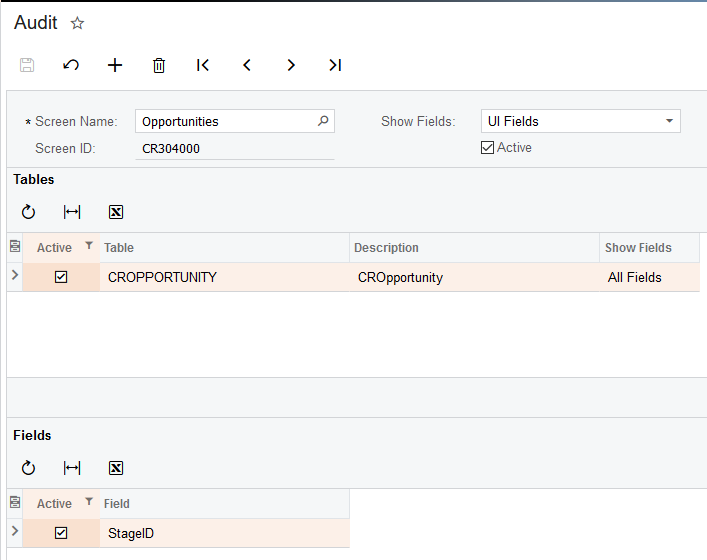
Did you get this working? I've had trouble in the past getting it to start moving along. Can't remember what I did other than checking Active for different things then unchecking it again. Seemed to me like it just needed a little push somehow. Once it was running it was fine.
No, at least not how I expect. Once I check Active for a table in the Audit screen, it will record changes to any fields on that DAC, regardless of what is checked or unchecked in the Fields table. So for example, in my post above I pick the Opportunities screen, check only CROpportunities DAC, and then uncheck every field except for StageID. I wouldn't expect Auditing to trigger if I make a change to Subject, or any field on the checked DAC other than StageID, but it does.
So, it's at least capturing an Audit, just way more than what I would like. It's better than nothing, but it would be nice to have it work as expected.
Strange. I wish I knew more details about how the feature worked under the hood so I could troubleshoot it better.
By using this website, you agree to our Terms of Use (click here)
