
By using this website, you agree to our Terms of Use (click here)

Jotting down some notes here about Customer Locations on Projects and how they are relevant for Project Billing.
1. In general, I think that many Acumatica implementations are finding out that it's a good idea to create new Customer Locations for each Project and manually make the Customer Location ID match the Project ID.
2. The Customer Location has associated settings (eg. Tax Zone and Salespersons).
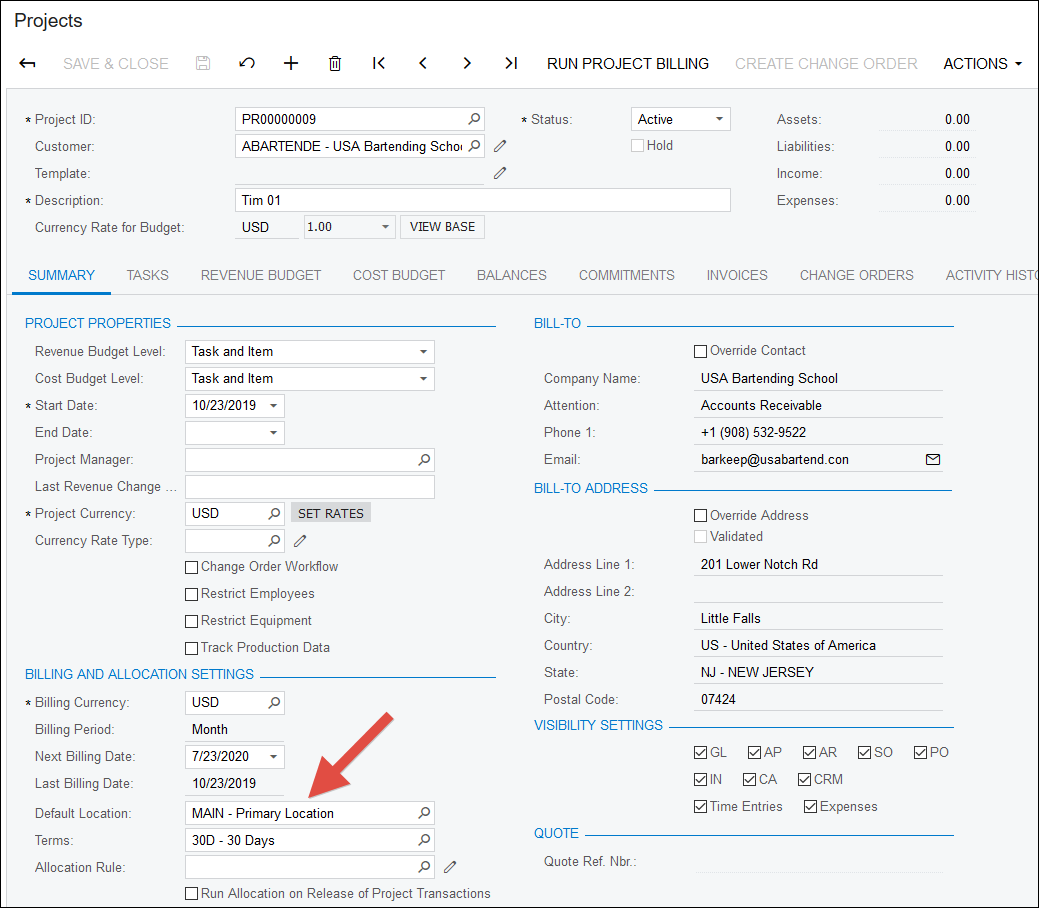
3. The Default Location field on the SUMMARY tab of the Projects (PM301000) screen is the default Customer Location used for any new Tasks created on the Project:
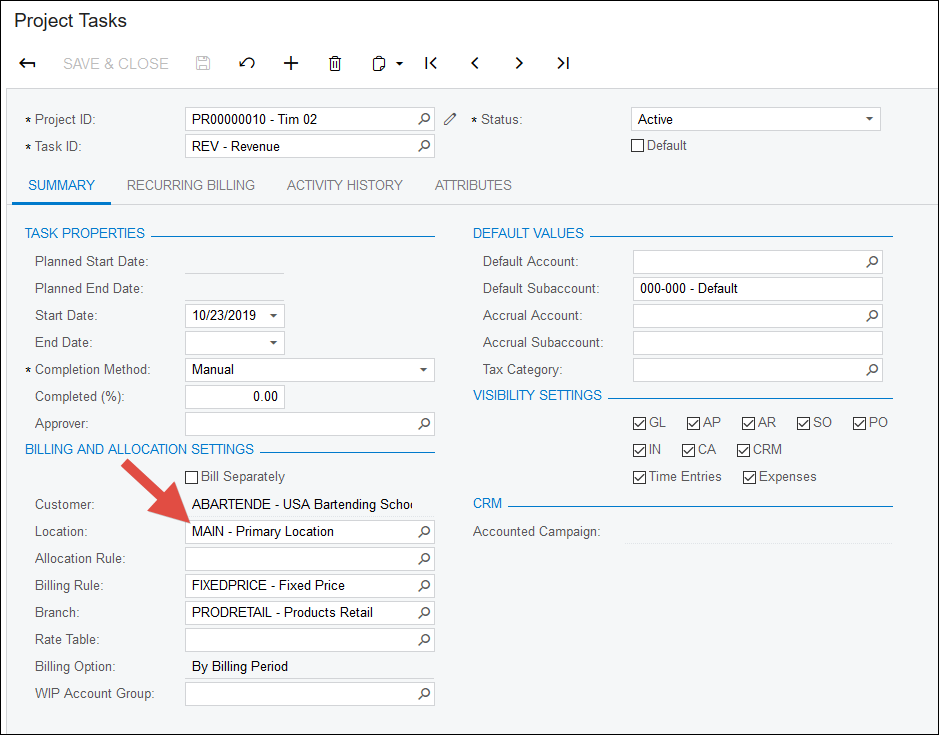
4. The authority that is used for Invoices created when you click the RUN PROJECT BILLING button on the Projects (PM301000) screen is not the Default Location field, but the Location field on the Project Tasks (PM302000) screen:
For a related discussion, see this Feedback Idea:
https://feedback.acumatica.com/ideas/ACU-I-1932

Hey Tim/all,
We use these extensively as a field services company (particularly in the States) it is very important to be billing your time/materials to the correct State, County, City. With the Avatax plug in we are able to get automatic tax calculations.
As a follow up to this if your project is taking place in several different tax jurisdictions you can manage that with tasks. As an example if you have one task occurring in Texas and another in Oklahoma you can set up 2 customer locations with the correct addresses (validated) and then set up the tasks as you've described above. When you run project billing Acumatica will automatically generate a separate invoice for each new tax regime (in this case 2 invoices) so the sales tax is calculated correctly and the customer can see what is going on.
We've taken to naming them not after the project, but a close parallel for our line of work.
Best of luck out there,
Nic
Online Members
