— The Forums are now read-only —
— All new activity now takes place here: —
Notifications
Clear all
Everything Else
1
Posts
1
Users
0
Reactions
2,367
Views

October 22, 2019 1:31 pm
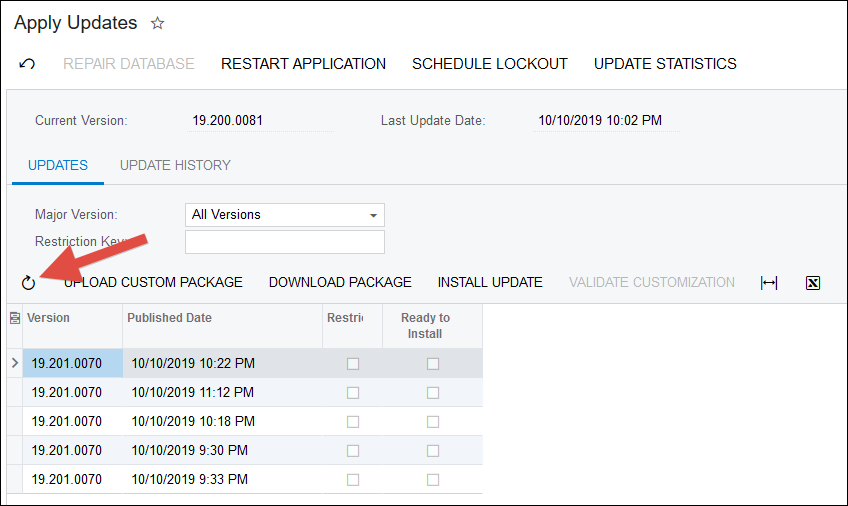
Not sure when exactly this happened, but I've noticed recently in Acumatica 2019 R2 that there are multiple options to choose from on the Apply Updates (SM203510) screen even though each Build should only be listed once:
How do you know which one to pick? Good question.
The workaround for now is to click this Refresh icon:
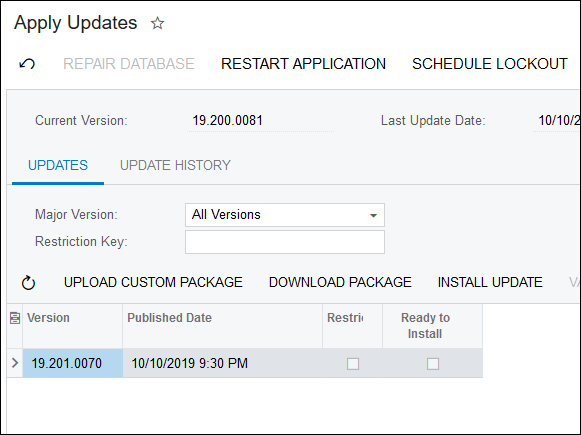
After you do that, it will only show you one option for each Build. Ah, much better.
By using this website, you agree to our Terms of Use (click here)
