— The Forums are now read-only —
— All new activity now takes place here: —

I created a business event based on a custom GI. When conditions are met, an email should be sent. The logic works fine if I just hard-code an email address and text in subject, bodt, etc. However, in the notification template I cannot see or add any of the data from my custom GI as placeholders that I really need. I saw how to do this in a Tech Tuesday from Doug Johnson and near as I can tell I'm following all steps correctly. But when I look at available fields/results to add as a placeholder - empty.
Any thoughts on what I could be missing? We are on 2019 R2 Build 19.200.0081

Hey Kevin,
Are you able to share a screenshot of what you are doing that is not working for you?
For the email addresses and subject you should click on the magnifying glass to the right side of the field to see what options there are to use field from your GI. The email addresses will only allow data fields from the GI that are specifically email address fields, you also may need to check that you have the right tables/fields on your GI that you are trying to use in the notification template.
For the body of the email you should click Insert then Datafield for the current values from the GI or Previous Datafield for the previous value before change. In most cases you will probably want to use the current data from the GI but there could be cases to use the previous data as well.
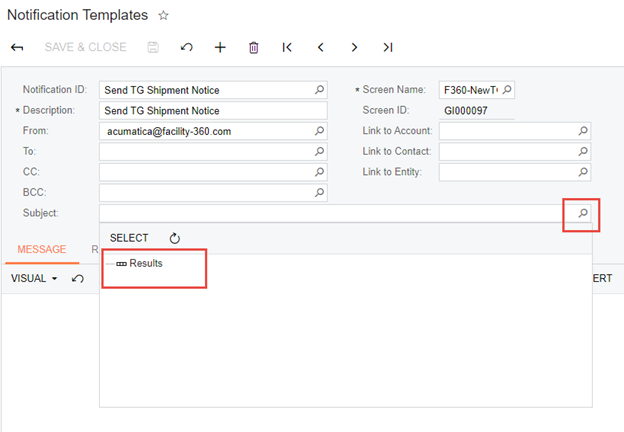
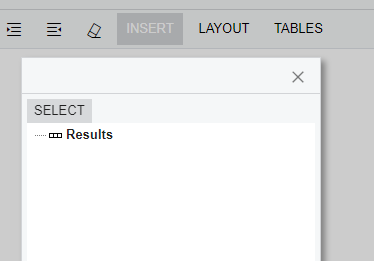

Interesting. Sounds like there must be a difference in the configuration between the two environments. The question is where.
After a few back and forths with support, found out it is a bug/problem introduced with the Construction Edition - so nothing wrong with our environment other than this client needed Construction Edition! To work around this, I have the client's data in a separate local dev environment without Construction published. I develop the GI in production, export and import into this other environment (no construction), create the Notification Template there as all available columns are available, then copy/paste back to production Notification Template. A hassle but it works until they fix the underlying issue. Althouhg we aren't om most current Construction version, problem still exists in newest version too.
I learned at Acumatica Summit 2020 last week that they are beginning to pull Construction features into the core product in 2020 R1. Seems like the plan is that eventually there will be no need for the Construction Customization Project.
Hopefully that will reduce occurrences of things like this.
By using this website, you agree to our Terms of Use (click here)
