
By using this website, you agree to our Terms of Use (click here)

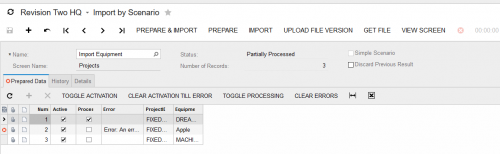
I have read documentation that seems to suggest that I can untick the Break on error box which should cause the import to process the remaining lines even if an error occurs. This feature really effects whether an error has to be handled individually or as a group, which is huge when dealing with a file that has thousands of lines and hundreds of errors. When I un-tick this box, the process still errors and stops processes-sing at the offending line. Then when I check the detail tab, I find that the break on error box is checked again? Is there a way around this?
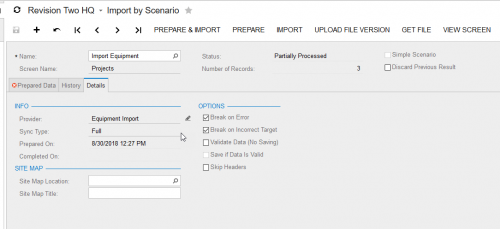
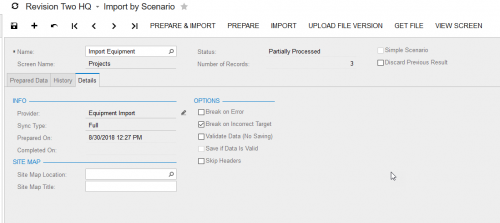

I have not had this issue, I frequently tell mine to ignore errors. Noob question: You did SAVE after un-ticking the box right?

I personally haven't had this problem before, as long as I save after unchecking Break on Error.
If you have the import setup, I'd be happy to take a pass at it in your test system and see if I can find any glaring errors. Please ensure you don't have any sensitive information in the import though. If you click on the envelope below my name you can send me a PM with the information.
Hi Michael,
Sent the message, let me know if you do not receive for some reason. Thanks again.
I got your PM and I'll try to get this resolved with you.
I have never attempted to break on error with a delete command. In fact, I've never created a scenario like you have for deletions. I am thinking it may be due to the fact that system won't allow a break on a delete, which doesn't amaze me when you're asking for an entire row to be dropped from your database. @timrodman may have more experience with deletions in Import Scenarios (I always do mine using GI's and the Mass Delete function).
All that being said, I am logged out of your system if you'd like to swap the password to something different.
That could be it. Maybe Break can't be used with Delete.
Sorry, missed this last update and saw it once Tim responded. I must have left the delete on there when I was switching things around. It was suppose to be on save and not delete. The break on error does not permit being flipped off even when saving (The import does not break and then flips the option back one, even when saved.). I kind of assumed it was a bug on this version as our vendor for the production server does not have an answer for that behavior either and sent it to their development team.
Could be a bug in your build of Acumatica. Or maybe it has to do with the Import Scenario definition. I was able to get it to work with this definition:

What version is that? I believe it may be a bug at my version of the framework. Our vendor couldn't provide an answer and sent it as a bug to their local dev. But if its in that version of the framework, probably not much they can do about it.
I tried it on 18.104.0023

Hi!
One thing I noticed with the Break on error option is that it only seem to apply for whole document and not lines.
For example:
If you are importing 1 sales order with 3 rows and the second row contain an error(wrong item ID for example) the whole import will end up in error even with that option on. So no sales order is created and no lines will be imported.
However, if you import 3 sales order(1 line per sales order in the provider) and the second line/order contains an error, the line/order 1 and 3 will be imported and then there will be an error on the 2 line/order.
This was my finding, do not however know if this is by design or a bug=)
Thanks for pointing that out @vjw. I hadn't noticed that before. Wow, that seems dangerous to me. Do you agree?
I'm not 100% sure if this is the case in all scenarios, just something I saw when doing some testing. At least that is how it looked like for me. Maybe you and/or someone else could also give it a test just to verify the theory?
Yeah, I agree that it is dangerous and also a bit weird. Why not work the same way no matter what you're importing?
Online Members
