AugForums.com

An Acumatica User Group

  • Free
    • Start Here
    • In-Person Gatherings
    • Power BI Workshop
    • Podcast
    • Rolodex
    • Blog
    • Forums
  • Paid
    • AugSQL
    • GI Course
    • GI Library
    • Consulting
  • Register
Acumatica Forums

By using this website, you agree to our Terms of Use (click here)

Forums
AUG Forums
Acumatica Report De...
How to Add Customer...
 
Notifications
Clear all

Questions How to Add Customers name on Inventory Transaction History

 
Acumatica Report Designer
Last Post by Idrus 4 years ago
10 Posts
3 Users
4 Reactions
3,386 Views
RSS
joeyjay.guinto
Posts: 28
 joeyjay.guinto
Topic starter
July 15, 2021 11:05 pm
(@joeyjay-guinto)
Trusted Member
Joined: 5 years ago

Hi, Everyone.

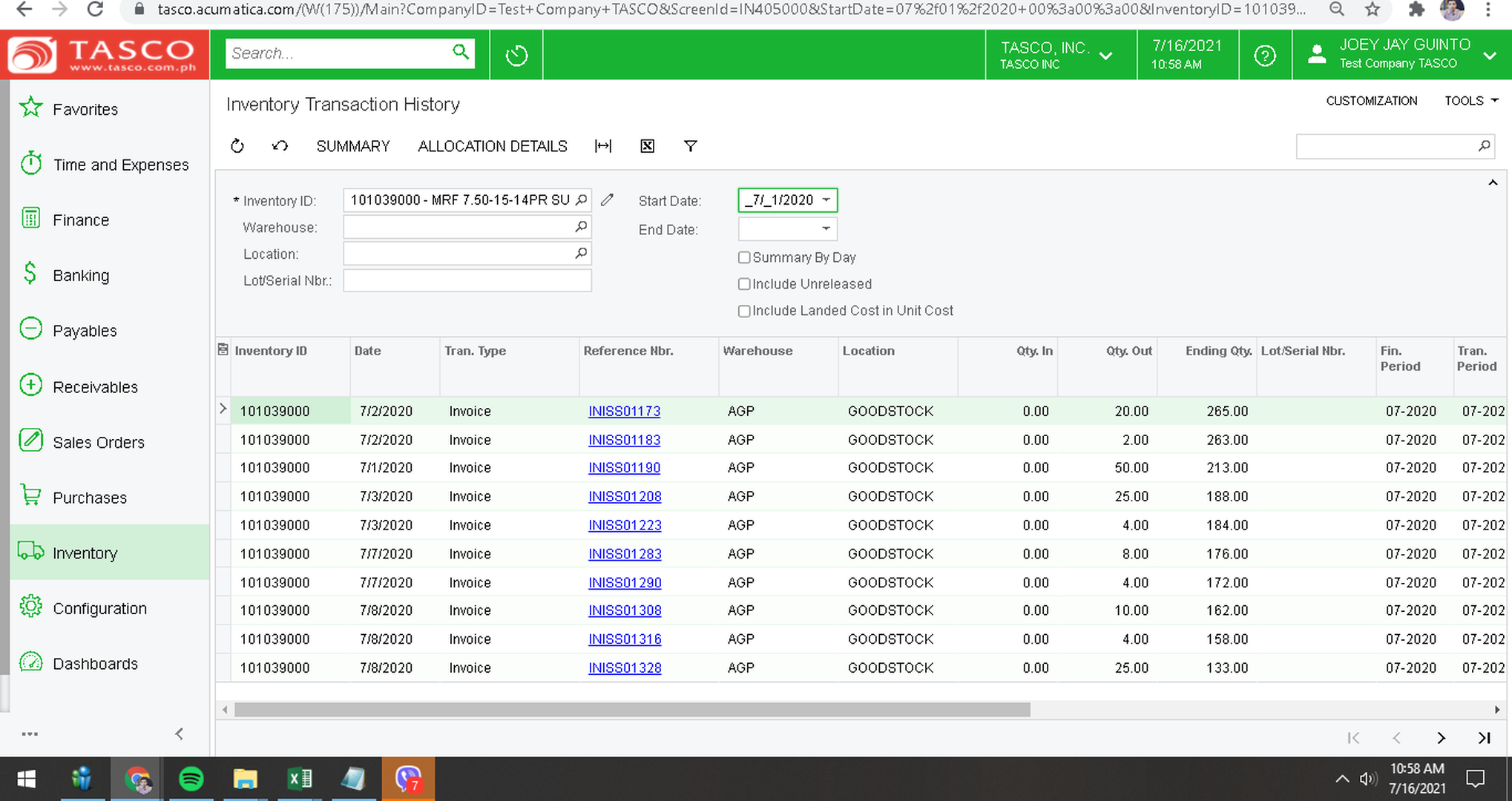
I can see that Inventory Transaction History cannot be modiefied thru GI.


Id like to add Customer Name for the said data screen field. How can i do it pls?


Thank you,

Jay
 

image


9 Replies
Kurt Bauer
Posts: 45
 Kurt Bauer
July 16, 2021 3:25 pm
(@kurtybauer)
Trusted Member
Joined: 6 years ago

Create a DAC extension off the INTran DAC and add the following code.  Then you can add the Customer ID and name to the grid.

using PX.Data;
using PX.Objects.CR;
using PX.Objects.SO;

namespace PX.Objects.IN
{
    // Acuminator disable once PX1016 ExtensionDoesNotDeclareIsActiveMethod extension should be constantly active
    public sealed class INTranExt : PXCacheExtension<INTran>
    {
        #region UsrBAccountID
        [PXInt]
        [PXUIField(DisplayName = "Customer")]
        [PXFormula(typeof(Selector<INTran.sOOrderNbr, SOOrder.customerID>))]
        [PXSelector(typeof(Search<BAccount.bAccountID>),
            SubstituteKey = typeof(BAccount.acctCD),
            DescriptionField = typeof(BAccount.acctName))]
        public int? UsrBAccountID { get; set; }
        public abstract class usrBAccountID : PX.Data.BQL.BqlInt.Field<usrBAccountID> { }
        #endregion
    }
}

Reply
Tim Rodman reacted
joeyjay.guinto
 joeyjay.guinto
(@joeyjay-guinto)
Joined: 5 years ago

Trusted Member
Posts: 28
July 28, 2021 4:05 am
Reply toKurt BauerKurt Bauer

@kurtybauer thank you for this. I will see how to do it.


Reply
Idrus
Posts: 16
 Idrus
July 28, 2021 2:30 am
(@idrus-m)
Eminent Member
Joined: 6 years ago

Hi Kurt,

Sorry to jump in, thank you for your information.

I have try to add a DAC Extension and the code, but I didn't see any column "Customer" or Customer ID and name to the grid.

Please advise.


Thanks,
Idrus


Reply
Kurt Bauer
 Kurt Bauer
(@kurtybauer)
Joined: 6 years ago

Trusted Member
Posts: 45
July 28, 2021 7:36 am
Reply toIdrusIdrus

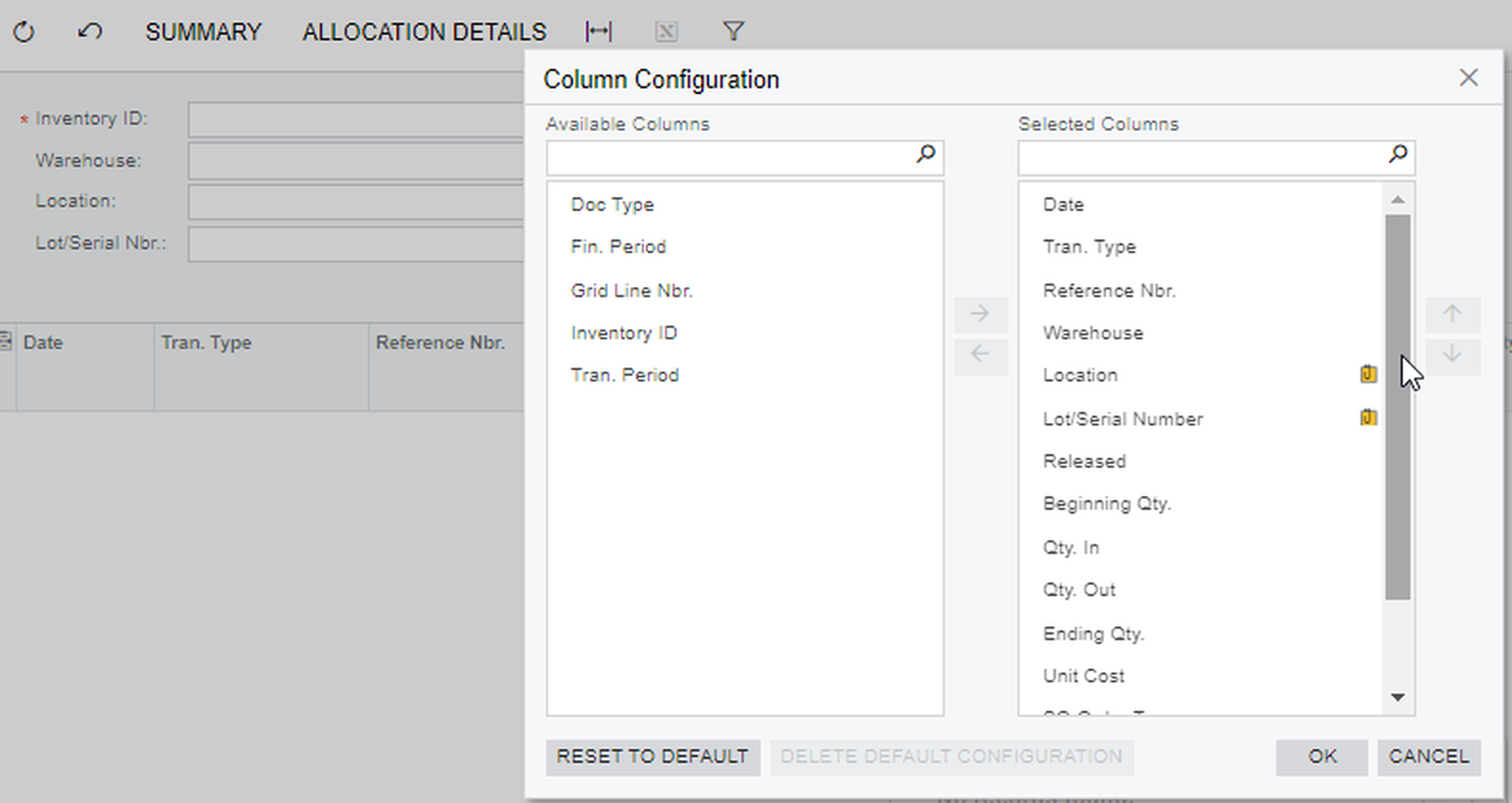
@idrus-m Correct, the code above only adds the field to the data access class.  You would still need to add the field to the grid on the screen.  
Thanks,

Kurt


Reply
Idrus
Posts: 16
 Idrus
July 28, 2021 9:23 am
(@idrus-m)
Eminent Member
Joined: 6 years ago

Hi Kurt,

Posted by: @kurtybauer

You would still need to add the field to the grid on the screen.

image

I didn't see the "Customer" field after adding it to DAC, which step I miss?


Reply
Kurt Bauer
 Kurt Bauer
(@kurtybauer)
Joined: 6 years ago

Trusted Member
Posts: 45
July 28, 2021 9:34 am
Reply toIdrusIdrus

@idrus-m Adding the field to the grid on the screen is done through the customization project.  I would recommend going through the T190 Acumatica course.  It explains how to add fields to screens using a customization project.


Reply
Idrus
 Idrus
(@idrus-m)
Joined: 6 years ago

Eminent Member
Posts: 16
July 28, 2021 9:41 am
Reply toKurt BauerKurt Bauer
Idrus

@kurtybauer I got it, thanks.


Reply
joeyjay.guinto
 joeyjay.guinto
(@joeyjay-guinto)
Joined: 5 years ago

Trusted Member
Posts: 28
August 24, 2021 8:22 pm
Reply toIdrusIdrus
Kurt Bauer
Idrus

@idrus-m good morning. Are you able to do it? Thanks


Reply
Tim Rodman reacted
Idrus
Posts: 16
 Idrus
February 15, 2022 7:48 am
(@idrus-m)
Eminent Member
Joined: 6 years ago

@kurtybauer 

It's working fine with version 2019 R1 and make an error during Shipment Process in 2021 R1 related to "UsrBAccountID", so I have to remove the code.

Please advise.

Thanks,
Idrus


Reply
Madel Corvera and Tim Rodman reacted
Forum Jump:
  Previous Topic
Next Topic  
Forum Information
Recent Posts
Unread Posts
Tags
  • 12 Forums
  • 2,530 Topics
  • 11 K Posts
  • 21 Online
  • 2,418 Members
Our newest member: Chad Treadwell
Latest Post: Negative/Credit Inventory Value?
Forum Icons: Forum contains no unread posts Forum contains unread posts
Topic Icons: Not Replied Replied Active Hot Sticky Unapproved Solved Private Closed

Online Members

  • Dominic Boullé
Acumatica Forums

Terms of Use & Disclaimers :: Privacy Policy

Copyright © 2026 · AUG Forums, LLC. All rights reserved. This website is not owned, affiliated with, or endorsed by Acumatica, Inc.

‹›×

    ‹›×