
By using this website, you agree to our Terms of Use (click here)

Let's say you want to add a new Project Attribute to a Project report in Acumatica.
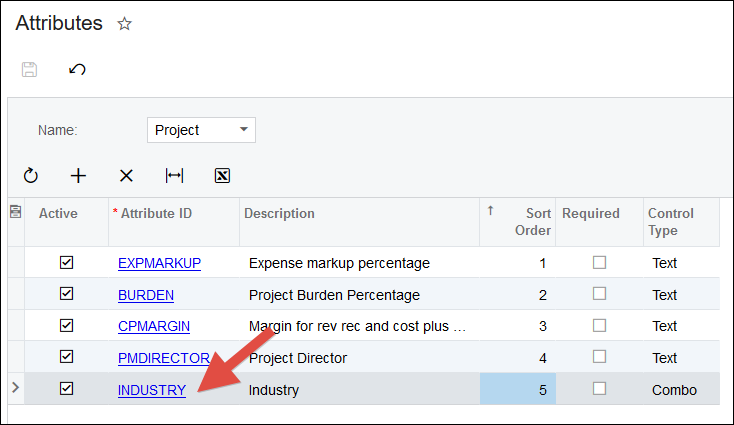
And maybe that Project Attribute is brand new, something that you just created today, called "INDUSTRY":
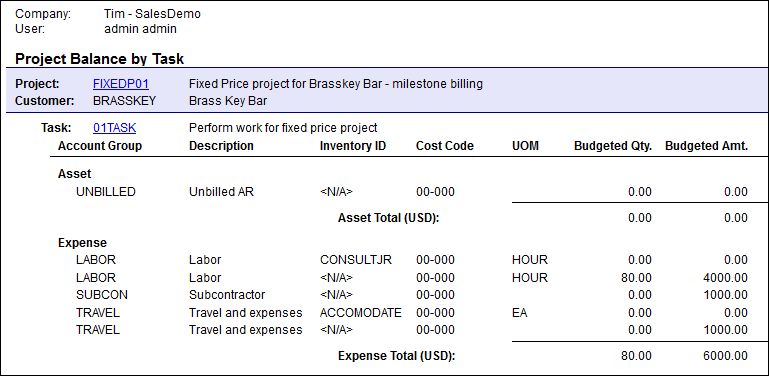
And let's say that the report you want to add the new Project Attribute to is the Project Balance (PM621000) report:
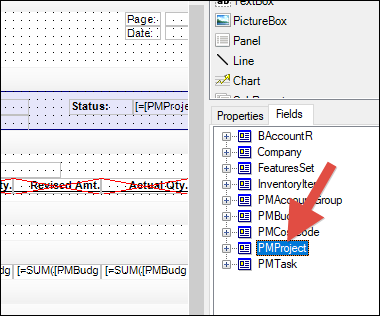
When you open the Project Balance (PM621000) report in Report Designer, you'll see a Table for PMProject:
But when you expand the PMProject Table to look at the Fields, there is no Field for the INDUSTRY attribute, even though the EXPMARKUP attribute is already available:
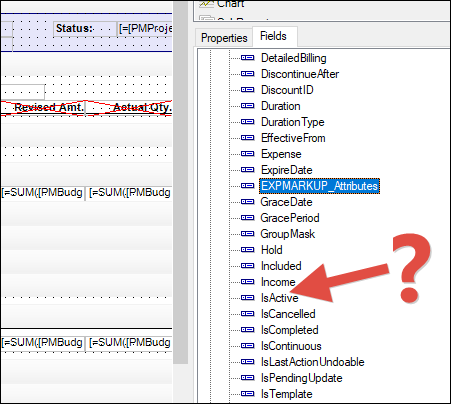
Why is this?
The reason is that the report definition maintains its own copy of all the Tables and Fields that are available to the report. You can see this if you open an .rpx report definition file in Notepad. You'll see a section that starts with and that lists out every possible Table and Field available to the report, whether they are actually used in the report or not.
Because the report definition maintains its own copy of the Tables and Fields (including Project Attributes in this case), it's not aware of any new Tables and Fields unless you tell it to go look for them.
Here is how you tell the report to go look for new Tables and Fields:
1. Go to File -> Build schema...
2. Put your Acumatica Instance URL in the field in the upper-left, then click the Load schema button. After you do that, you should see the Data Access Classes (Tables) get loaded in the lower-left like this:
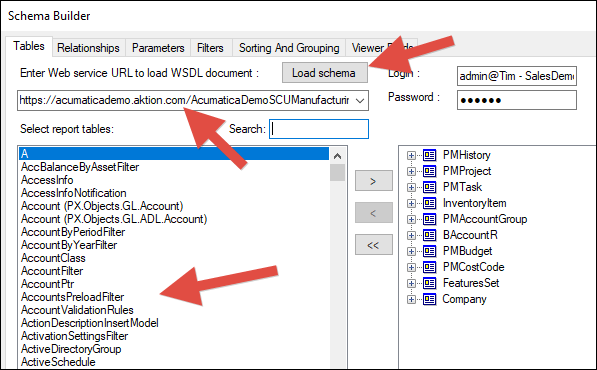
3. The reason why you have to do this is because every Acumatica Instance URL could have separate Tables and Fields that are available due to things like customizations, third party ISV products, or Attributes like in our Project Attributes example here.
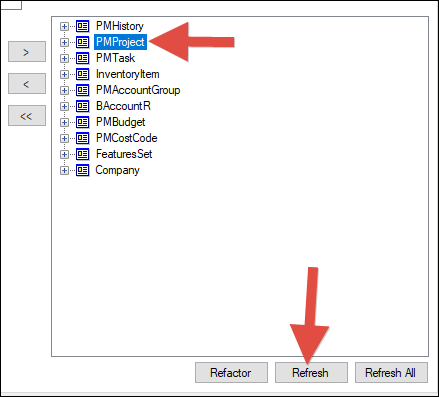
4. At this point, the local copy of available Fields for the existing Tables in the report still have not been updated yet. To update them, you can either click the Refresh All button, or click the specific Table you want updated Fields for, then click the Refresh button like in this screenshot:
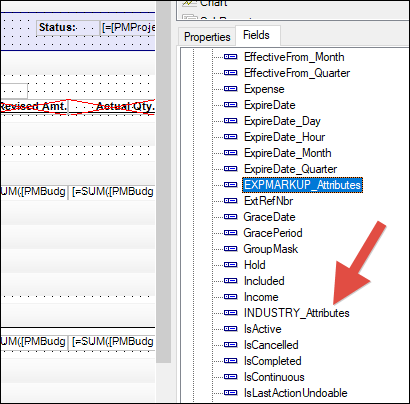
5. Now you can see that the INDUSTRY Project Attribute is a Field available to be used in the report:

Thanks for this Tim - I've been doing a join on CSAnswers with some fancy filtering to get attributes...

Hi,
I have a situation where the attributes have already been recognized in the Report Designer, and I was able to add the field, but when I Run the report the attributes field show as blank, any idea why this is happening?
Thanks
Online Members
