
By using this website, you agree to our Terms of Use (click here)

Hi, I'm fairly new to Acumatica and have been designing an ARM report for our P&L (and I'm an accountant, not a programmer!). We need it split over two pages because we report 9 columns of data on the first page (these are month to date figures) and 9 columns on the second page (year to date). I've reworked an existing report that our developers set up, but can't figure out how to get the row set to repeat on page 2 (if it was excel, it would be under page set up / sheet / columns to repeat at left). I have managed to insert the page break after the month to date figures, so the report is sitting on two pages, just without the column showing what each line is on the second page.
The example I've copied isn't fully built yet, so page two will look identical to page 1 when I complete the column set but it needs to say Year to Date.
Any help greatly appreciated.
IE-Restricted-and-unrestricted-2018-10-24.pdf
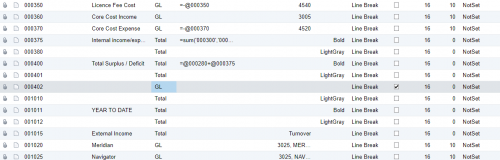
In case anyone's been thinking about this, I solved it last night. In my row set, I've now got the column I want repeated on the second page as a second group of rows with a page break between it and the first group

Hi Lloyd,
Glad to hear that you got it working. Did you use a Type of Header?

Ah, interesting, I didn't realize that checking the box automatically causes the header to re-print.