
By using this website, you agree to our Terms of Use (click here)

Hi All,
How to schedule a report for last week or last month. In report condition, there is no option available for "Last Week" or "Last Month".
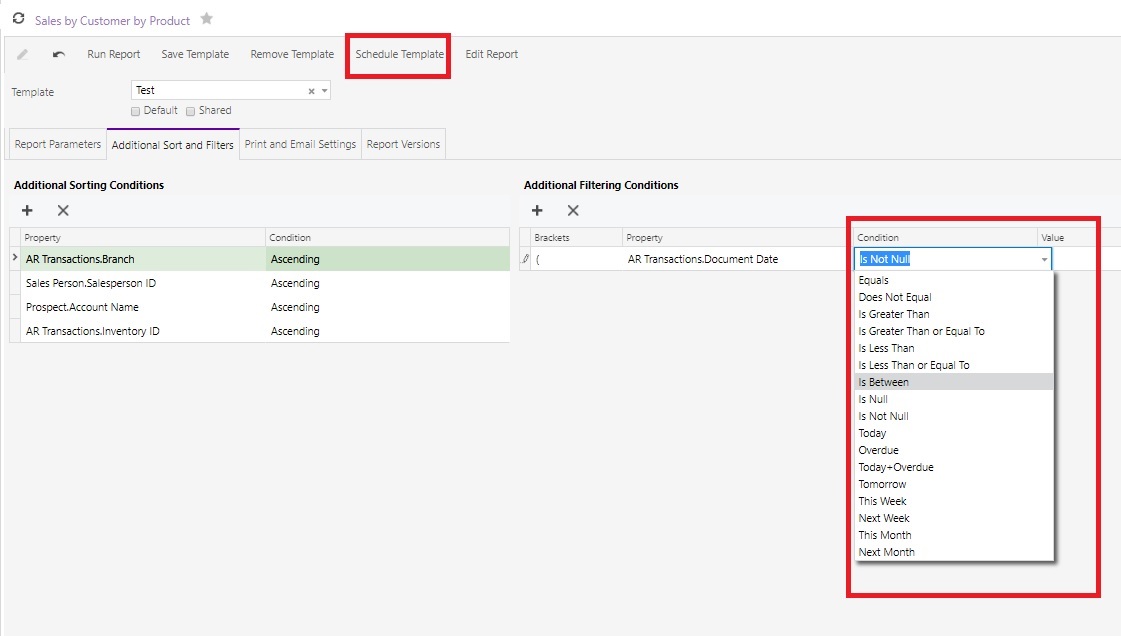
Is there any alternative?
Thanks,
Ishan

I think you'll need to use Parameters with defaults values and Filters for this.
Take a look at the Sales Order Summary (SO610500) report for a good example.
The DateFrom parameter has a Default value of:
=DateAdd(Report.GetDefExt('RowAccessInfo.BusinessDate'), 'd', -(Day(Report.GetDefExt('RowAccessInfo.BusinessDate')) - 1))
You can see that it's taking the Business Date (which is usually today's date) and subtracting the "day" portion of the date which basically gives you the 1st of the month.
If you wanted to go back to the first of last month, you could do something like this:
=DateAdd(DateAdd(Report.GetDefExt('RowAccessInfo.BusinessDate'), 'd', -(Day(Report.GetDefExt('RowAccessInfo.BusinessDate')) - 1)),'m',-1)
For more info about the DateAdd function, checkout this help article:
https://help-2018r2.acumatica.com/Help?ScreenId=ShowWiki&pageid=4eeba11c-b05d-4893-8d05-c377fb1824b6
Online Members
