
By using this website, you agree to our Terms of Use (click here)

Can't get a report to be automatically attached to an Automation Notification i defined on Sales Invoices.
I believe the problem is parameters not being passed to the report.

I've tried putting manual values (for an existing invoice) and also field references, eg. ((Document.DocType)) and ((Document.RefNbr)). Can't get the report to attach to the email. Any ideas?

I just tried, but wasn't able to get it to work either.
Just curious though, in this case why not use Automation Steps to have ACTIONS -> Email Invoice happen automatically on release of the invoice?

In case you haven't figured it out. We had a similar issue and Acumatica support told me to remove every field on the fields tab except what was actually being used in the conditions.
I did mean Fields. Although of course you need parameters as well. Ill share relevant screenshots of a working notifications which sends out the SOinvoice upon release.

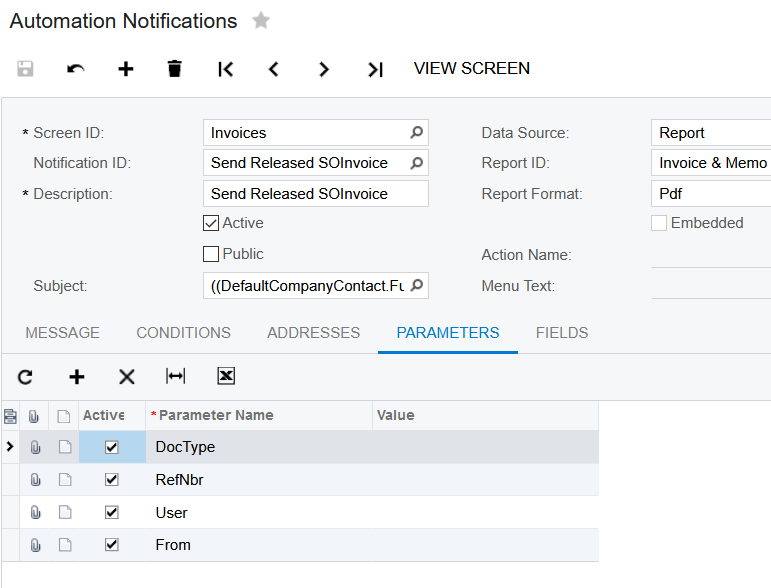
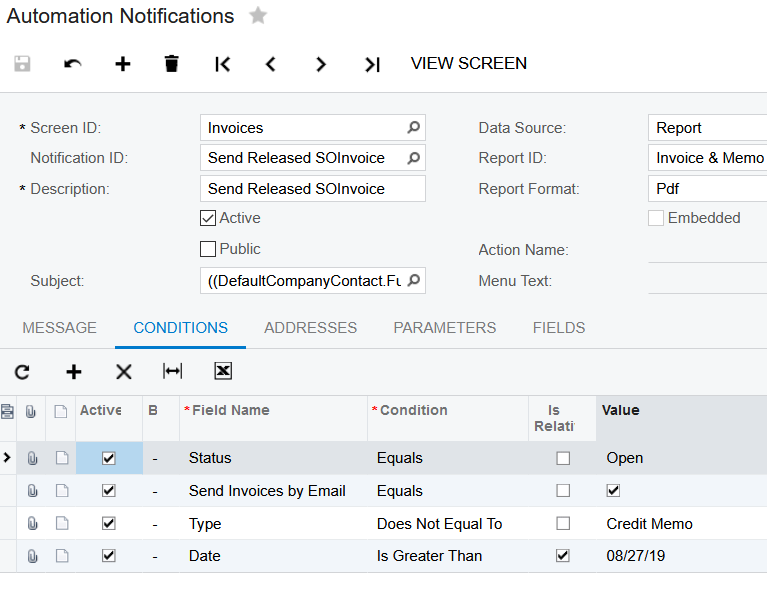
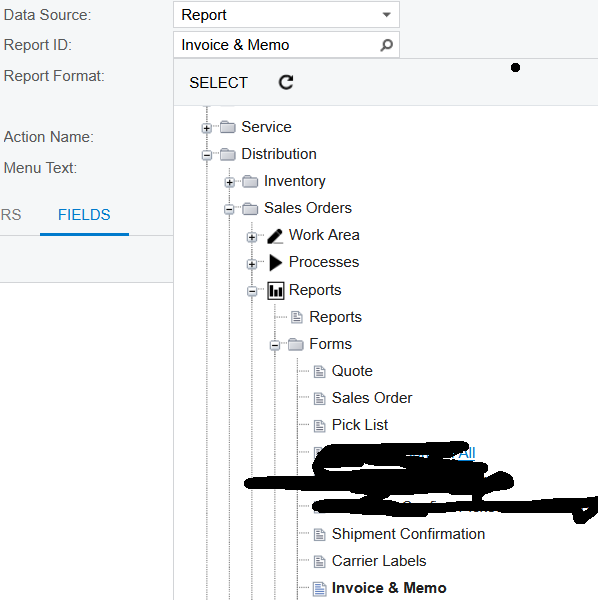
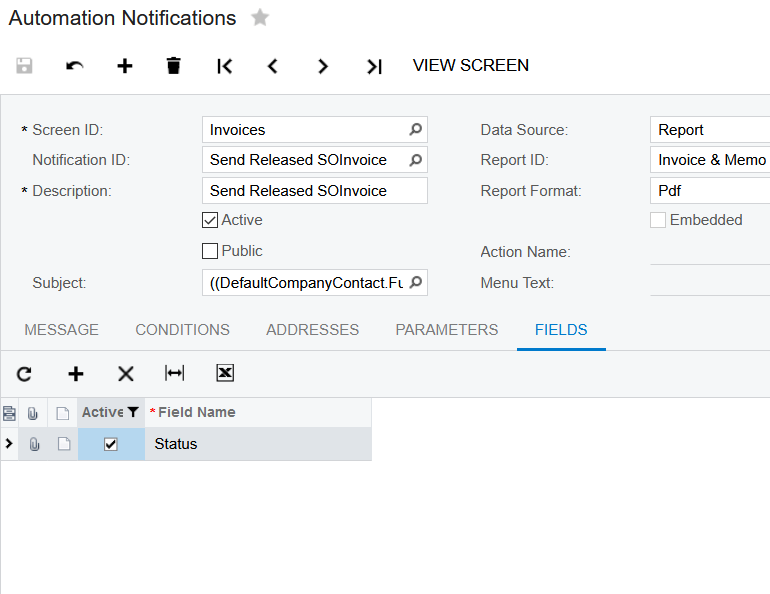
Note that there is a known bug where when a payment is applied to an invoice, the system counts the invoice once again as "released" and the notification will be triggered again. My workaround was to set a date condition since we typically do not get paid same day of invoice release.
Nice Ellie!
Online Members
