
By using this website, you agree to our Terms of Use (click here)

I have created a generic inquiry using inventory attributes as parameters to assist users in quickly finding the inventory item they need.
I am using four parameters in this inquiry as follows:
1) Item Class - Inventory ID Item Class (Working Fine)
2) Item Liquid Filled - Checkbox item attribute (Working Fine)
3) Item Fill Type - Combo box item attribute (Working Fine)
4) Item Dial Size - Item attribute - working but once the value is selected, cannot clear box to include all items again.
Please note that I originally set up 4) as a Combo box (same as 3) but still could not clear the box once the value was chosen.
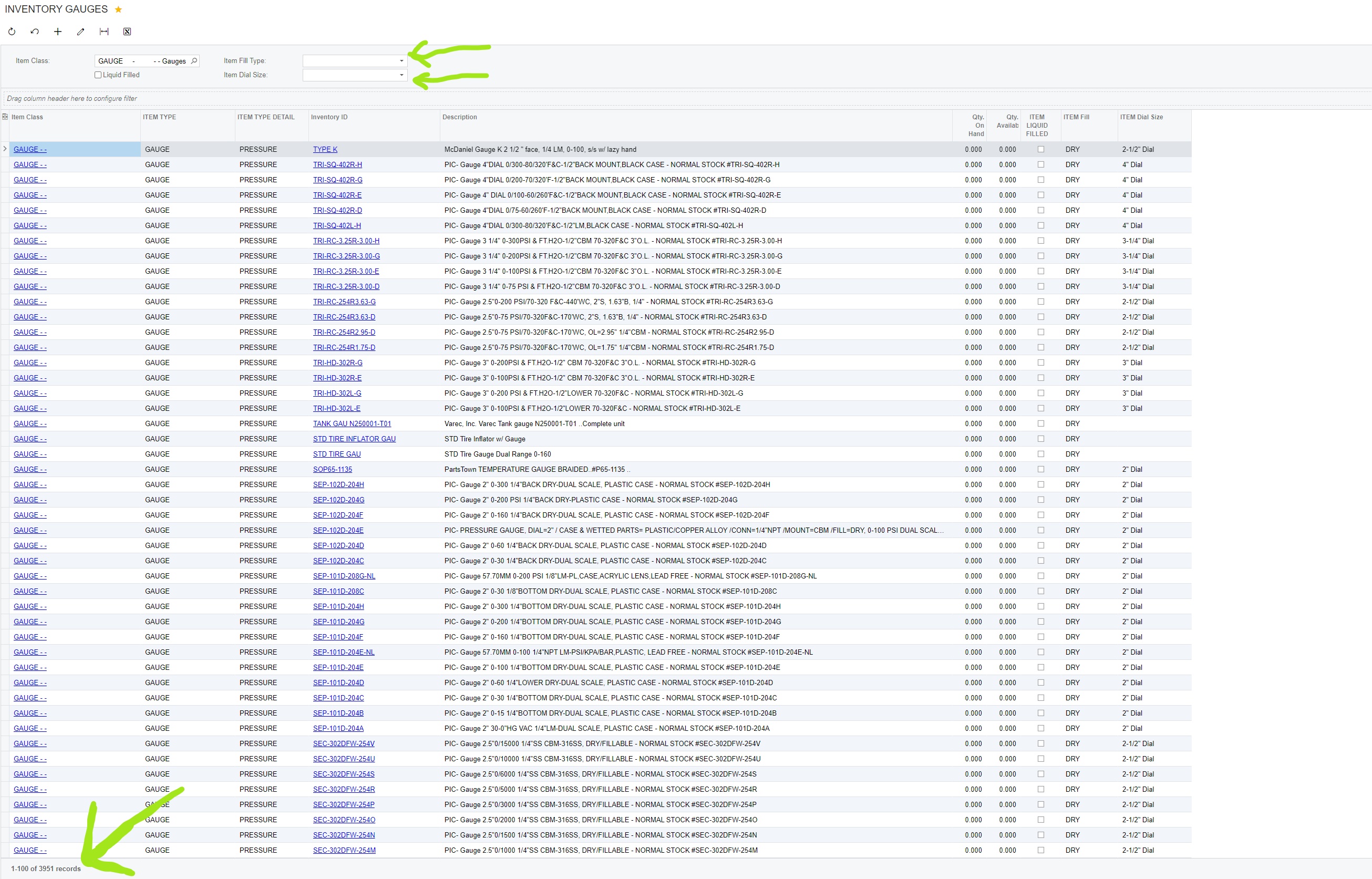
So when the inquiry comes up it does not have values in the parameter boxes(this is what I want) (See attachment) with a list of all items/records (3951 records)
You can then choose values for the parameters to narrow down results. So, let's say I choose a value for the 3) "Item Fill Type" parameter. (See attachment)
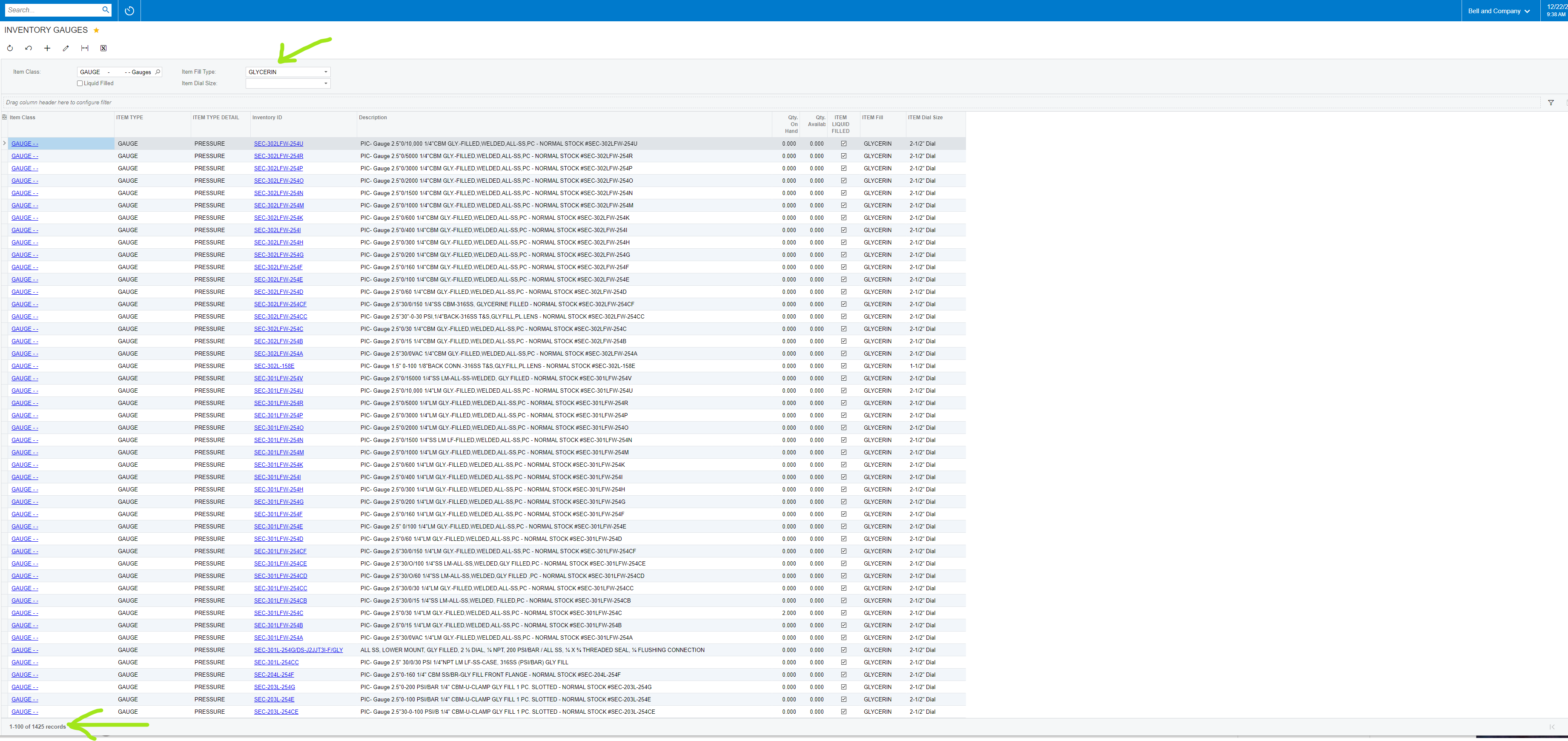
You can see it narrows down results to 1425 records that have the "Glycerin" value.
Now my user decides that what they are looking for may not have the "Glycerin" value and wants to clear this value. So they clear the "Item Fill Type" and all results are shown again. (3951 records)

This scenario is true for all parameters, with the exception of 4). Once you choose a value for 4) "Item Dial Size", you can not clear the value. You can choose other values but cannot clear the box?

Please note that I originally set up 4) as a Combo box (same as 3) but still could not clear the box once the value was chosen.
Item 3) and 4) are attributes set up the same with Combo as the control type.
Any input would be appreciated.
Below is the GI info:


Sure seems like a buggy thing to me since 3 and 4 behaved differently even though their setup was essentially the same.
Originally, I wanted to use Item attributes of the multi-select combo type where you could select multiple attributes from the GI parameter attribute. I could never get that functionality so settled for item attributes of the combo type and that is working fine.
Online Members
