— The Forums are now read-only —
— All new activity now takes place here: —

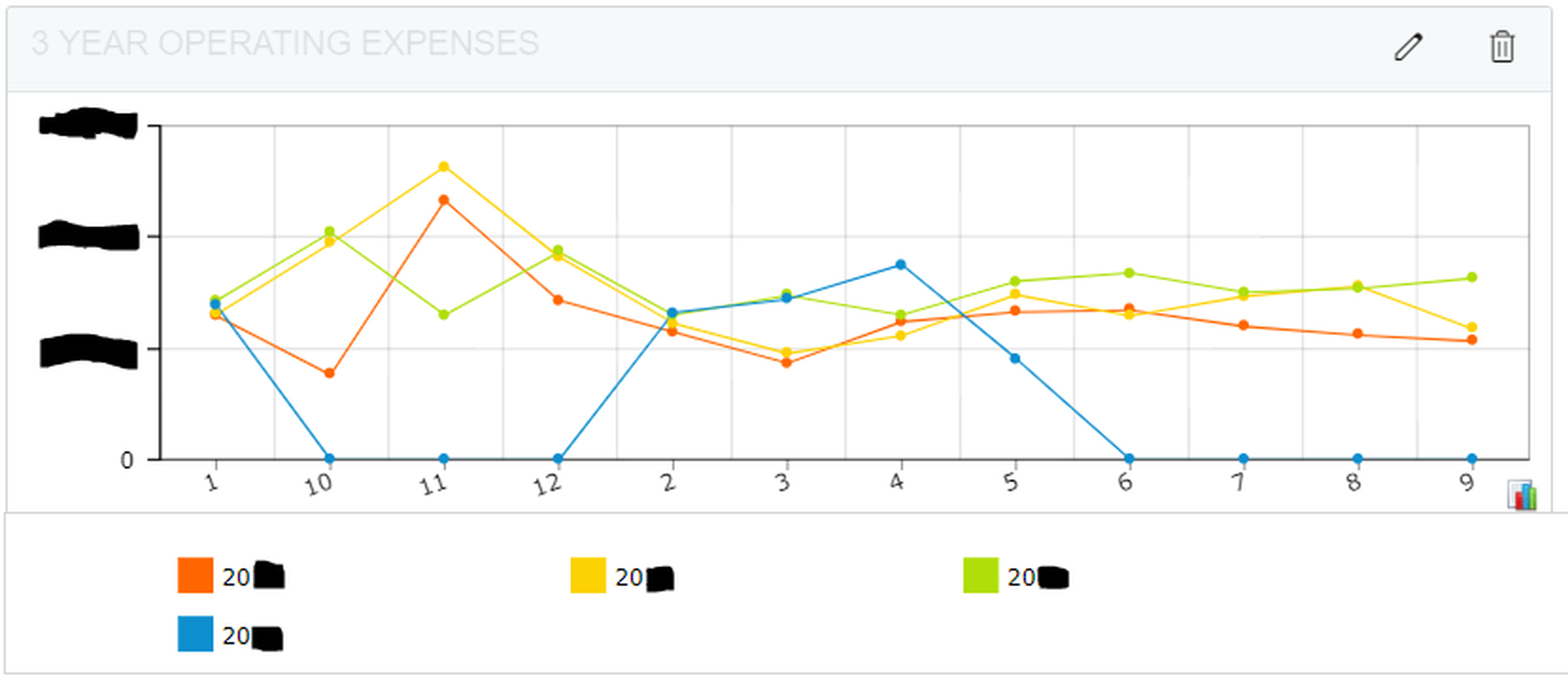
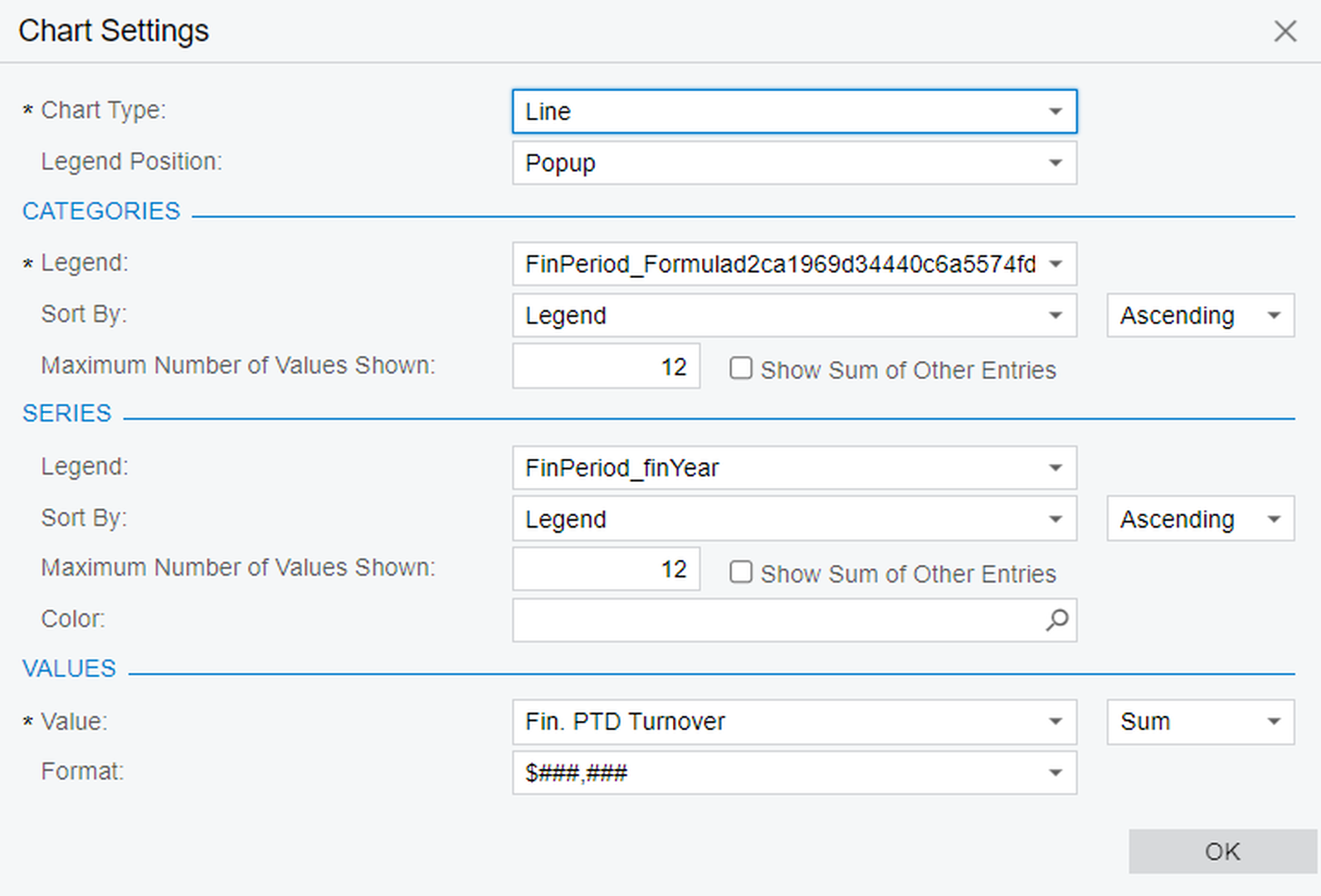
Hoping for some help creating a dashboard where multiple years are laid over the top of each other. I have successfully overlain the years but I am not able to plot the months in ascending order. Instead it plots month 1 January, then 10 October, then 11 November, then 12 December and then months 2-9 February -September. Here are the functions I am using to accomplish what I've done so far.
=CInt(Month([FinPeriod.FinDate]))
I am using this function to convert the fin period to its month component only and then I attempted to use CInt, Cdec, and CSng function to convert the Month number to an integer or decimal so soringt by ascending would align the months from 1-12, January-December. No matter what I use ascension wants to plot 1,10,11,12,,2....9, I assume alphabetically. The following function has the same effect.
=Month([FinPeriod.FinDate])
Is there a better way to do this?
I have included a couple of screenshots showing the current widget and the configuration of that widget.
See screenshots below. Thank you in advance for any help you can offer.

why don't you use PeriodID instead?
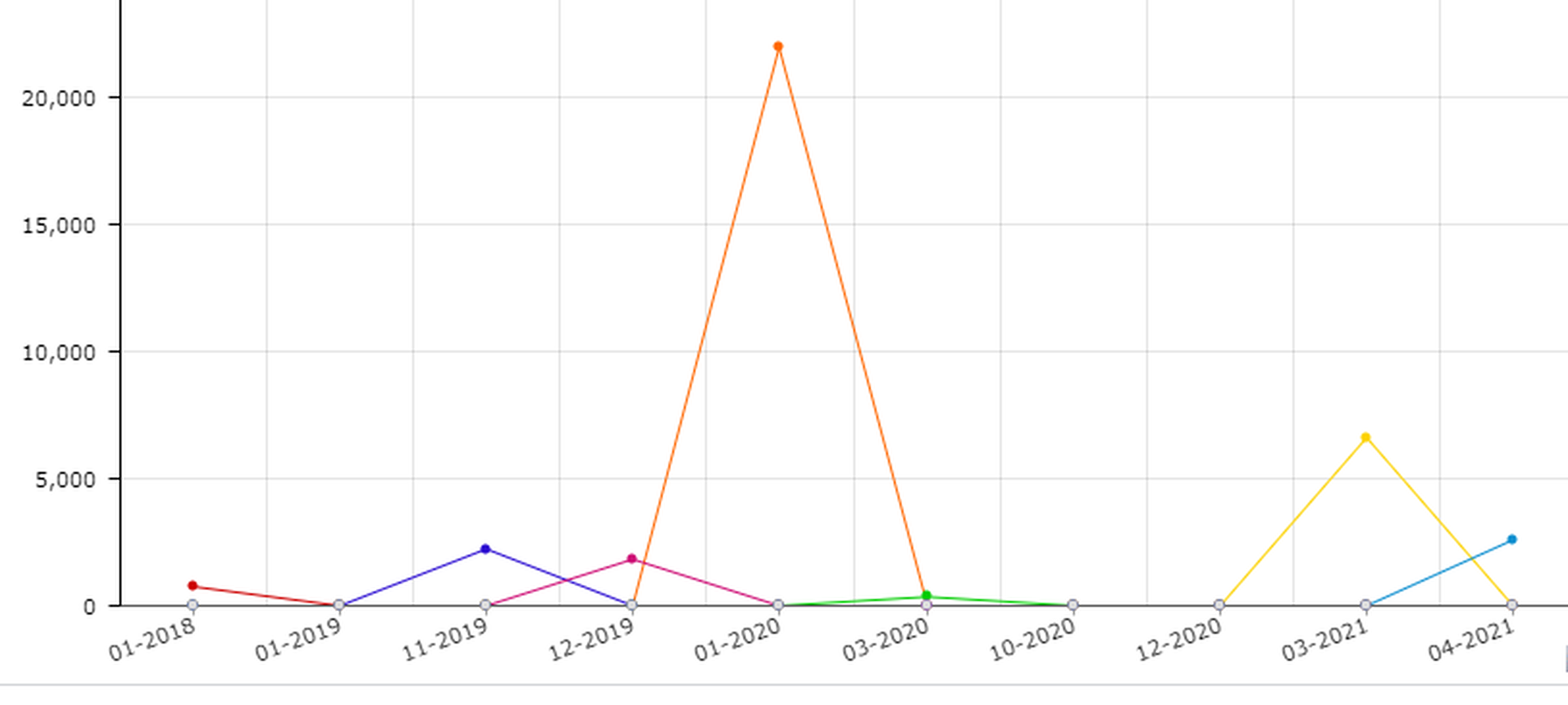
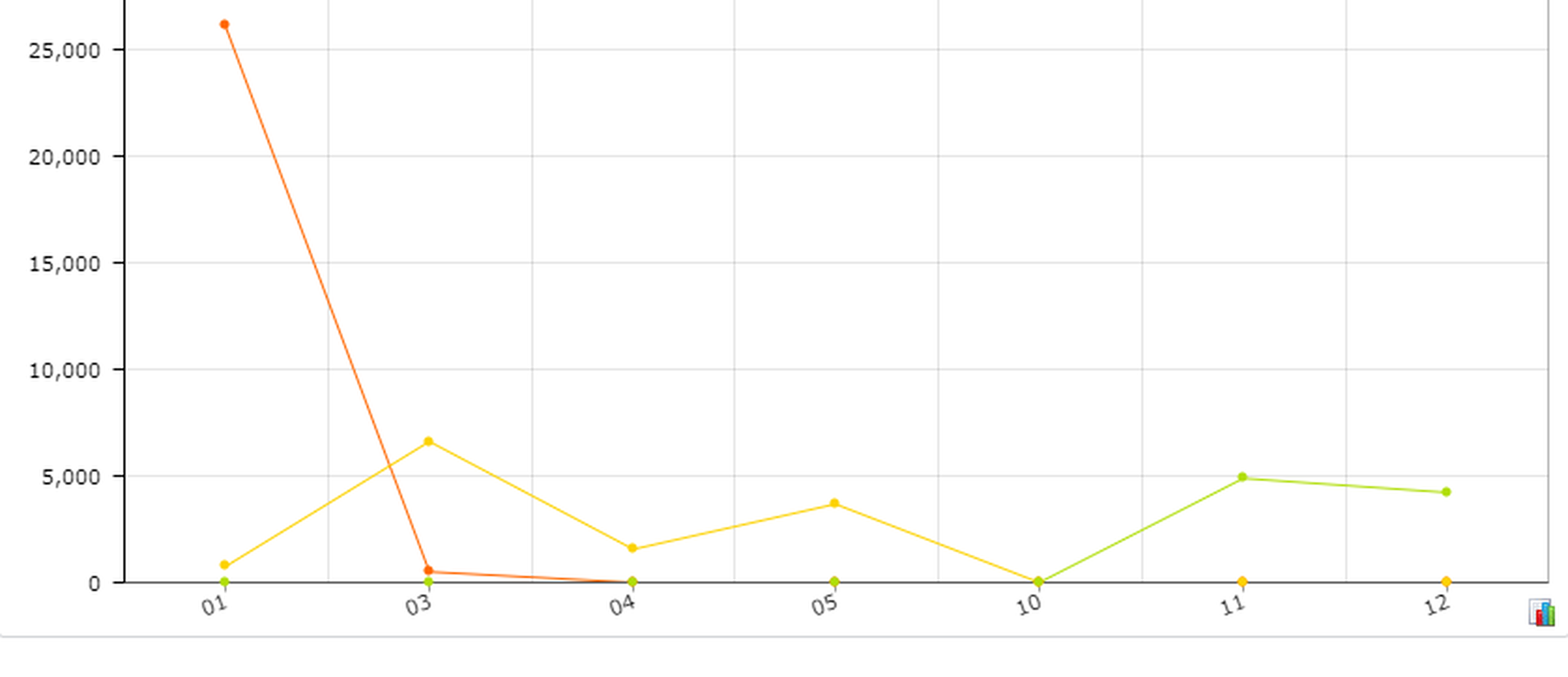
I see. If you convert it to string, it will be sorted 01, 02, 03... 12. I used the following and it worked for me.
=CStr(substring( CStr( [GLTran.FinPeriodID] ), 5, 2 ))
Hi @tra_user
I am glad it worked the way you needed it.
Hey, count me in for Lunch. We never know. LOL.
The Substring function extracts a section within parameters (x an y) from a text. substring(TEXT,x,y) So substring( CStr( [GLTran.FinPeriodID] ), 5, 2 ) it is extracting the two characters after position 5 of string TEXT.
You could try =MonthName([GLTran.TranDate] to get the month name but, when using it, it might sort it alphabetically not from Jan to Dec.
By using this website, you agree to our Terms of Use (click here)
