— The Forums are now read-only —
— All new activity now takes place here: —

So I'm new to Acumatica, so I don't know all of the quirks yet! I would appreciate any insight on this...
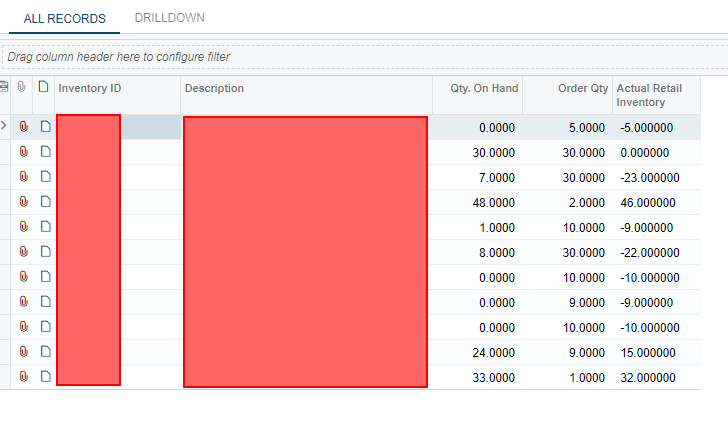
I made a custom table in generic inquiry that subtracts "order qty" from "qty on hand" to create a relevant field for our company called "actual retail inventory." This is how I displayed them.

For items below zero (actual retail inventory), I have it displaying "items that need to be produced," and when clicked - the drilldown works just fine. 7 items were counted and 7 items are displayed.
For the "low inventory" display I want a summary of "actual retail inventory" between 0 and 20. For this one, I use the filtering below. It recognizes that there are two items with inventory levels in that range, but the drilldown does not display them.
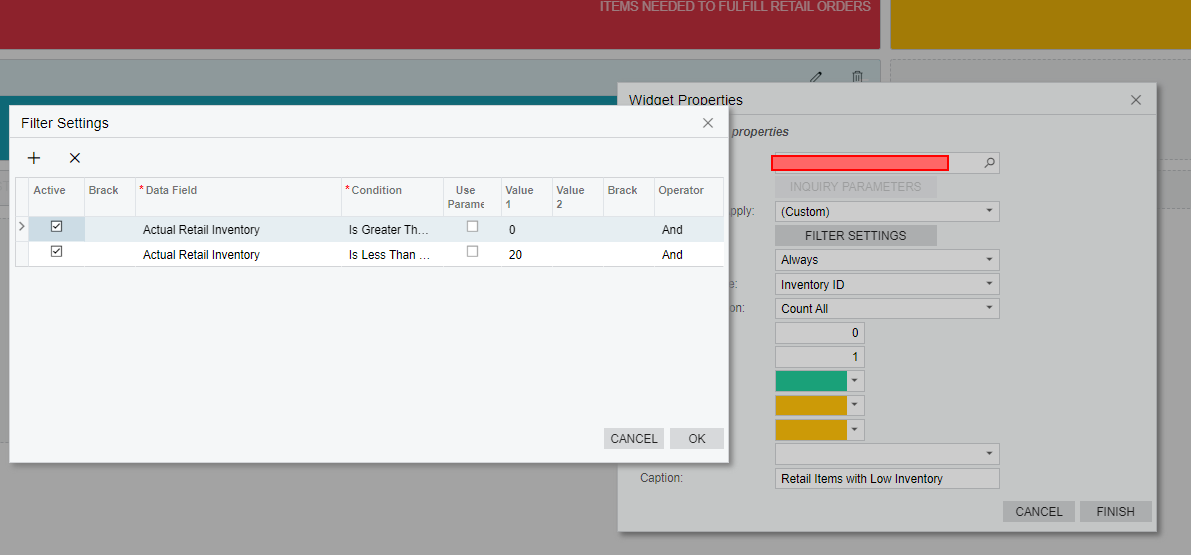
I've tried the "between" function and brackets/no brackets. Same result.
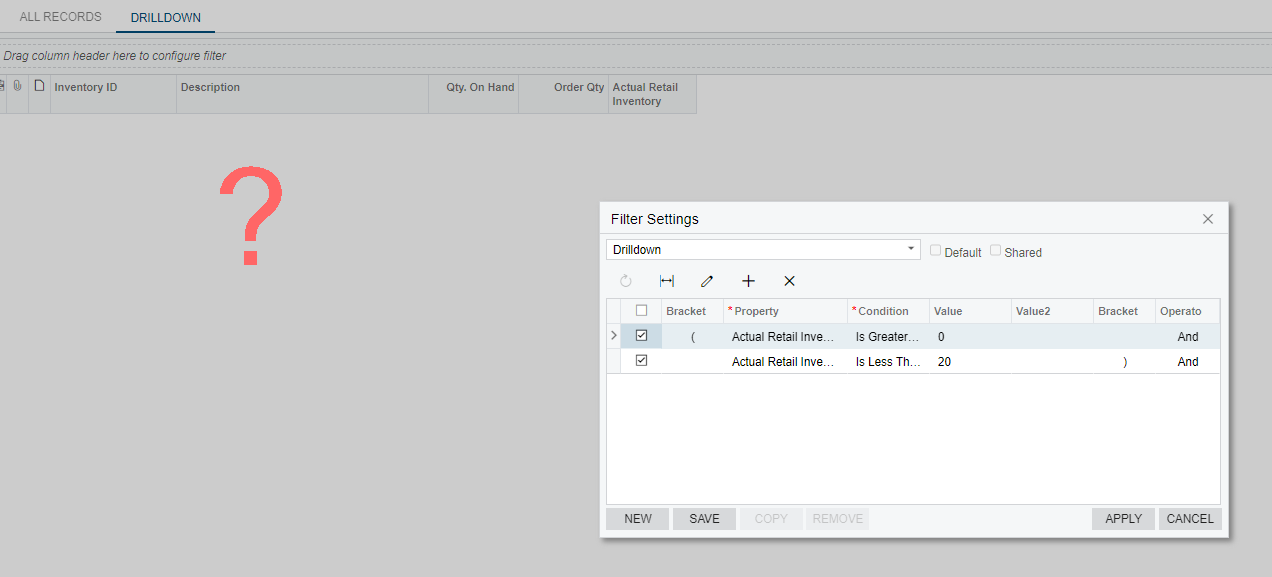
Is this a bug? (2020 R1)
Thanks!

I do not use filters allot with dashboards. Why don't you create a shared view
With the generic inquiry running. Save a view, call it "Low Inventory", Go back in and Share it with all.
Now modify your widget to use the view. I think now when you go to the generic inquiry you will see the data as you want.
Matt
I see on your view Drilldown. Click Share. Then the way you are doing it should work as well
Matt
By using this website, you agree to our Terms of Use (click here)
