
By using this website, you agree to our Terms of Use (click here)

Hi Everyone,
I've been working with the Financial Report Writer for a while now, but for some reason, something just occurred to me.
There is a Data Source area in four different places:
- Report Definitions
- Row Sets
- Column Sets
- Unit Sets
Here are some screenshots to prove it:


I don't know why it took me so long to realize this, but it got me thinking, it almost looks like the same list of fields in each of those four places. What happens if I put a value in the same field in all four places? What will happen?

Great question Beaker. And, don't worry, it probably took me even longer for this to occur to me.
There is a great section in the F350 course on this. I'll summarize it here.
Basically, there are two kinds of fields in the Data Source areas:
- First Non-Empty: For these fields, it will only use one value, and it takes the first non-empty value that it can find, in the following order:
- Unit Sets
- Row Sets
- Column Sets
- Report Definitions
- Merged: For these fields, it will combine the values from all four places. So, if you put in a value in all four places, it will combine them all together to create a four-fold filter. If you only put a value in three places, then it only combines three values, etc.
Here is a table representation of which fields exist in what places and whether they use the First Non-Empty logic or the Merged logic.

Note: This post is only concerned with reports of Type GL which are based on the General Ledger. There are also reports of Type PM which are based on the Projects Ledger. I personally don't know Acumatica Projects well enough though to comment on it at this point.
Acumatica Version 6.10.0472 used when composing this response
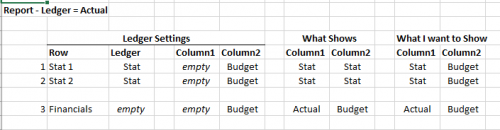
That reference table is very helpful. Thank you for putting it together Tim.
As far as I know, the priority is hard coded and the Row Set gets priority.
What about setting up two hidden columns: one set to the ACTUAL ledger and one set to the STAT ledger.
Then, the visible column would be a calculated column that pulls from the STAT ledger column if the RowCode is 1 or 2, then from the ACTUAL ledger column for all other rows.
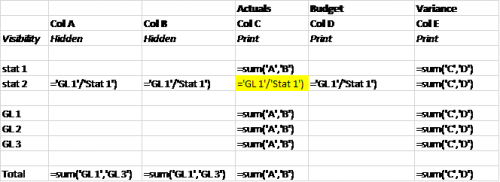
Hey Joseph,
You could do something like this, assuming Row 0030 and 0040 in your Row Set are the rows that you want a different calculation on:
=IIf(@RowCode='0030' Or @RowCode='0040','GL1'/'Stat1',Sum('B','D'))

Thanks for the direction Tim. I'm not successful in implementing that equation though. I'm running in to trace errors. The rows i'm wanting to divide in to each other are 0005 and 0099, so my equation is as follows:
=IIF(@RowCode='0005',(@RowCode='0099'/@RowCode='0005'),Sum('B','C'))
I've also tried the following:
=IIF(@RowCode='0005',('0099'/'0005'),Sum('B','C'))
@RowCode just returns the code of the row, not the value in the row. So it works great in a true/false test, but not to return a value.
But I think your trace error is related @RowCode='0099' and @RowCode='0005' being in positions that do not expect a true/false value.
Try something like this instead:
=IIF(@RowCode='0005',B0099/B0005+C0099/C0005),B+C)
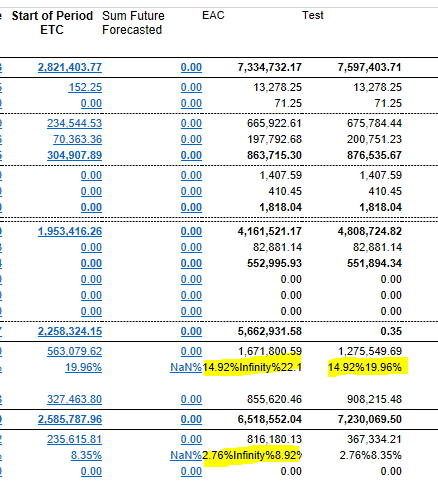
Hi Armando,
A couple questions:
1. Can you include a screenshot of the Column Set? Actually, even better, can you export the report and attach it?
2. Do you really want to sum the percentages in the other columns or would it make more sense to do the division on the total values in the EAC column?

Tim,
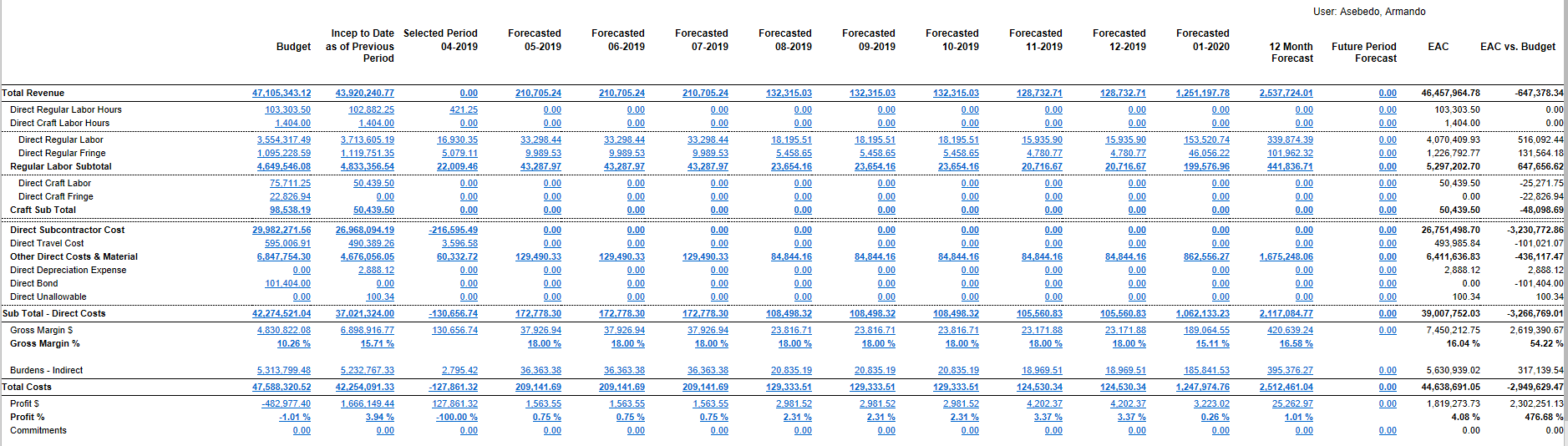
I do need the percentages in each column since I am using this to project gross margin and profit per period, however the EAC column should calculate based on the amount in that specific column. In looking at the % of Sales Annual Total thread (which I found after posting here) I thought I was getting closer to making that happen with trying to work with the row sets. The first solution you posed seemed to work except I have two percentages to calculate in the column so I tried the other solution mentioned but I couldn't get it to work.
So, should we continue the conversation on that Topic? Here is the link:
I'm still struggling to pinpoint your exact issue. I need to be able to reproduce the problem in my environment to pinpoint the exact problem you're trying to solve.
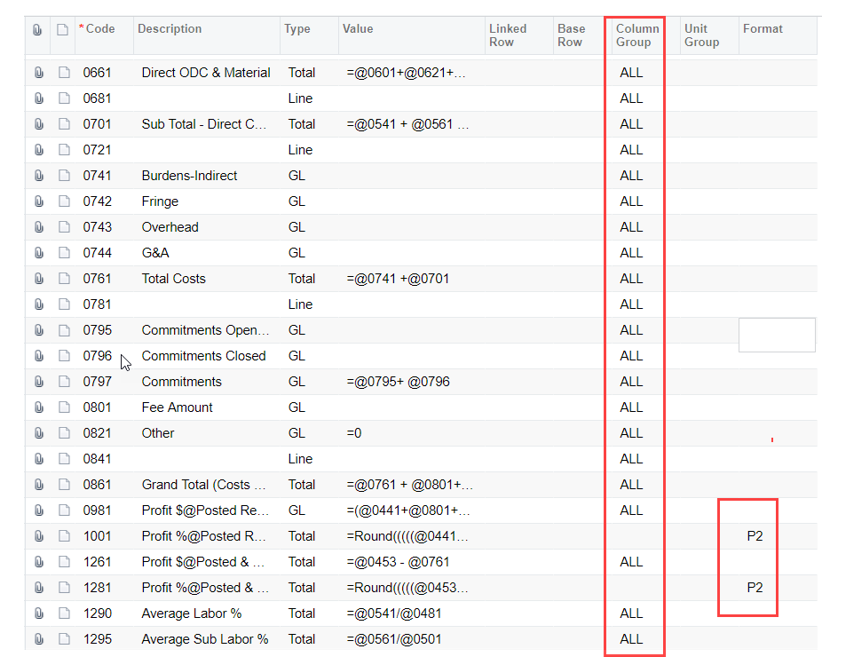
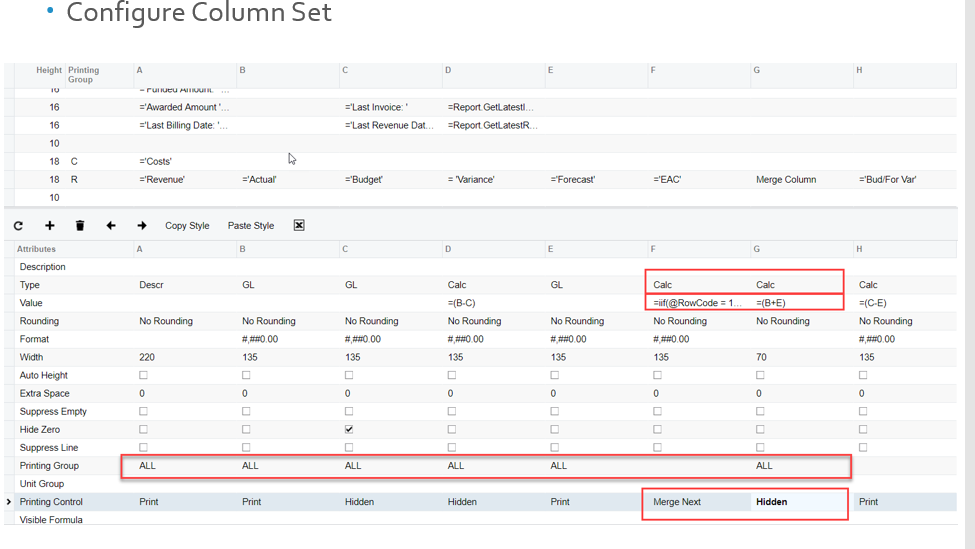
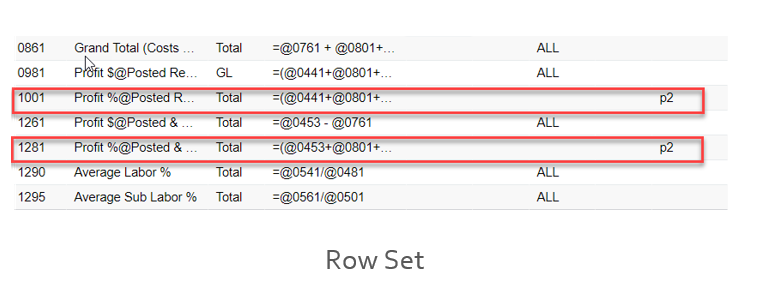
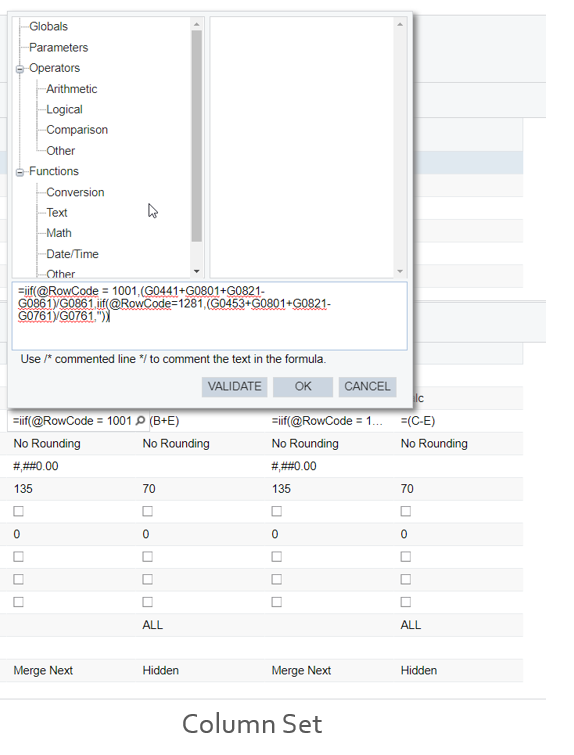
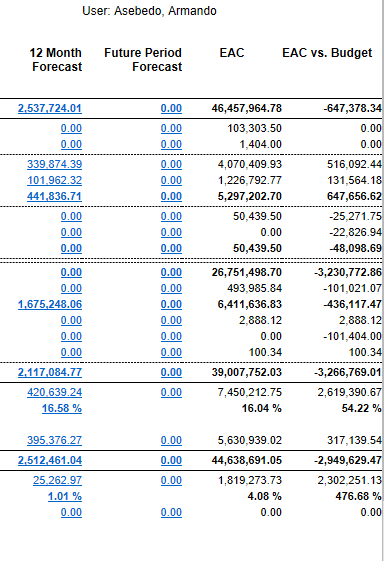
Thank you for sharing your solution Armando. It's people like you who have caused me to learn a lot from this forum too.
Online Members
