
By using this website, you agree to our Terms of Use (click here)

Hello Tim,
It was nice o meet you in Houston!
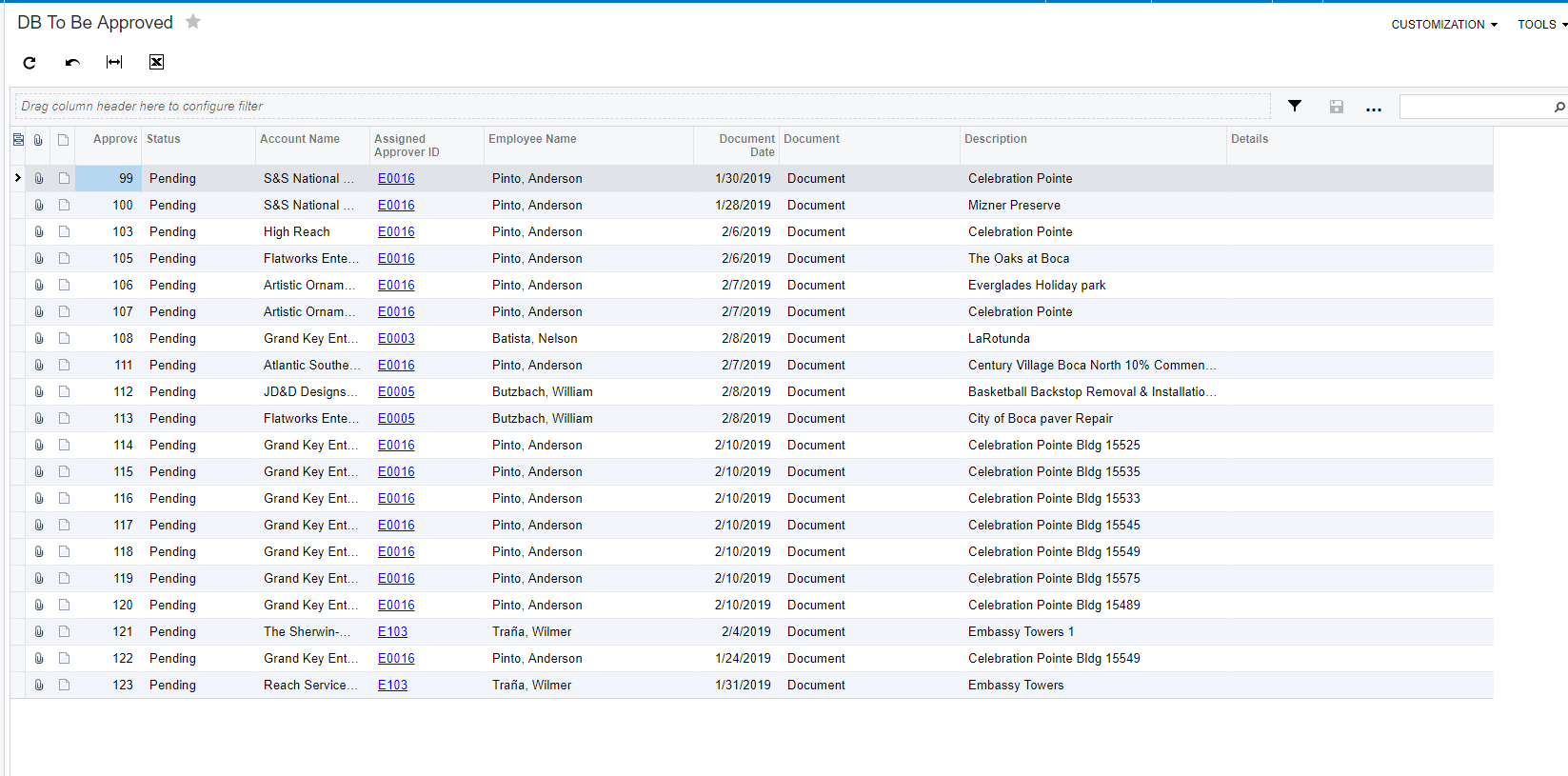
I am trying to create GI to allow me to generate a report showing a list of pending approval invoices based on a specific user.
I did manage to create it but is show the entire list of all pending approval invoice and I need it separate so I can add it as a tile on the dashboard of each project manager, so they can approve it individually.
Please let me know if you have any suggestion.
Thank You
Reinaldo
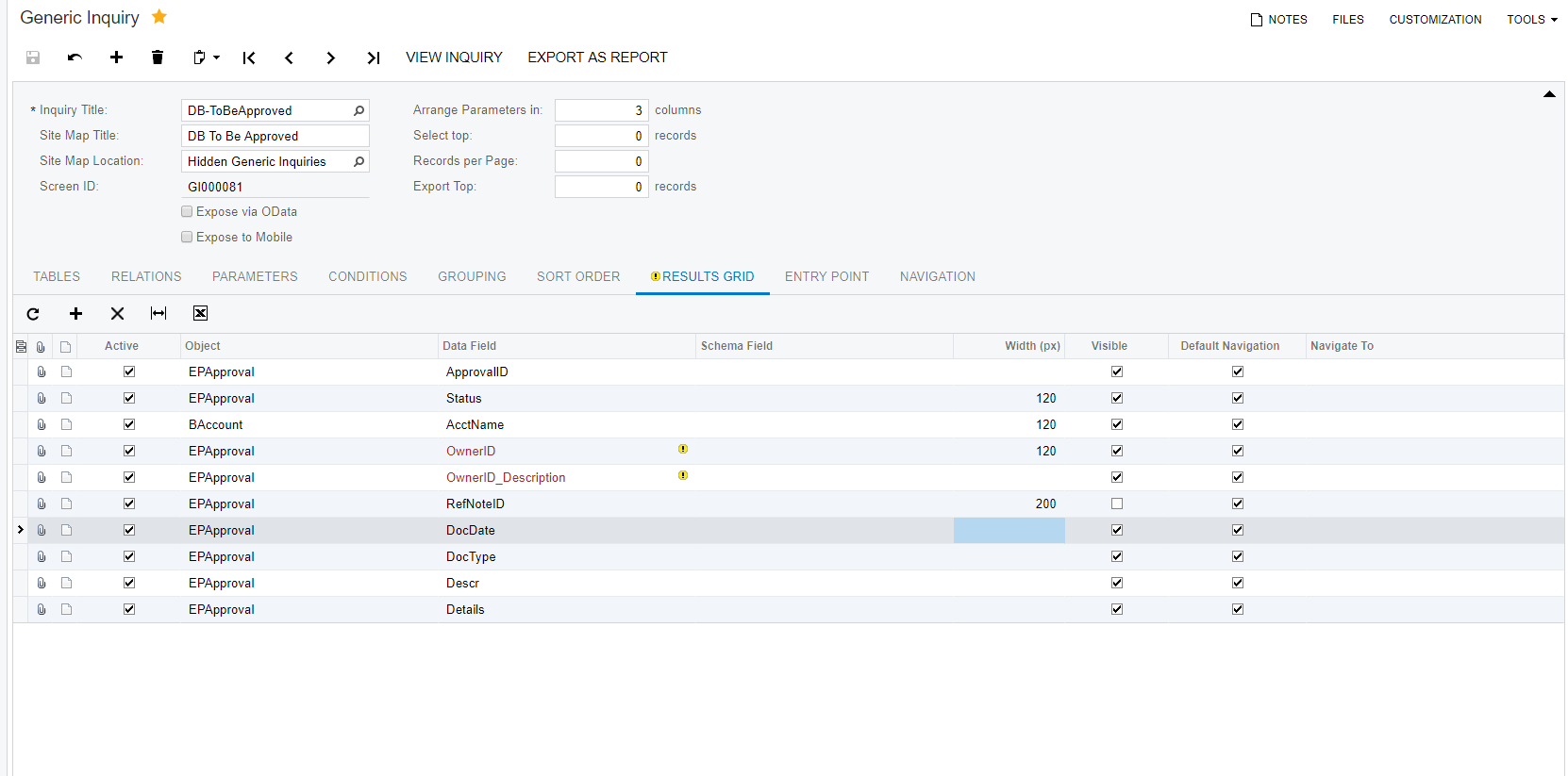

Add a parameter for Approver ID.
Use the parameter in Conditions to filter EPApproval.ApprovalID.
On the dashboard for each approver, specify the correct value against the Approver ID parameter.
Royce,
Thank you for the information, it did work but the result was different from what I was trying to do.
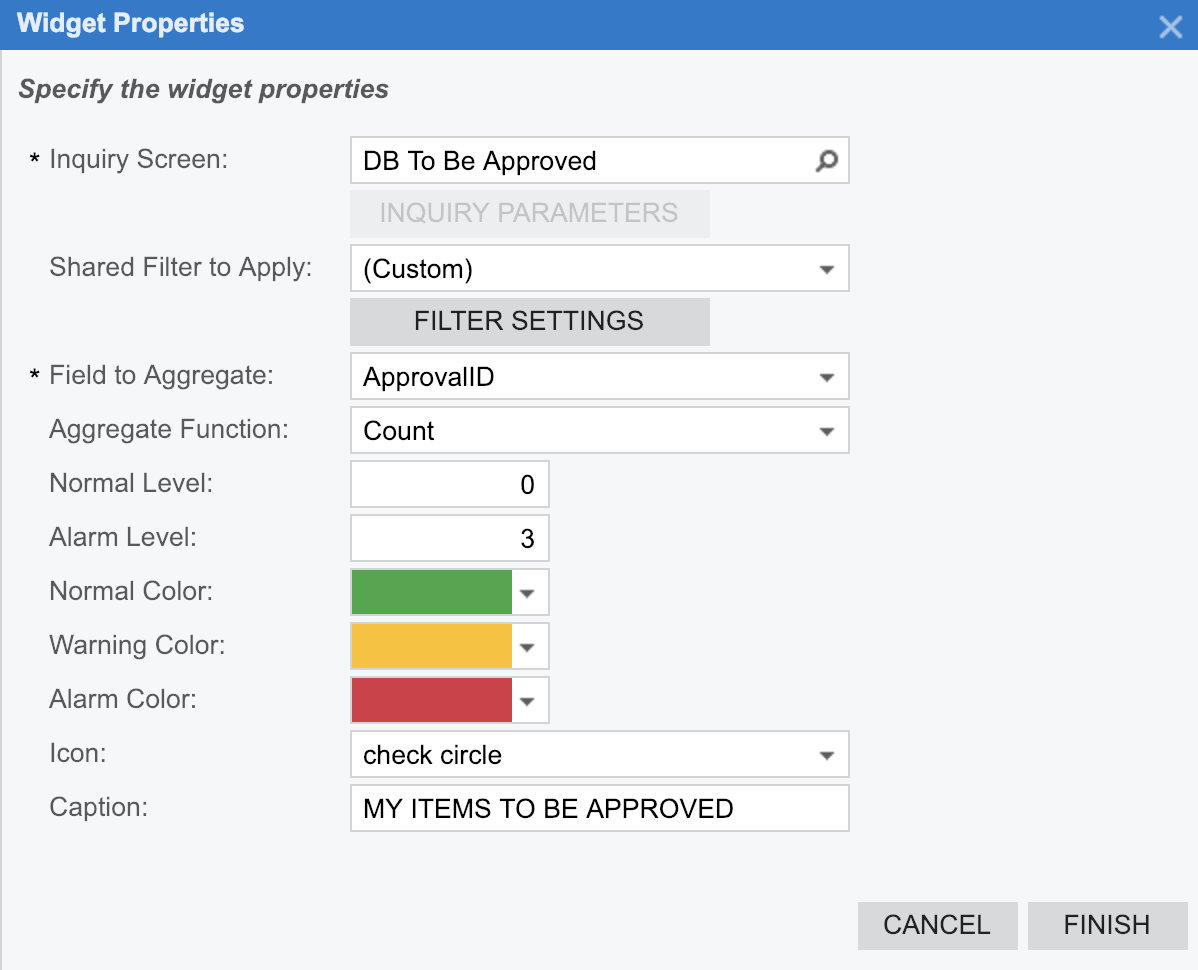
I did finally manage to get the result I was looking for when I use the filter on the widget properties ( Data Field = Assigned Approver ID => Condition = Equals => Value 1=@me => Operator=And), then Voila!!! It worked. The only problem was that was generating a Drilldown and I was hopeful that the result was going to show All Records for the user only, but it creates the second tab "Drilldown", and with that, the user still can see the other users items to approve once he clicks on the "All Records Tab".
I still would like to be able to generate a single list, the same way as when you go to "Vendor Management" and click on "Approvals" under Task, if you know anything which I can change to achieve it will be really appreciated.
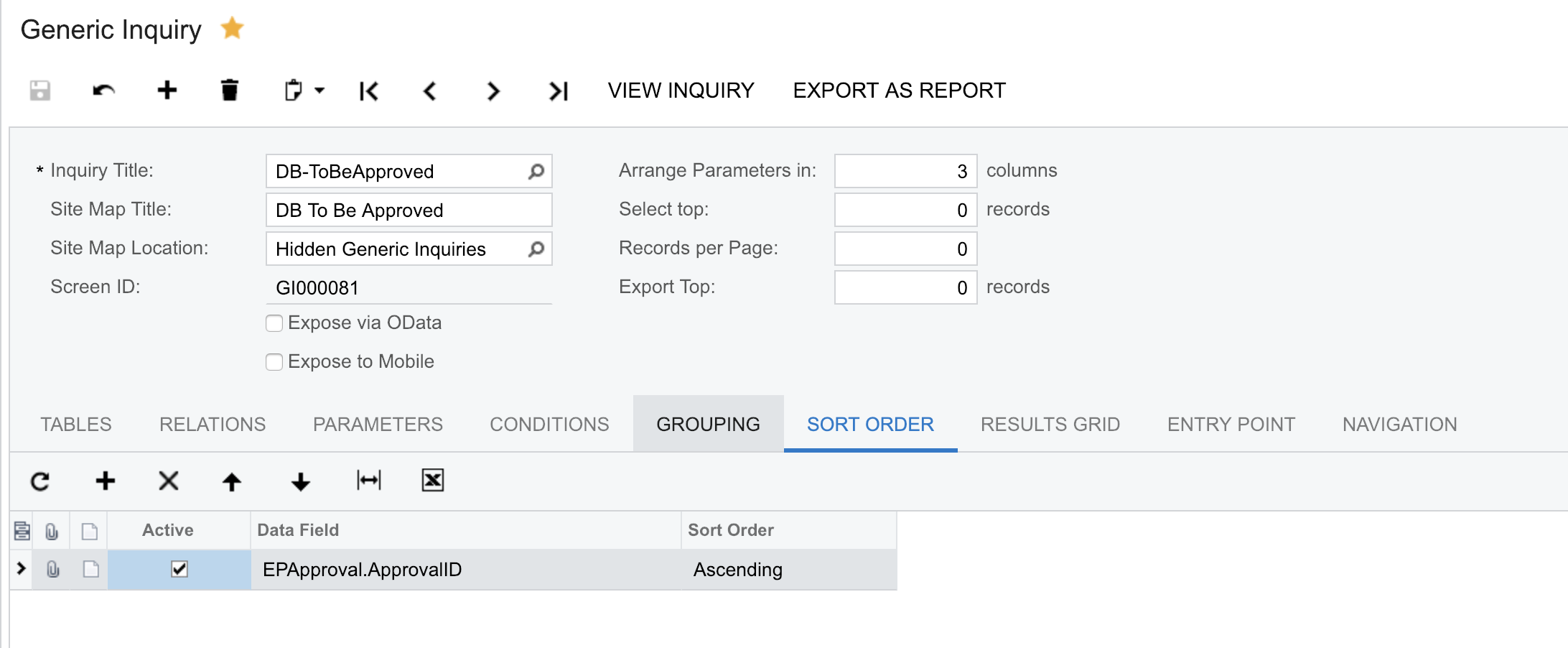
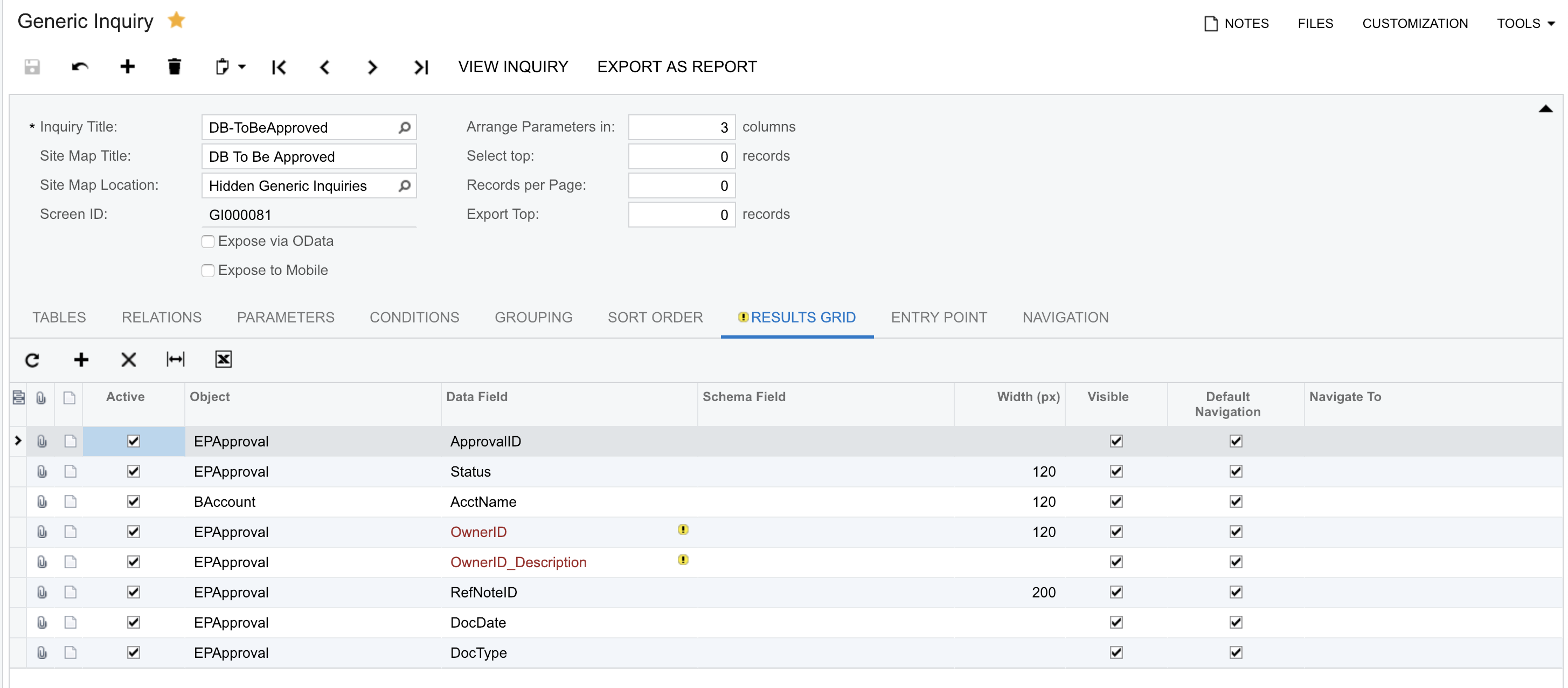
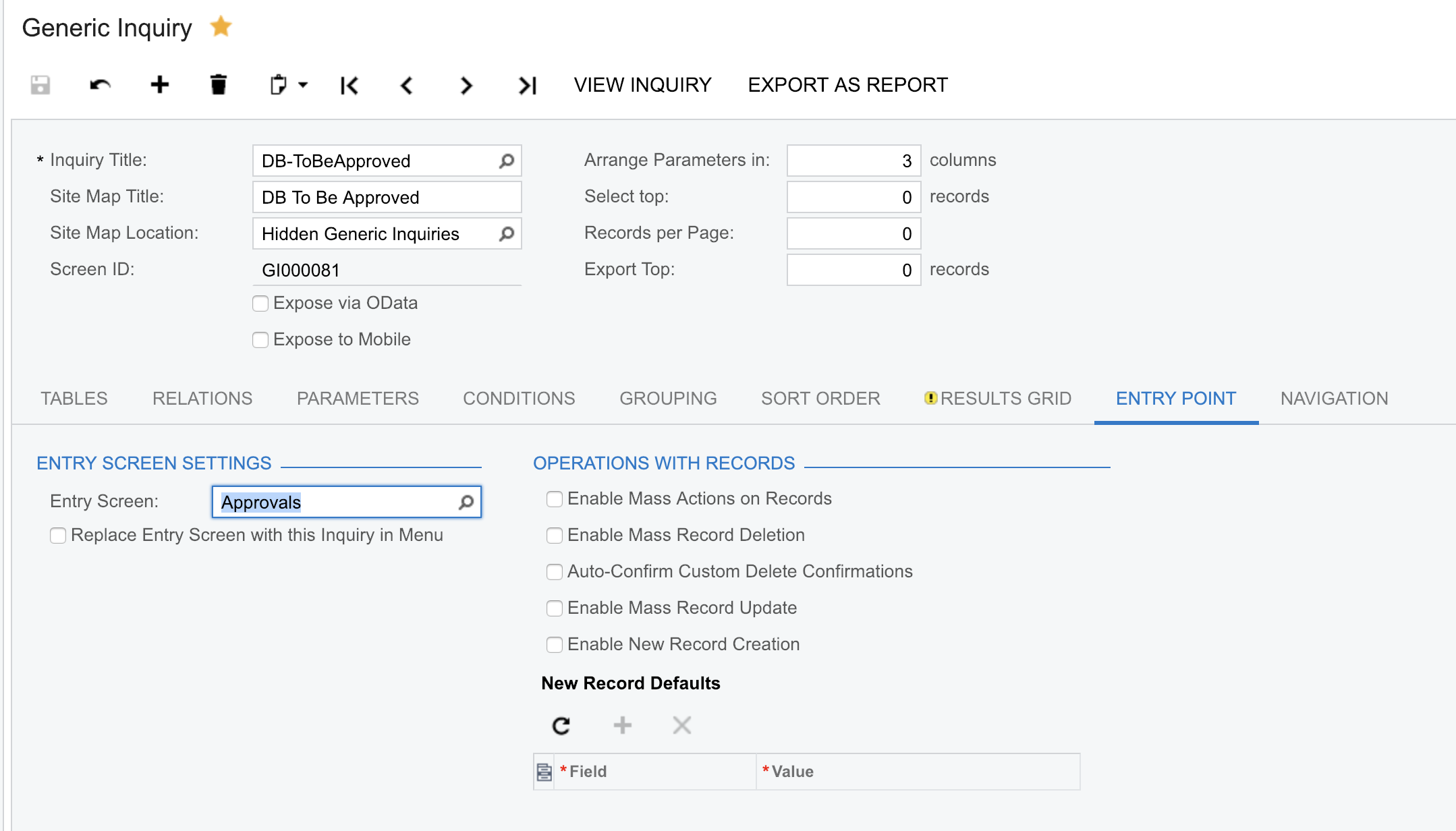
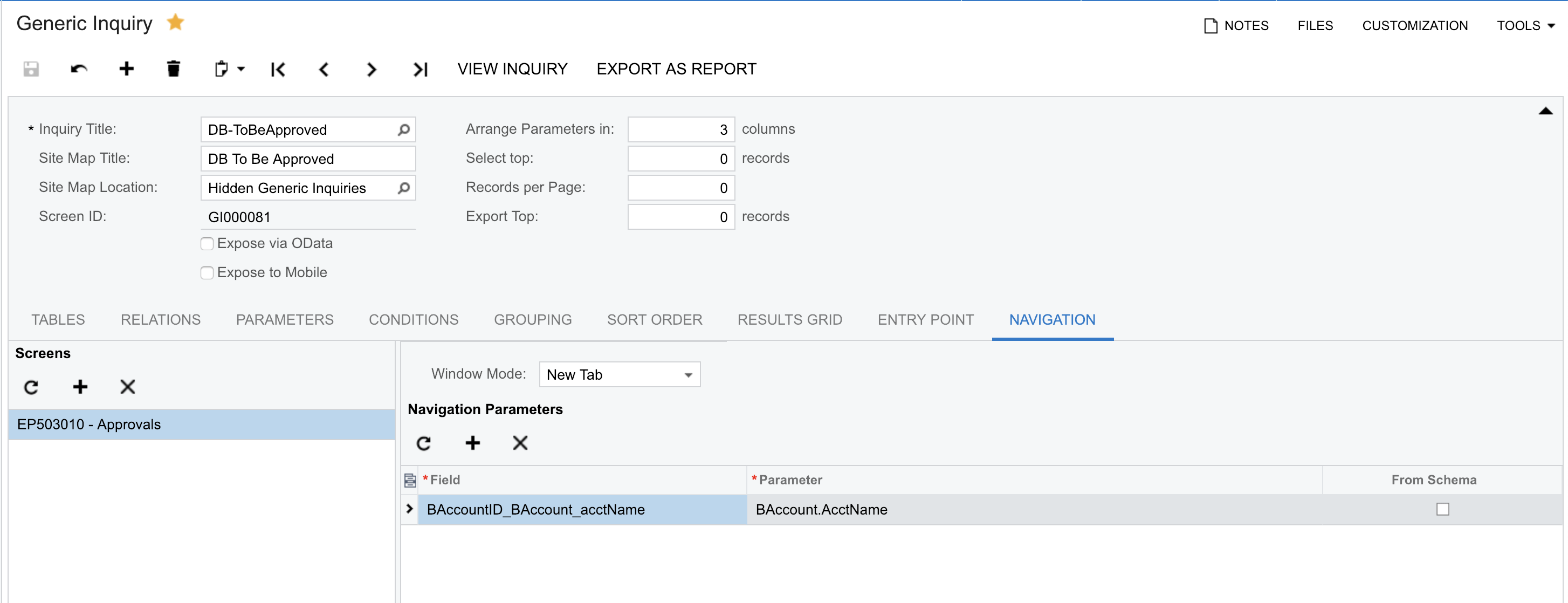
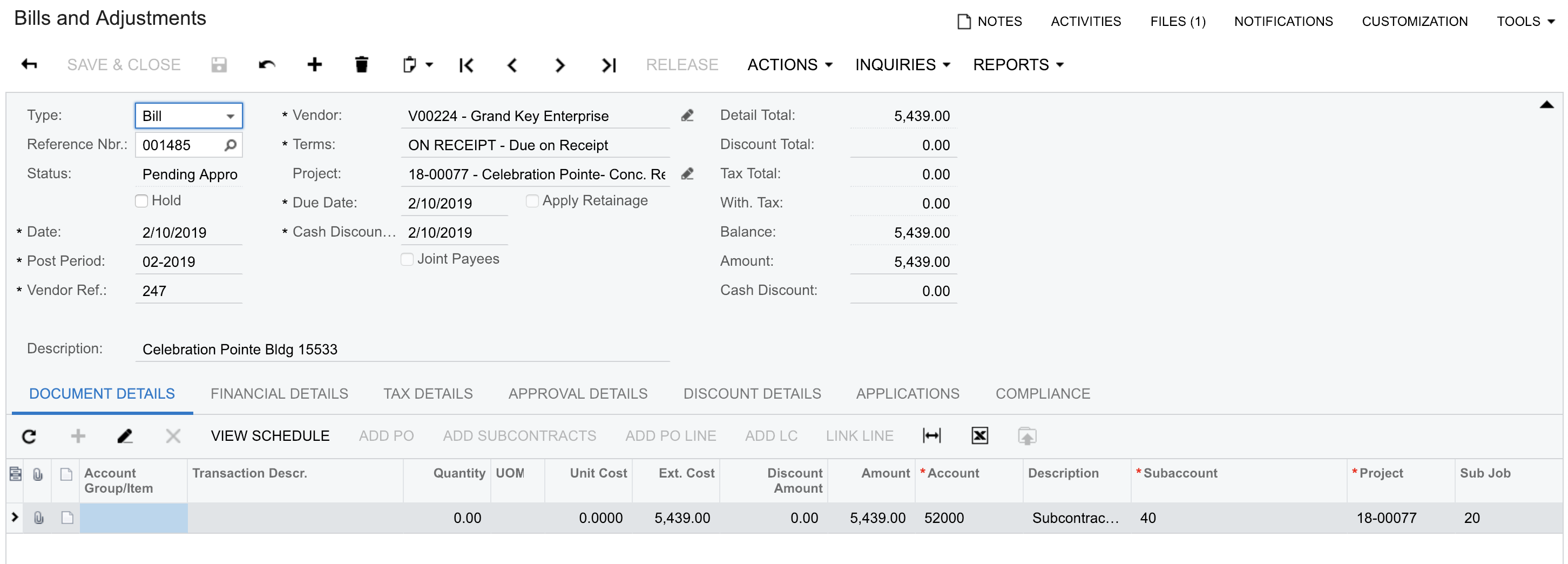
Note: After the dashboard generates the list, `the hyperlink to the bills was not working and I had o do some extra steps to create this functionality.
See below the steps I took to reach my results:




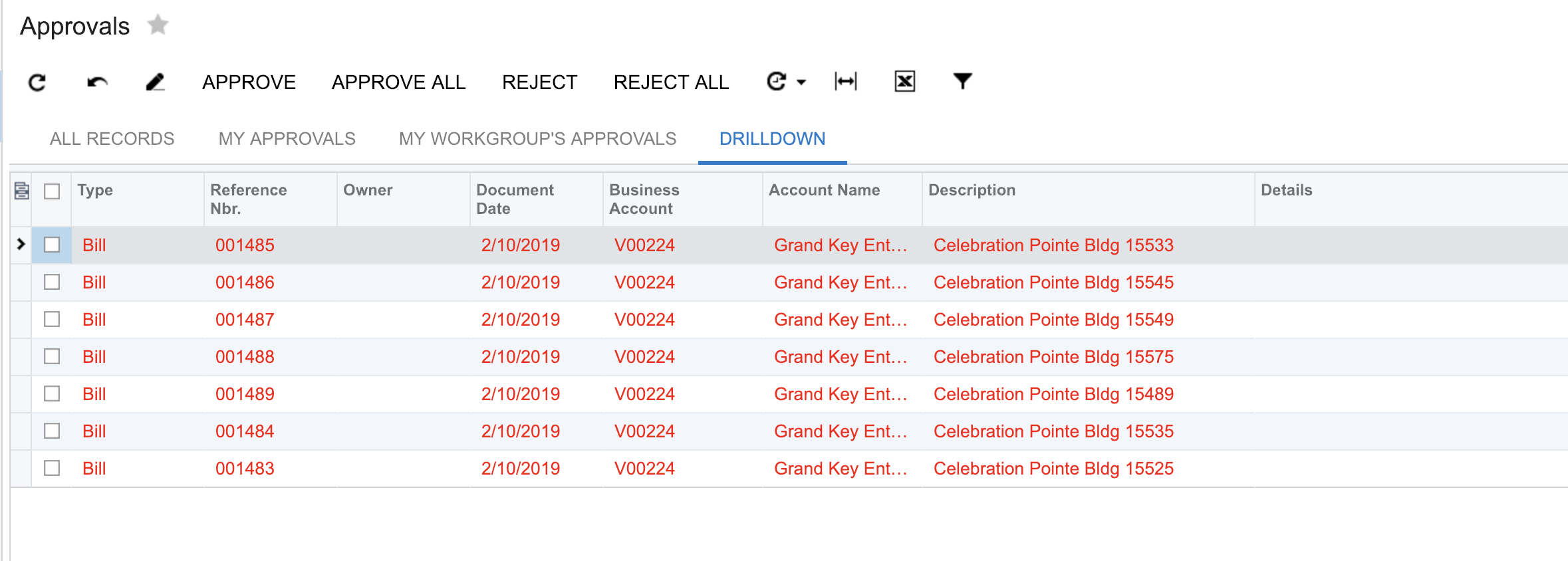
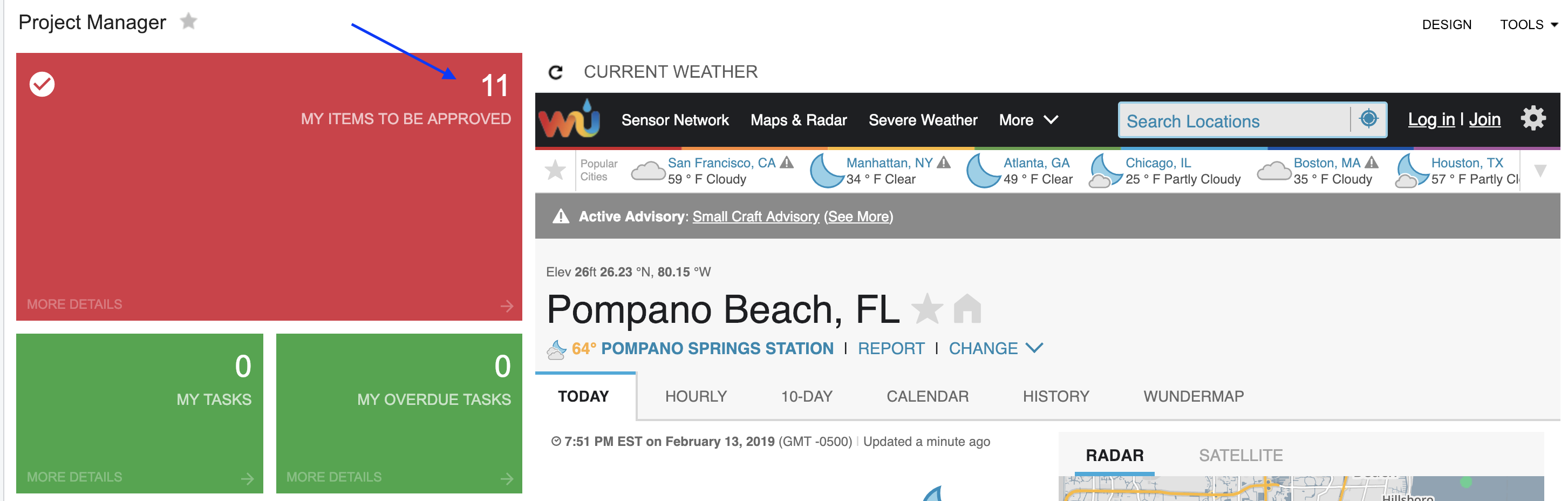
Thank You
Reinaldo
Not sure to which Page in Vendor Management you are referring.
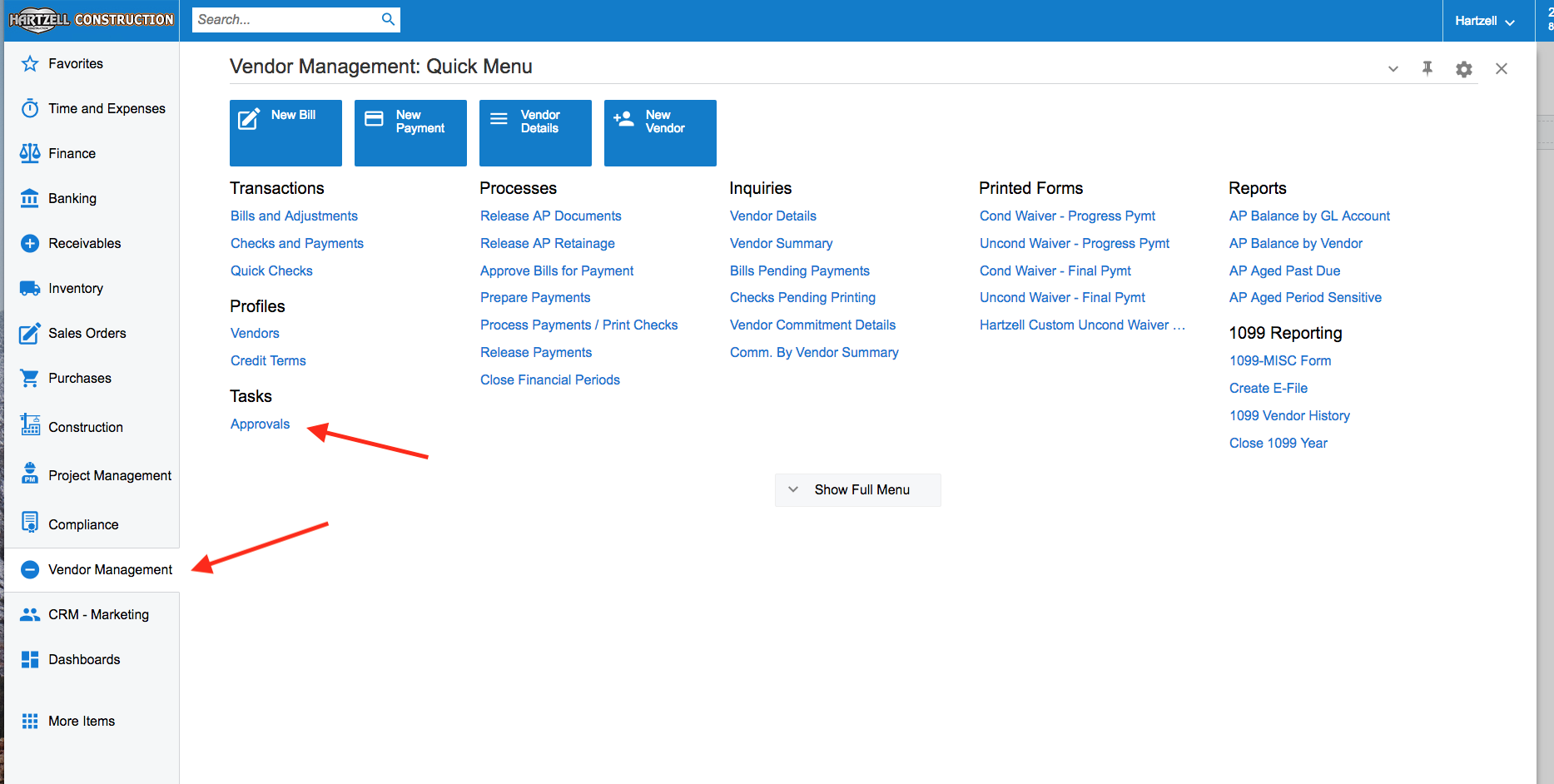
I don't use Modern UI - What opens when you click the link? I assume its the standard Organization -> Communication -> Tasks -> Approvals page.
It opens the approvals page with a list of items to approve.
See below

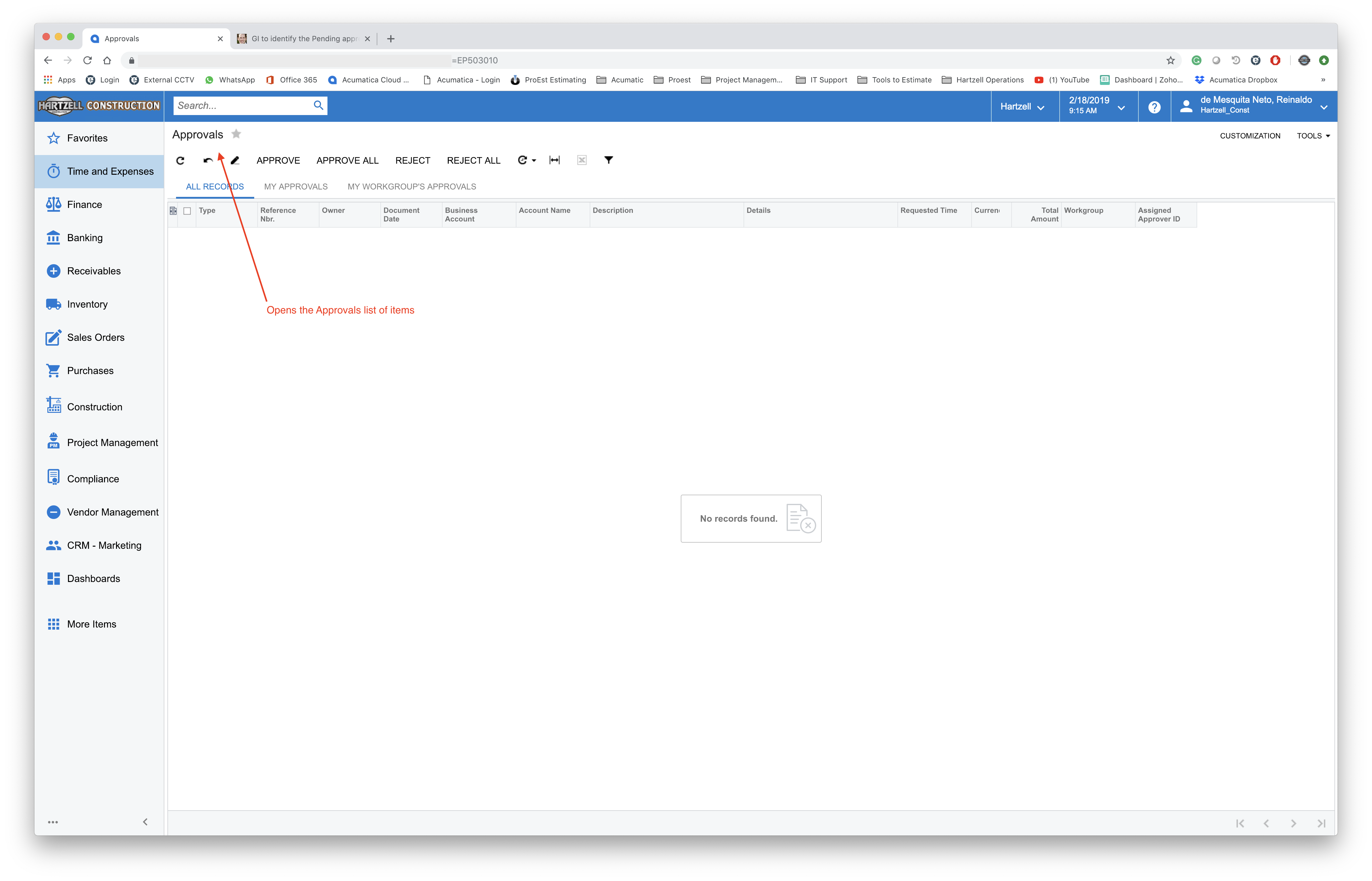
I already have a list of My Approvals on My Dashboard. You can add that page directly to a Dashboard via Data Table widget.
For Inquiry Screen just pick the Approvals page, from Organization -> Communication -> Work Area -> Tasks -> Approvals.
Pick the Filter (should be either My Approvals or My Workgroup Approvals) or a custom one if you've created any.
Chose the columns as needed.
No need to build anything!

Online Members
